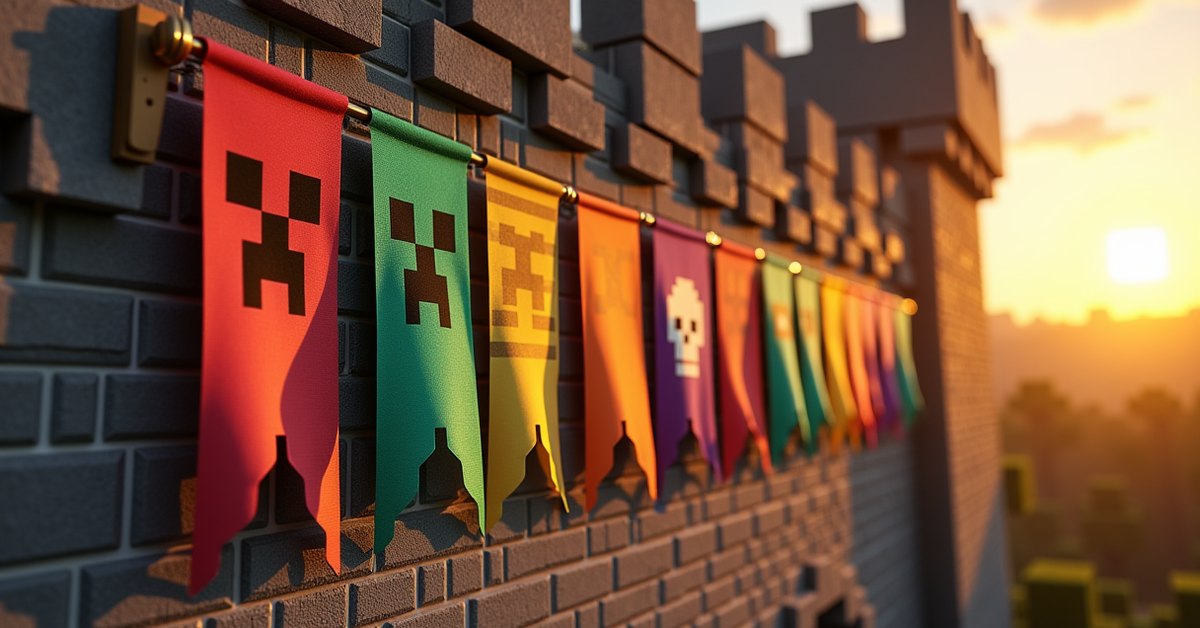
A banner is a tall decorative cloth you can hang on walls, stand on the ground, or fly above your base. On its own it is just a colored flag, but once you start adding patterns you can turn it into almost anything: a house crest, a guild flag, a sign for your shop, or a marker that shows up on your map.
Patterns are the layered designs you stamp onto a banner using a loom. You pick a base color when you craft the banner, then add up to six pattern layers on top, choosing a dye color for each one. Stack the right layers and you can build a creeper face, a skull, stripes, a gradient, or a full coat of arms.
This guide covers how to craft a banner, how the loom works, which patterns need a special item, and the tricks that make banners genuinely useful instead of just pretty.
How to craft a banner
You craft a banner from six wool of the same color plus one stick. Place the wool in the top two rows of the crafting grid (six blocks total) and put a stick in the center of the bottom row. The banner takes the color of the wool you used.
That color becomes the base layer. Every pattern you add later sits on top of it, so think about the background before you start. A white base shows colored patterns most clearly, which is why a lot of detailed designs start there.
A banner is a single item that stacks up to 16 in your inventory as long as none of them carry patterns. Once a banner has a pattern, it stops stacking with plain ones.
Adding patterns with a loom
The loom is the table that applies patterns. You craft one from two string across the top row and one plank below the left string, or you can grab one from a shepherd villager’s job site.
Open the loom and you get three input slots: one for the banner, one for a dye, and one for an optional banner pattern item. The dye sets the color of the layer you are adding. The pattern grid on the right lets you pick which shape goes on, and a preview shows the result before you commit. Take the finished banner out of the output slot and the dye is consumed.
Most patterns need only a banner and a dye. These are the geometric ones: stripes along any edge, the vertical and horizontal center stripes, the cross and saltire, borders, triangles in each corner, the half-and-half splits, the square sections, the gradient that fades top to bottom, and the small and large checks. You can reach all of them with dye alone, which is why a banner can hold a lot of detail without you hunting down rare items.
Patterns that need a special item
A handful of patterns will not show up in the loom unless you place a matching banner pattern item in the third slot. Some of these items you craft, and some you can only find or trade for.
The craftable ones are made from a sheet of paper plus a themed ingredient. Paper and a creeper head gives the creeper charge pattern. Paper and a wither skeleton skull gives the skull charge. Paper and an oxeye daisy gives the flower charge. Paper and an enchanted golden apple gives the “thing,” which is the Mojang logo. Paper and a bricks block gives the masoned brick pattern, and paper and vines gives the indented border.
The rarest patterns are not craftable at all. You have to go get the item:
| Pattern | Banner pattern item | Where to get it |
|---|---|---|
| Globe | Globe Banner Pattern | Buy from a wandering trader |
| Snout (piglin) | Snout Banner Pattern | Loot chests in bastion remnants |
| Flow | Flow Banner Pattern | Reward vaults in trial chambers |
| Guster | Guster Banner Pattern | Reward vaults in trial chambers |
The pattern items behave a little differently across editions, which is covered further down.
Layering, copying, and washing patterns
A banner holds up to six pattern layers on top of its base color. The order you apply them in matters, because each new layer paints over whatever it overlaps. If a design is not coming out the way you pictured, the usual fix is to change the sequence rather than the colors.
Once you build a design you love, you do not have to recreate it by hand for every copy. Put the finished banner and a blank banner of the same base color together in a crafting grid and you get a second banner with the same pattern. The original is not used up, so you can stamp out as many duplicates as you have blank banners for. This is the fast way to flag a whole row of buildings with the same crest.
Made a mistake on the top layer? A water cauldron undoes it. Use the patterned banner on a cauldron that has water in it and the most recent layer comes off, dropping the water level by one as it does. Repeat to peel the design back one layer at a time. This saves the wool and stick you would otherwise waste starting over.
Using banners as map markers
Banners do something useful that most decorative blocks cannot: they show up on maps. Place a banner, then use a map on it, and a marker appears on that map at the banner’s location in the banner’s color. It stays there even when you are far away, which makes banners excellent for marking a base entrance, a mineshaft, or a portal.
You can name a banner in an anvil before placing it, and that name shows next to the marker on the map. Tag one banner “Home” and another “Diamonds” and your map turns into a labeled travel guide. If you mine the banner later, its marker disappears from the map, so the map always reflects what is actually there.
Ominous banners
The dark banner carried by raid captains is a special case. Pillager patrol captains and raid leaders carry an ominous banner on their backs, and when you kill the captain you can pick it up. It uses a fixed pattern you cannot rebuild in a loom, so the only way to own one in survival is to take it off a captain.
It works like any other banner once placed, which makes it a popular trophy above a base or at the entrance to a build. Just remember that killing a raid captain gives you the Bad Omen effect, so handle the next village visit with care.
Tips and common mistakes
Plan the base color first. You cannot recolor a banner’s base after crafting it, only add layers on top, so a wrong base means crafting a new banner.
Keep a stack of white banners on hand if you make a lot of designs. White takes colored patterns cleanly and is the most flexible starting point.
In Java Edition you can stamp a banner’s design onto a shield. Combine a shield and a patterned banner in a crafting grid and the shield picks up the pattern, which is a quick way to carry your crest into a fight.
If the loom will not show a pattern you want, you are probably missing the banner pattern item for it. The geometric shapes need only dye, but the charges, the globe, the snout, and the trial chamber patterns all need their item in the third slot.
Java and Bedrock differences
The core system is the same in both editions: craft a banner, apply up to six layers in a loom, copy and wash as needed. The main gap is how special pattern items are treated. In Java Edition the banner pattern item stays in the loom after you use it, so one globe pattern can decorate any number of banners. In Bedrock Edition the pattern item is consumed when you apply it, so you need a fresh one for each banner.
Applying a banner to a shield is a Java crafting feature. If you play Bedrock, the shield workflow is not the same, so do not expect the crafting recipe to behave identically.
Frequently asked questions
How many patterns can a banner have?
A banner holds its base color plus six pattern layers, for six designs stacked on top of the background. Once you reach six, the loom will not add a seventh.
Do I lose the banner pattern item when I use it?
In Java Edition, no. The pattern item stays in the loom and can be reused. In Bedrock Edition, yes, the item is consumed each time you apply that pattern.
How do I remove a pattern from a banner?
Use the banner on a cauldron filled with water. Each use strips the most recent layer and lowers the water by one level. Repeat until the banner is back to the design you want.
Can I copy a banner design?
Yes. Put the patterned banner and a blank banner of the same base color in a crafting grid to make a duplicate. The original banner is not consumed, so you can copy it as many times as you like.
Why won’t the globe pattern appear in my loom?
The globe needs the Globe Banner Pattern item, which you buy from a wandering trader. Without that item in the loom’s pattern slot, the globe option will not show up.
Can banners catch fire?
Banners are not a reliable fireproof block, so treat them like any other build piece near lava or flame and keep a gap. If you want a banner near a fire feature, leave room so a stray spark cannot reach it.
The real value of banners is that they double as a labeling system. Anyone can hang a flag, but tagging your map with a few named banners turns a confusing overworld into something you can actually navigate. Build one design you like, copy it across your bases, and let the map do the rest.