What is a crafting table?
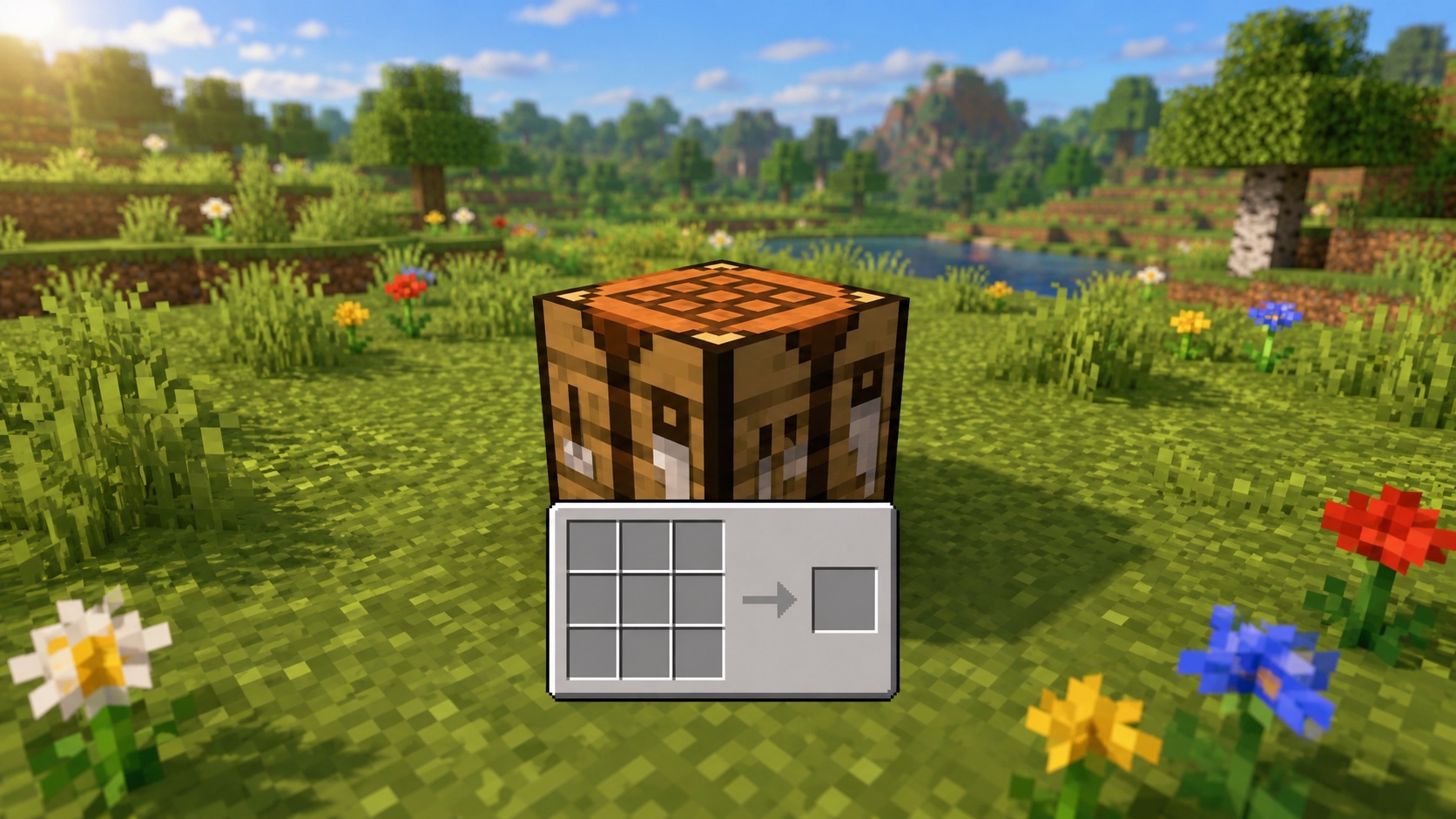
The crafting table is the block that opens a 3×3 crafting grid in Minecraft. Without one, you’re stuck with the 2×2 grid in your inventory, which only handles a small set of recipes like planks, sticks, torches, and a few others. Anything bigger needs the full 3×3 grid. That covers tools, armor, beds, chests, furnaces, and most of the rest of the game.
You craft a crafting table from four wooden planks. Once placed, you right-click on Java or tap on Bedrock to open it. The block looks the same in both editions and works the same in both editions, with a few input differences I’ll cover below.
If you’re wondering whether to make one before anything else, the answer is yes. It’s the second thing most players craft on day one, right after the planks they make it from.
How to make a crafting table
The recipe is four planks in a 2×2 square. Any wood works: oak, spruce, birch, jungle, acacia, dark oak, mangrove, cherry, pale oak, crimson, or warped. You can mix wood types in the recipe. The crafting table you get back looks the same regardless of which planks you used.
To get the planks, punch a tree. One log gives you four planks. Four planks give you one crafting table. A single log covers it.
You make this recipe in your inventory’s 2×2 grid, since you don’t have a crafting table yet. That’s one of the few recipes the inventory grid is built to handle. Open your inventory, place one plank in each of the four crafting slots, then drag the result out.
The recipe shape
The four planks need to form a 2×2 square. You can place them anywhere on a 3×3 grid as long as they sit in a 2×2 block. The recipe won’t accept three planks, and it won’t accept four planks placed in an L or a line. Keep it simple and use the 2×2 inventory grid.
How to use a crafting table
Place the crafting table on any solid block. It takes one block of space. Then look at it and right-click on Java, or tap on Bedrock, to open the 3×3 grid.
The interface has three parts: the 3×3 grid where you arrange ingredients, the output slot to the right of the grid that shows the result of whatever you’ve laid out, and your inventory at the bottom, including your hotbar.
When the recipe is correct, the result appears in the output slot. Click it to take one. Shift-click to take all you can make at once. If you’ve laid the recipe wrong, the output stays empty.
The recipe book
There’s a small book icon to the left of the grid. Click it to open the recipe book, which lists every recipe you’ve unlocked so far. New recipes unlock automatically as you collect the right ingredients. Click a recipe in the book to fill the grid for you, or shift-click to fill from any matching ingredients in your inventory in one motion.
The recipe book is the easiest way to handle complicated recipes. If you’ve forgotten how a piston goes together, click the book, find the piston, and the game lays it out for you.
Closing the table
Press E (or your inventory key) or tap outside the grid on Bedrock. Anything sitting in the grid drops back to your inventory. If your inventory is full, items that don’t fit drop on the ground at your feet, so watch for that when you’re working with valuable ingredients.
Where crafting tables spawn naturally
You don’t have to make one if you’re willing to scavenge. Crafting tables show up in several generated structures. Plains, savanna, taiga, snowy, and desert villages all include houses with at least one. Witch huts in swamps always have a crafting table on top of a chest near the cauldron. Some pillager outposts include one on the upper floors, and trail ruins occasionally have one in their loot rooms.
If you’re in a starter biome and don’t want to chop a tree, raid a village. You’ll usually find one within a minute of walking around.
Mining a placed table
You can mine a crafting table with your fist or any tool. An axe is fastest. The block always drops itself, so there’s no risk of losing it. Carrying a crafting table in your hotbar is common for early-game exploration: place it, craft what you need, mine it back up, and keep moving.
Common mistakes and tips
A few things trip up new players. Some try to craft tools in the inventory grid. The 2×2 grid can’t make pickaxes, swords, axes, or any tool that’s three blocks wide or three blocks tall. You need the 3×3 grid on a real crafting table.
Others forget to take the result. The output slot doesn’t auto-empty. If you walk away without clicking it, the ingredients stay in the grid. Press E to close, then check the floor for any items that didn’t fit in your inventory.
Crafting tables are flammable, so lava nearby, or a stray flint and steel, will turn one into ashes. Don’t put one next to your fireplace.
Useful habits: carry a crafting table in your hotbar at all times. It costs four planks to replace and saves a trip home. Place one next to your furnaces, since the two blocks pair up often enough that having them side by side speeds up most workflows. On shared servers, mark public crafting tables with a sign that says “shared” so people don’t mine one and walk off with it.
The crafting table as fuel
A crafting table works as furnace fuel. One smelts 1.5 items, the same as any wooden block. It’s not efficient, since you spent four planks to make it, but in a pinch you can shove one in a furnace and get a few items out.
Java vs. Bedrock differences
The crafting table works the same way in both editions. The recipe is the same, the output is the same, and the GUI works the same way. The differences sit at the input layer.
On Java, right-click to open. Click to take one of the result, or shift-click to take all you can make. On Bedrock, tap or long-press to open, depending on your control scheme. The mobile interface uses a recipe-first layout where you pick a recipe from a sidebar and the game checks whether you have the ingredients on hand.
If you’ve only played one edition, the other will look slightly off the first time you open the table. The recipes themselves match.
Frequently asked questions
How do you make a crafting table in Minecraft?
Open your inventory, place four planks in the 2×2 crafting grid, and take the crafting table from the result slot. Any wood type works, and you can mix them.
Why do some recipes need a crafting table?
Recipes that are wider or taller than two slots need the 3×3 grid. The 2×2 inventory grid is fine for planks, sticks, torches, and a few others, but anything bigger has to go on a crafting table.
Can a crafting table catch fire?
Yes. It’s a wooden block, so lava, fire, and flint and steel will burn it. Keep it away from open flames. If your base has a fireplace, leave a one-block gap of stone or another non-flammable block between the fire and the table.
Can you use a crafting table as fuel?
Yes, but it’s not efficient. A crafting table smelts 1.5 items in a furnace. You’re better off using planks directly, since four planks smelt six items in total, and a crafting table costs you four planks to make in the first place.
Do villagers use crafting tables?
No. The crafting table isn’t a job site block. It shows up in villages because the houses are built to look like player homes, but no villager profession claims it. The blocks that bind villagers to a job are workstations like the cartography table, lectern, and smithing table.
Can you put a crafting table in a boat?
No. The crafting table doesn’t ride in boats. Most players keep one in the hotbar and place it on the shore when they need it, then mine it back up before sailing on.
How fast does a crafting table mine?
It’s a wood-class block with a hardness of 2.5. With your bare hand it takes about 3.75 seconds. With any axe it takes well under a second. An iron axe or better mines it almost instantly.
Can you push a crafting table with a piston?
Yes. The crafting table moves cleanly with pistons and sticky pistons. It has no block entity data attached, so there’s no risk of it dropping or breaking when pushed.
One more thing
The crafting table is the block that turns Minecraft from punching trees into actually playing the game. The first one you make is the start of every project that follows. If you’re new, get it down on day one and don’t worry about anything fancy until you’ve used the 3×3 grid for the first time.