What Hard difficulty actually changes
Minecraft has four difficulty settings: Peaceful, Easy, Normal, and Hard. Hard is the one that actually fights back. Pick it and the same world becomes meaner in ways that go well past “mobs do more damage.”
The biggest change is simple and unforgiving. On Hard, hunger can kill you. Add zombies that smash through your front door, villagers that always turn after an attack, and spiders that arrive with potion effects, and you get a survival game that punishes sloppy play.
Here is everything Hard difficulty changes compared to Easy and Normal, the exact numbers where they matter, and whether the extra risk is worth it.
The four difficulty levels
Difficulty is a per-world setting you can change almost any time from the options menu. Peaceful turns off hostile mob spawns, stops hunger from ever hurting you, and heals you quickly on its own. Easy lets mobs spawn but softens their damage, and starvation bottoms out at 5 hearts. Normal uses standard mob damage and lets starvation drop you to half a heart but no lower. Hard is where mob damage peaks, several mechanics get meaner, and hunger can finish you off completely.
Because difficulty is just a setting, none of this is permanent unless you are playing Hardcore. You can move between the four levels as your skill and your base improve.
Hunger can kill you on Hard
This is the difference players feel first. When your hunger bar empties and your saturation runs out, your health starts to drain. Where that drain stops depends entirely on difficulty.
On Easy, starvation halts at 10 health points, which is 5 hearts. On Normal, it keeps going until you have half a heart left, then stops. On Hard, there is no floor. Ignore your food bar long enough and you will starve to death.
That single change reshapes how you play. Keeping a stack of cooked food on you stops being a convenience and becomes a survival rule. A long mining trip with no food is a real way to die on Hard, something that simply cannot happen on Easy or Normal. Carry bread, cooked meat, or any reliable food, and eat before the bar gets dangerously low rather than after.
Mobs hit harder
Every hostile mob deals more damage as you raise the difficulty. A zombie, skeleton, or creeper you could trade blows with on Easy will chew through your health much faster on Hard. Creeper explosions in particular do noticeably more damage, which makes an unexpected hiss far more likely to end your run.
Because the damage numbers climb, armor and shields matter more on Hard than on any other setting. A fight you would brute-force on Normal often needs a wall, a shield, or a clean retreat on Hard. Going out at night in leather armor is survivable on Easy and a quick way to die on Hard.
Zombies break down doors
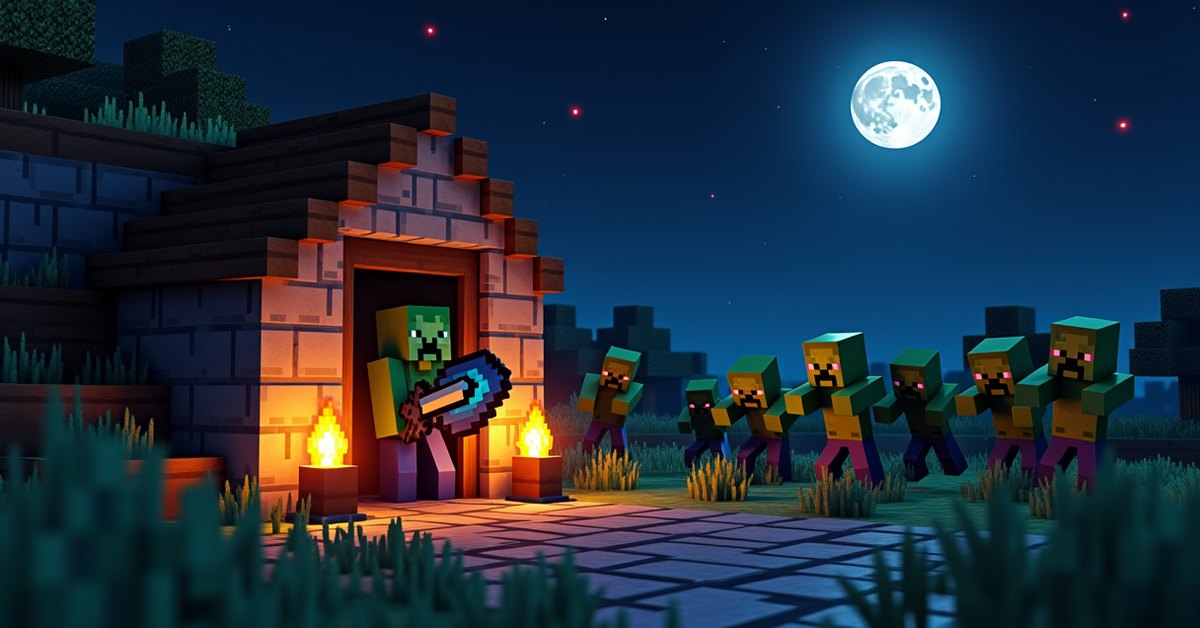
On Hard, zombies can break wooden doors to reach you. During a rough night, a group of zombies will gather at a door, and on Hard one of them can pound it open and let the rest pour in. This only happens on Hard in Java Edition, and only when the mob griefing rule is turned on.
The fix is easy once you know about it. Use an iron door, which zombies cannot break, or place your wooden door raised one block up so no zombie can stand at door height to attack it. Plenty of players just default to iron doors for any base they care about on Hard.
Zombie reinforcements
Hit a zombie and it can call for help. When a zombie takes damage, there is a chance it spawns another zombie nearby to back it up. The chance scales with local difficulty, which I cover below, and it is highest on Hard. Fight one zombie carelessly in the open and you can find yourself boxed in by three or four. Pulling enemies into a one-on-one chokepoint instead of swinging in a crowd matters a lot more here than on Easy.
Villagers always turn into zombie villagers
When a zombie kills a villager, the villager can come back as a zombie villager instead of simply dying. The conversion chance is set by difficulty, and the numbers are exact. On Easy the chance is 0 percent, so villagers never convert. On Normal it is 50 percent. On Hard it is 100 percent: every villager a zombie kills turns.
This cuts both ways. A zombie attack on Hard can gut a village fast, because each fallen villager becomes another attacker. But it also means you can cure the converted villagers later with a Splash Potion of Weakness and a golden apple, so a Hard-mode raid does not have to mean permanent losses if you act quickly. Walling your villagers in and lighting the area well is far more important on Hard than on lower settings.
Spiders and cave spiders get nastier
On Hard, regular spiders can spawn already carrying a random potion effect: Speed, Strength, Regeneration, or Invisibility. An invisible spider that moves faster and hits harder is one of the worse surprises the difficulty has to offer. These buffed spiders only appear on Hard, and the chance depends on local difficulty.
Cave spiders bring their own scaling through poison. On Easy, a cave spider bite does not poison you at all. On Normal, the poison lasts 7 seconds. On Hard, it lasts 15 seconds. In a tight abandoned mineshaft full of cobwebs, that longer poison is often what actually kills you rather than the bites themselves. Milk cancels poison instantly, so a bucket of milk is worth bringing into any mineshaft on Hard.
Better-equipped mobs and local difficulty
Minecraft tracks a hidden value called local difficulty, sometimes called regional difficulty, for the area around you. It rises with the world’s age, the time you have spent in a particular chunk, the moon phase, and your difficulty setting. Hard pushes this value higher than any other setting, and a higher value makes the game roll for nastier outcomes.
As local difficulty climbs, more zombies and skeletons spawn wearing armor, more of them carry enchanted weapons, and the gear they do carry tends to be better. The zombie reinforcement chance and the buffed-spider chance both feed off this same value. The practical result is that a long-lived world played on Hard throws progressively tougher mobs at you over time, not just on day one. A base that felt safe in week one can start seeing armored, enchanted zombies a month later.
Other things Hard changes
A few smaller effects round out the difference. Husks inflict the Hunger effect for longer when they hit you on higher difficulties, draining your food bar at the worst possible time. Many mob attacks simply do more raw damage as the setting rises, and status effects from mobs tend to last longer. None of these alone is a dealbreaker, but together they make Hard feel relentless in a way that lower settings do not.
Java and Bedrock differences
Most of these changes apply to both Java and Bedrock Edition, but a few details differ. The headline one is door breaking. Zombies smashing wooden doors is a Java Edition behavior tied to Hard difficulty and the mob griefing rule, and Bedrock handles zombie door interaction differently. The hunger floors, mob damage scaling, villager conversion, and local difficulty systems work in both editions, so the core lesson of Hard mode holds wherever you play: stay fed, stay armored, and respect the dark.
How to change difficulty
You can switch difficulty at almost any time. In a single-player world, open the pause menu, go to Options, and use the Difficulty button to cycle between Peaceful, Easy, Normal, and Hard. On a server, an operator can run /difficulty hard to set it. Changes take effect right away.
The one exception is Hardcore mode. A Hardcore world is permanently locked to Hard difficulty, and you cannot lower it. Combine that locked Hard setting with a single life and permadeath, and you have the toughest way Minecraft ships.
Should you play on Hard?
Hard rewards players who already have the basics down. Keep food on you, build a safe base, carry armor and a shield, and do not pick fights you cannot win. If that is roughly how you already play, Hard adds tension without feeling unfair, and the door-breaking zombies and reinforcements give nighttime real stakes.
If you are still learning the game or you mostly want to build, Normal gives you most of the threat with a safety net, since starvation cannot kill you there. Start on Normal and bump up to Hard once you feel comfortable. The setting is yours to change.
Frequently asked questions
Can you starve to death on Hard?
Yes. Hard is the only difficulty where an empty hunger bar can take your health all the way to zero. On Easy it stops at 5 hearts, and on Normal at half a heart.
Do zombies break doors on Easy or Normal?
No. Zombies only break wooden doors on Hard difficulty in Java Edition, and only when mob griefing is enabled. Iron doors are safe on every difficulty.
What is the villager zombie conversion chance?
It depends on difficulty: 0 percent on Easy, 50 percent on Normal, and 100 percent on Hard. On Hard, every villager killed by a zombie turns into a zombie villager, which you can later cure.
Does changing difficulty affect mobs that already spawned?
Lowering the difficulty does not despawn mobs already in the world, but their damage and behavior update to the new setting. Switching to Peaceful is the exception, since it removes hostile mobs immediately.
Is Hardcore the same as Hard?
Not quite. Hardcore is a separate world type that locks difficulty to Hard and adds permadeath, so you cannot respawn after dying. Regular Hard mode lets you respawn as normal.
Can you switch from Hard back to Easy?
Yes. In any normal world you can change difficulty whenever you want from the options menu. The only exception is a Hardcore world, which stays on Hard for good.
The bottom line
The throughline on Hard is preparation. Every change it makes, from starvation to door-breaking zombies to reinforcement waves, punishes the moments you let your guard down and rewards the food, armor, and walls you set up in advance. If you like a game that checks whether you actually learned its systems, Hard is where Minecraft asks.