What a seed is
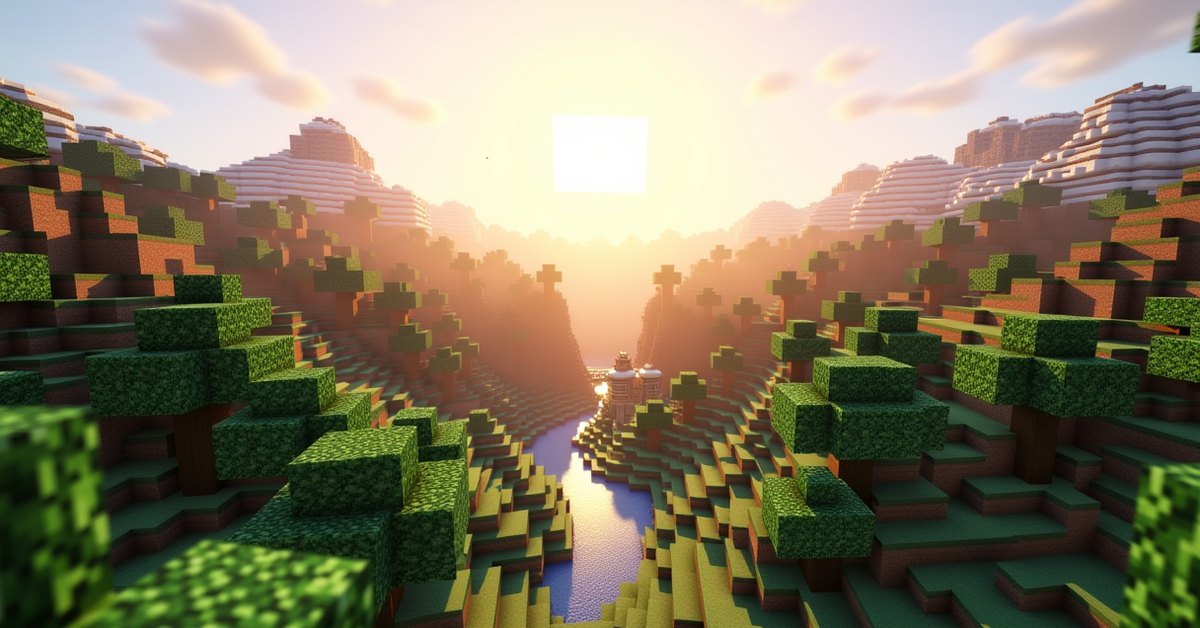
A world seed is the number Minecraft uses to build a world. It decides where the biomes go, how the terrain folds, where caves run, and where villages, strongholds, and other structures sit. Type the same seed into the same version of the game and you get the same world every time.
That predictability is the point. If you find a world you like, or a friend tells you about a great spawn next to a village and a ravine, the seed lets you both load the exact same place. Leave the seed field blank when you make a world and Minecraft picks a random one for you.
Everything else on the world creation screen sits next to the seed: the world type, the game mode, the difficulty, and a handful of toggles for cheats and structures. Together these settings shape how your world plays before you ever place a block.
How seeds work
Under the hood a seed is a 64-bit number. The full range runs from -9223372036854775808 to 9223372036854775807, so there are more possible worlds than anyone could ever explore.
You can type a plain number, but you can also type words or letters. When you enter text, Minecraft runs it through a hash and turns it into a number. So the word minecraft always maps to the same numeric seed, and so does your name or any phrase you pick. A blank field is the exception: it tells the game to roll a random number instead.
One thing trips people up. A seed only guarantees the same world inside the same version. World generation changes between updates, so loading an old seed in a newer version can shift the terrain, add new biomes, or move structures around. If you want to keep a world exactly as it looks, note the version along with the seed.
How to set a seed
You enter the seed when you create the world, and you cannot change it afterward.
Java Edition
From the main menu, choose Singleplayer, then Create New World. Open the World tab. The field labeled “Seed for the world generator” is where you paste or type your seed. Leave it empty for a random world. Set the rest of your options, then create the world.
Bedrock Edition
Tap Play, then Create New World. Scroll down to the World section and find the Seed field. You can type your own seed or pick one from the list of featured seeds Bedrock suggests. Bedrock also shows a small preview for some seeds so you have an idea of what you are loading.
How to find your world’s seed
If you already made a world and want its seed, the quickest way is the /seed command. Open the chat, type /seed, and the game prints the number. This only works if cheats are turned on for that world.
In Bedrock you can also read the seed without commands. Pause the game, open Settings, and look under the World or Game settings; the seed sits in the same field you used to create the world. Java does not show the seed in a menu during play, so the command is your main option there.
World type options
The world type controls the shape of the land itself. Most players stick with the default, but the others have their uses.
| World type | What it does |
|---|---|
| Default | Normal terrain with the full mix of biomes, caves, and structures. The standard way to play. |
| Superflat | Flat layers of blocks with no hills. You can pick a preset to change the layers. Popular for redstone testing, creative builds, and flat survival challenges. |
| Large Biomes | The same generation as default, but each biome is scaled up several times larger. Deserts and forests stretch much farther before they change. |
| Amplified | Exaggerated terrain with towering mountains and deep valleys that climb to the height limit. It looks dramatic and runs heavy on weaker hardware. |
| Single Biome | The whole world becomes one biome you choose. Handy if you want an endless desert, ocean, or mushroom field. |
Java has one more entry, Debug Mode, hidden behind the world type button. It lays out every block in the game in a flat read-only grid and is meant for developers and resource pack makers, not normal play. You reach it by cycling the world type while holding a modifier key, and you are unlikely to land on it by accident.
The other world options
Below the seed and world type sit the settings that decide how the world plays.
Game mode
Survival is the standard mode with health, hunger, and a need to gather everything yourself. Creative gives you unlimited blocks, flight, and no danger. Adventure is built for custom maps, where you can interact with the world but cannot freely break blocks. Spectator lets you fly through blocks and watch without touching anything, though you usually switch into it with a command rather than picking it at creation.
Difficulty
Peaceful removes hostile mobs and refills your health over time, so you never starve. Easy, Normal, and Hard keep the monsters but raise how hard they hit and how fast hunger drains you. On Hard, starvation can kill you outright and zombies can break through wooden doors.
Hardcore
Java Edition has a Hardcore option that locks the difficulty to Hard and gives you a single life. When you die, the world switches to spectator and you cannot respawn. It is the toughest way to play and a separate toggle from the normal game mode.
Allow cheats
Turning on cheats unlocks commands like /gamemode, /give, /time, and /seed. It is the only way to use the seed command later. On Bedrock, switching cheats on permanently disables achievements for that world, so think twice if you care about them.
Bonus chest and structures
The bonus chest spawns a small chest of starter tools and food next to where you wake up, which softens the first night. The generate structures toggle turns villages, strongholds, mineshafts, and the like on or off. Leave structures on for a normal game; turn them off only if you want raw, empty terrain.
Java and Bedrock are not the same
Seeds do not carry across editions. The two versions use different world generators, so the same number produces a different world in Java than it does in Bedrock. A seed you saw in a Java screenshot will not match what you load on a phone or console.
A few options also differ by edition. Hardcore and Debug Mode are Java only. Bedrock offers featured seeds and previews that Java does not, and it ties achievements to whether cheats are ever enabled. When you copy a seed from a video or article, check which edition it came from first.
Tips and common mistakes
Write down a seed you like before you forget it, and note the version next to it. If you load that seed years later in a fresh update, the world can look different, and the version tells you why.
To see your coordinates while exploring, press F3 in Java or turn on Show Coordinates in the Bedrock world settings. Coordinates make it easy to share a structure’s location once you have the seed.
One frequent slip is expecting a friend’s seed to match across platforms. If their spawn looks nothing like yours, the cause is almost always a Java versus Bedrock mismatch, or a difference in game version, rather than a wrong seed.
Frequently asked questions
Can you change a world’s seed after creating it?
No. The seed is locked in when the world is generated. To play a different seed you have to create a new world.
Do Minecraft seeds work across Java and Bedrock?
No. The editions use different generators, so the same seed builds different worlds. Use seeds from sources that match your edition.
How do I find the seed of a world I already made?
Type /seed in chat if cheats are on. On Bedrock you can also read it in the world settings menu.
Can I use a word or name as a seed?
Yes. Minecraft converts any text into a number, so a word, name, or phrase works as a seed and always maps to the same world.
Does turning on cheats disable achievements?
On Bedrock Edition, enabling cheats permanently turns off achievements for that world. Java uses advancements, which are not affected.
What is the best world type for building?
Superflat is the usual pick for big builds and redstone, since the flat ground saves you from leveling terrain first. Creative mode on a superflat world is a clean canvas.
The fastest way to learn what these settings do is to make a couple of throwaway worlds and try them. Spin up a superflat creative world to test a build, then start a default survival world with a seed you saved, and the menu stops feeling like a wall of options and starts feeling like a set of dials you actually control.