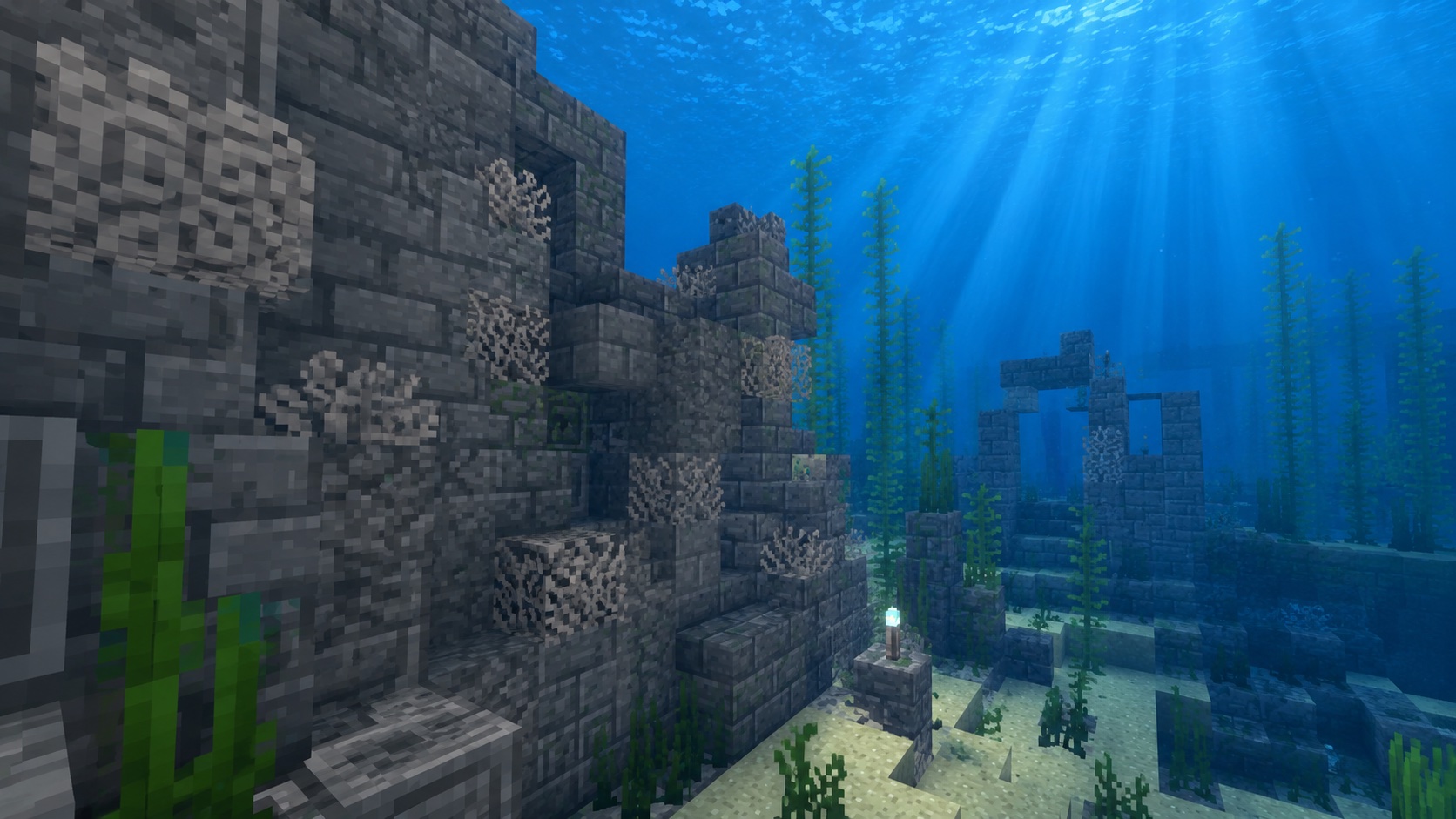
What dead brain coral fan is
Dead brain coral fan is the dried-out version of brain coral fan, one of the small fan-shaped coral plants that grow on warm ocean floors. Once it dies, the bright pink fades to a chalky gray and the texture stays exactly where you placed it. The block keeps the same fan shape, just without color and without any chance of supporting marine life.
If you’ve explored a warm ocean and pulled up a coral fan without thinking about it, you’ve probably already made one by accident. A live brain coral fan starts dying the moment it loses contact with water, and roughly a minute later it becomes the dead variant. Unlike its live cousin, dead brain coral fan does not need water to keep its block state, which is the main reason builders care about it.
This guide walks through where dead brain coral fan spawns, how to harvest it without losing the drop, and the easiest ways to put it to work in builds.
Where to find dead brain coral fan
There are two reliable sources:
- Generated naturally, attached to dead coral blocks in warm ocean and deep warm ocean biomes. Most coral reefs spawn alive, but small patches of pre-dead coral show up here and there along the same reefs.
- Wherever you place a live brain coral fan and let it die.
If you need stacks of dead brain coral fan for a build, the second source is faster. Reefs spawn dead coral in small clusters, and combing the seafloor for a single fan at a time gets old. Pull a few live fans, dry them out near your base, and you have a steady supply.
How to get a dead brain coral fan
Method 1: let a live brain coral fan die
Find a live brain coral fan growing on a coral block. Mine it with a tool that has the Silk Touch enchantment. Take the live fan somewhere out of water (a stone block on land works fine) and place it. About 60 seconds later the fan turns gray and becomes a dead brain coral fan. Mine it again to pick it up.
Why Silk Touch on the first mine? Without it, mining a live coral fan drops nothing. Silk Touch is the only way to bring the live fan back as a placeable item. After the fan dies, regular mining is enough to pick up the dead version.
Method 2: harvest dead coral fans you find on a reef
If you spot a fan that’s already gray on a coral reef, mine it with any tool. No Silk Touch needed. The block drops itself, one for one.
Method 3: bone meal is not a shortcut
Bone meal grows new live coral on coral blocks, but it doesn’t speed up dying or convert blocks. For dead brain coral fan, bone meal does nothing useful.
How to mine dead brain coral fan
A pickaxe is the fastest tool, but the block also breaks with anything else, including bare hands. The drop is the same either way: one dead brain coral fan per block.
One detail to watch: dead brain coral fan, like every coral fan, breaks instantly if its support block is removed. If a fan is hanging off a coral block and you mine that coral block, the fan pops off and either drops as an item or vanishes if it has nothing to land on. When you’re stripping a reef for blocks, mine the fans first, then the coral blocks below.
How to place dead brain coral fan
Dead brain coral fan has two block states based on how you place it:
- Floor fan: placed on top of a block. It stands upright like a small palm leaf.
- Wall fan: placed against the side of a block. It hangs flat against the wall.
Aim at the surface you want it on and right-click. Whether the fan ends up as a wall variant or a floor variant depends on the face of the block you’re targeting. There is no separate item for the wall version; the block decides automatically.
Dead brain coral fan can be placed underwater or in open air. It doesn’t need water to keep its block state, since it’s already dead. You can also waterlog it by placing it underwater, or by using a water bucket on it after the fan is in place.
What dead brain coral fan does (and doesn’t)
It’s a decoration block, full stop. Dead brain coral fan has no redstone behavior, no block updates, and no animation. Mobs can walk through the space the block occupies. It doesn’t block light. It doesn’t grow back into live coral once dead, and there is no mechanic in the game that revives a dead coral fan.
Compared to live brain coral fan, the differences are simple:
- Color: pink for live, gray for dead.
- Survival: live needs adjacent water at all times. Dead does not.
- Drop: live needs Silk Touch to harvest. Dead drops itself with any tool.
Builds and design uses
Dead brain coral fan earns its keep in two situations: as a cheap decoration on land builds where you want a coastal feel, and as part of a “dead reef” or “abandoned aquarium” build that wants muted, ashen color.
A few practical ideas:
- Beach huts and shipwrecks. Place a few wall fans on driftwood-style oak planks for a weathered look. Pairs well with deepslate, oak fence, and dried kelp blocks.
- Aquarium or pet shop builds. Mix dead brain coral fan with live tube and fire coral fans in a glass tank to suggest a reef in trouble. Slightly grim, but it reads.
- Underwater ruins. Stick dead brain coral fans on stone bricks and prismarine in a flooded build. Helps the area come across as long abandoned.
- Fantasy maps. The gnarled, branching shape works as alien plant life on a dry-world theme. Pair with calcite, andesite, and bone blocks.
- Boss arenas. Use dead coral fans as wall accents in dungeons that hint at flooded ruins. Looks good around blue ice and lanterns.
Dead brain coral fan also fills a small survival role. Every warm ocean run accidentally produces a few while you’re collecting other coral, so you can stash them in a sorter and use them for set dressing without much effort.
Java vs. Bedrock differences
The block itself behaves the same on both editions. The placement experience is mostly identical too. The only practical difference worth flagging is the death timer for live coral, which controls how quickly you can convert live fans to dead. Both editions land in roughly the same range of “around a minute” out of water, so for most players this never matters.
Both editions also support waterlogging on dead coral fans, so a fan placed underwater stays in a water-filled state when you build around it. If you want to swap a wall fan with a floor fan or vice versa, you have to break and replace the block. You can’t rotate a placed fan.
Common mistakes
- Mining a live brain coral fan without Silk Touch. The fan drops nothing. Either swap to a Silk Touch tool, or wait for the fan to die first.
- Forgetting that fans pop off when their support is removed. If a fan is hanging off a coral block and you mine the coral block, the fan goes with it. Mine fans first, blocks second.
- Trying to revive a dead fan. No mechanic exists for this. Once gray, always gray.
- Using the wrong block face. If you want a wall fan, click the side of a block. If you want a floor fan, click the top. The block face you target matters more than the item you’re holding.
- Storing live coral fans in your inventory and assuming they’ll stay alive. Live coral fans don’t decay in your inventory. They only start dying once placed without water. Place them in a wet spot if you want them alive.
Frequently asked questions
Does dead brain coral fan need water?
No. The dead state means the fan is locked in. It can sit dry on land or underwater and stays the same gray.
Can dead brain coral fan come back to life?
No. Once a coral fan dies, the block state is permanent. Only live coral produces new live coral, and only with bone meal on live coral blocks, not on fans.
What tool do I need to mine dead brain coral fan?
None required. Bare hands work. A pickaxe is fastest. The fan drops itself regardless of tool.
Why did my brain coral fan die?
It wasn’t touching water on at least one side. Live coral and live coral fans need adjacent water at all times. Place them inside a body of water, or waterlog the fan by adding water to its block.
Can I waterlog a dead brain coral fan?
Yes. Place water on it with a bucket, or place the fan underwater, and it holds the water state.
Does dead brain coral fan emit a redstone signal?
No. It has no redstone behavior at all.
What’s the difference between dead brain coral fan, dead brain coral, and dead brain coral block?
“Dead brain coral” is the small upright plant version that sits on top of a block. Dead brain coral block” is the cubic version used as a full building block. “Dead brain coral fan” is the flat fan that attaches to a wall or a floor. All three are gray and stable without water. They differ in shape and where they fit in builds.
Can dead brain coral fan be moved by a piston?
Pistons can push or pull most coral fans, but pushing a fan into a position where it has no support breaks it. If you’re building a piston contraption around fans, leave a stable surface for them to land against.
Where dead brain coral fan fits
Dead brain coral fan rewards players who care about detail. It isn’t a high-tier resource and it isn’t required for any progression. Pull a few fans out of the next warm ocean you visit, leave them on land to dry, and you’ll have a small stockpile for any build that wants a touch of weathered, gray reef texture.