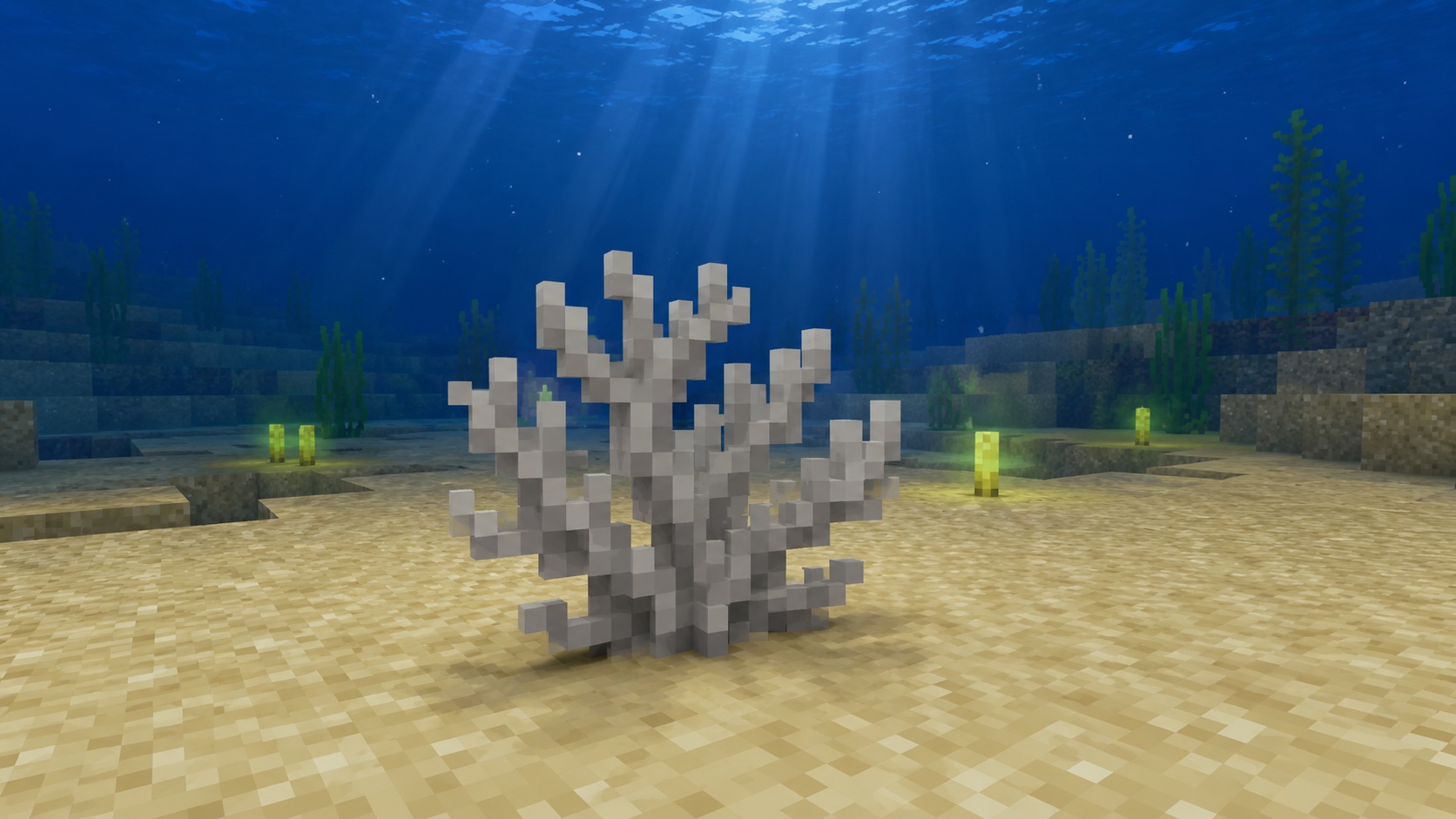
Dead Fire Coral Fan is the bleached, lifeless version of Fire Coral Fan in Minecraft. Once a fire coral fan dies, the block stays gray and decorative for the rest of its run in the world. There is no reviving it.
It matters for two reasons. The texture is distinct from every other gray block in the game, and the block can sit on dry land without a water source, which most coral cannot do. That makes it a quietly useful decorative piece for builds outside of ocean biomes.
What is Dead Fire Coral Fan and where does it come from?
Dead Fire Coral Fan uses the same flat, branching fan shape as the live block, with washed-out gray pixels instead of the bright orange-red you see on a healthy coral reef. You will usually run into it in two places: drying out in air-exposed corners of warm ocean reefs and ocean ruins, or on your own builds when a placed live coral fan loses its water source. Both cases produce the exact same block.
The “fan” part of the name refers to the model. Coral comes in three variants in Minecraft: the full block (cube), the small upright plant (just called “coral”), and the flat fan shape. The fan is the smallest and most attached-looking version, clinging to whichever block face you place it on.
How to get Dead Fire Coral Fan
Naturally generated dead fire coral fans
Warm ocean biomes are the only place fire coral generates in the world, and the dead variant turns up wherever a live fan was unlucky enough to be exposed to air during chunk generation. That happens around the edges of coral reefs that surface near small islands, on top of reefs that grew tall enough to break the waterline, and inside ocean ruins where collapsed walls leave coral fans high and dry.
You can also find dead coral fans of every color decorating the inside of shipwrecks once in a while, but the most reliable spot is the rim of a warm ocean reef. Bring a boat and a Silk Touch pickaxe and you can come back with stacks of every dead variant in an afternoon of play.
Make your own from a live fire coral fan
This is the easiest path if you are already set up in a warm ocean. Mine a live Fire Coral Fan with a Silk Touch tool so it drops itself, then place it somewhere with no water touching any of its sides. Within a single game tick, the block converts to Dead Fire Coral Fan and you can mine it normally to pick it up.
If you skip the Silk Touch step, the live coral fan drops nothing when mined. The block disappears, the live coral never gets the chance to convert, and you walk away empty-handed. Silk Touch matters at the live stage; it does not matter at the dead stage.
Creative mode and commands
In Creative, the dead fire coral fan sits in the building blocks tab next to the other dead corals. From a command, use /give @s minecraft:dead_fire_coral_fan. The wall variant uses the ID minecraft:dead_fire_coral_wall_fan, but you do not have to think about that distinction in survival, since placing the item on a vertical surface picks the wall version automatically.
How dead fire coral fan behaves
It does not come back to life
A dead coral block is permanent in the world. Putting a Dead Fire Coral Fan into water will not turn it back into a live Fire Coral Fan. There is no version difference here, no sneaky resurrection mechanic. If you want a live fan, you need a live fan; if you want a dead one, the change is one-way.
It does not need water
Live coral fans require an adjacent water source block to stay alive. The dead version does not care. Place it on a desert temple wall, a nether wastes path block, or the side of your build’s roof, and it will sit there indefinitely. This is what makes dead coral useful as a decorative block: it goes anywhere a torch would go.
Floor versus wall placement
The block has two visible forms: floor and wall. Place it on top of another block (the upper face) and it grows upward like a small standing fan. Place it on the vertical side of a block and it pins to that surface flat against the wall. The two share one item form in your inventory, and the game picks the right model based on where you click.
Mining and tools
Dead Fire Coral Fan can be broken by hand or with any tool. A pickaxe is the fastest option, but the block is so cheap to break that the speed difference rarely matters. Unlike its live counterpart, the dead variant drops itself reliably without Silk Touch, because there is no live-to-dead conversion left to interrupt at the moment of breaking.
If you are stripping a reef for decorative blocks and do not care about the live versions, just bring a stone or iron pickaxe and chip everything off. If you want both live and dead variants in your inventory, bring a Silk Touch pickaxe so the live blocks survive the trip back home.
Using dead fire coral fan in builds
The flat fan shape and the bleached gray color make this a quietly useful block for detail work. A few examples of where it earns its slot:
- Spooky underwater ruin builds where you want a graveyard-of-the-reef look without sprinkling actual bones around.
- Witch huts and swamp cottages, attached to wall surfaces as fake pinned-up herbs or trinkets.
- Beach scenes where a washed-up coral skeleton on the shore makes more visual sense than a living reef block sitting in the sand.
- Cave detail, especially on dripstone columns, since gray on gray reads well as natural texture.
- Wall art on jungle and desert builds, since the dead gray is one of the few neutral textures that does not clash with sandstone or jungle leaves.
The block is small enough that you can pack several into a single block space (one fan per face) for denser detail work.
Common mistakes to avoid
The mistake players hit most often is forgetting the Silk Touch step on the live version. They mine a live Fire Coral Fan with a regular pickaxe, expect a dead fan as a drop, and get nothing. The block has to die in the world to drop a dead fan; mining a live fan without Silk Touch just deletes it.
The second mistake is placing a fan in water expecting it to break or revert. It will not. Dead coral fans can sit in water indefinitely with no behavior change. The water does not bring them back, and it does not break them either. So if you want underwater scenes with bleached coral mixed in, you can place dead fans straight into the water and they will stay.
The third one is breaking the host block. A dead fire coral fan placed on a sand block will pop off if you mine the sand. The fan only stays put as long as its support block is there, just like a torch or a sign.
Java versus Bedrock
Behavior is the same on both editions. The dead block drops itself without Silk Touch, sits in or out of water without changing, and uses the same item ID. The wall and floor models render the same way, and you can place them with the same click. There is no edition-specific mechanic to remember here, so any guide that works for one works for the other.
Frequently asked questions
Can you bring a dead fire coral fan back to life?
No. Once any coral or coral fan converts to its dead form, that change is permanent. Putting it back into water or surrounding it with live coral does nothing.
Do you need Silk Touch to mine dead fire coral fan?
No. The dead variant drops itself with any tool, including bare hands. Silk Touch is only needed for the live version, because mining a live fan without it deletes the block before it can drop.
Where do dead fire coral fans spawn naturally?
Almost always in warm ocean biomes, on coral reefs that pierce the water surface or sit at the edge of a reef where chunk generation left some fans exposed to air. Ocean ruins and shipwrecks include them sometimes, too.
Can dead fire coral fan be placed on walls?
Yes. Aim the block at the side of a solid block and it will use the wall-fan model. Aim it at the top of a block for the standing fan model. Same item, two placements.
What is the difference between dead coral and dead coral fan?
The block (full cube) takes up a whole block space and uses a solid texture. The fan is a flat, attached decoration that takes up almost no space and clings to one face of a block. Both come in fire, brain, bubble, horn, and tube variants.
Does dead fire coral fan break the same way as live fire coral fan?
The mining speed and tool preferences are similar, but the drop behavior differs. Live fans need Silk Touch to drop themselves; dead fans drop themselves without it. That is the most useful detail to remember if you are stocking up on coral decor.
When to reach for dead fire coral fan
Dead Fire Coral Fan is one of those blocks that looks niche on the wiki shelf and turns out to be more useful than expected once you start building. The dead variants are the only coral blocks that go anywhere without water, which puts them in the same utility tier as andesite walls or stripped birch planks for decorative work. If you have never strip-mined a reef for them, do it once. You will find a use for the stack.