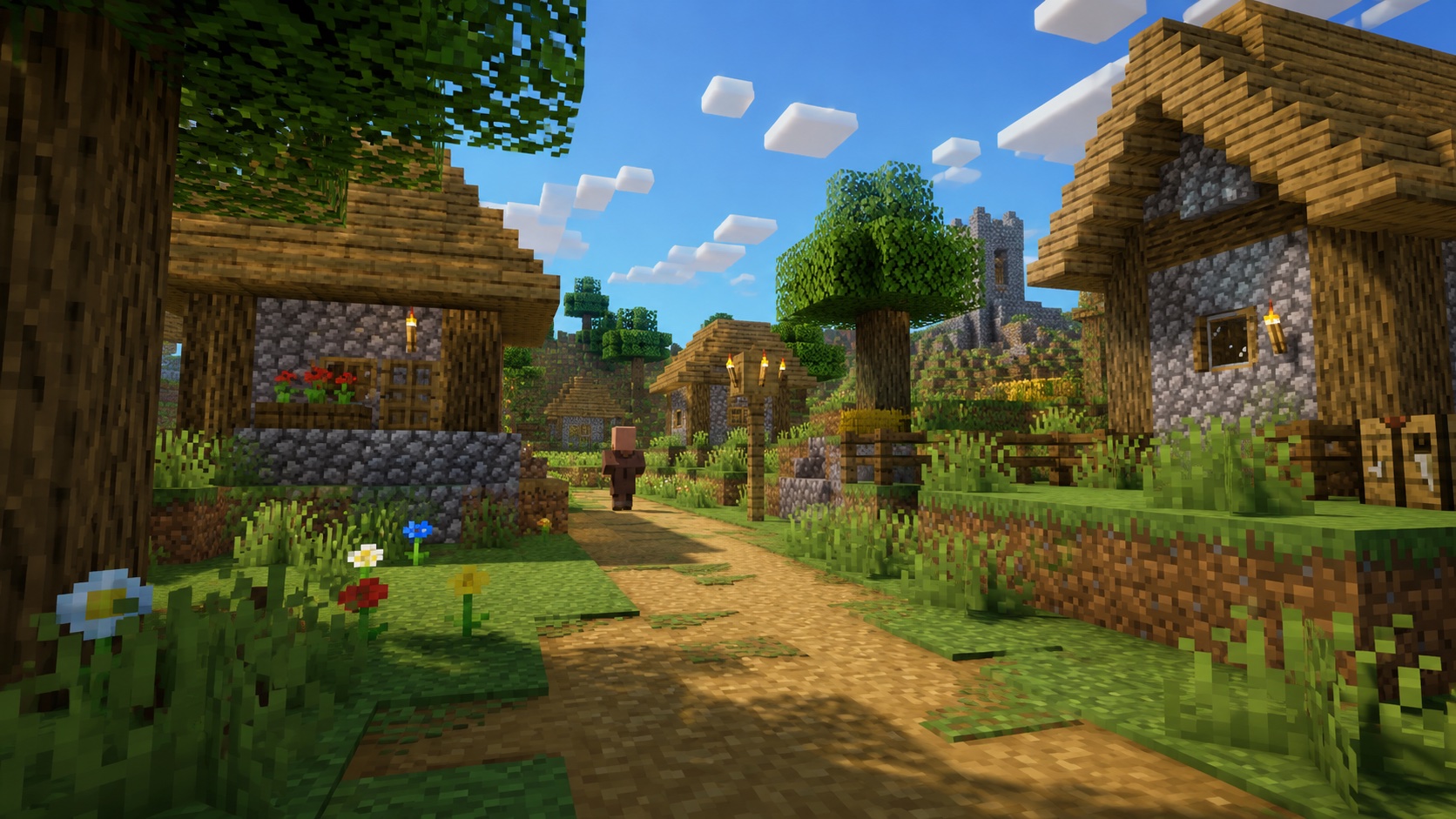
What is dirt path in Minecraft?
Dirt path is a decorative block that looks like a worn footpath. It has a slightly lower top surface than a full block, so when you walk across one your character sinks about a pixel. The block was called “grass path” until Java Edition 1.17, when the name changed to “dirt path.” If you see old guides referring to grass path, that’s the same block.
You’ll find dirt path in every Minecraft village. The roads that run between houses are made of it, and it’s the first thing players think of when they want a base or farm to look settled instead of carved out of raw terrain. It isn’t crafted at a table. You make it directly in the world with a shovel.
How to make dirt path
To create dirt path, hold any shovel and right-click (use) on the top of a grass block. The grass block turns into dirt path. The shovel takes one durability point per block converted.
A few rules worth knowing before you start:
- You can convert a grass block, coarse dirt, dirt, podzol, mycelium, or rooted dirt with a shovel. All of them turn into dirt path.
- The block above the target must be air. If there’s anything sitting on top, the right-click does nothing.
- Any shovel works, from wood to netherite. Higher-tier shovels just last longer.
- The conversion is instant. There’s no “tilling” animation like there is with a hoe and farmland.
If you want a long path, walk forward holding right-click. As long as you keep stepping onto fresh grass blocks, the shovel keeps converting them. This is the fastest way to lay down road in a build.
Getting dirt path as a placeable block
Sometimes you want to place dirt path on top of a block that wouldn’t normally convert, like stone or concrete. To do that, you need the block in your inventory.
In both Java and Bedrock, breaking a dirt path block with a Silk Touch shovel drops the block as an item. Without Silk Touch, mining dirt path gives you plain dirt. So if you’re building a town and want the look without converting every grass block under it, mine a stack of dirt path with Silk Touch first and place them like any other block.
How dirt path behaves in the world
Dirt path looks like a flat block but isn’t quite one. The hitbox is 15/16 of a normal cube, short by one pixel on top. That tiny gap matters in a few ways:
- Carpets, pressure plates, redstone, and rails will not sit flush on dirt path. They either float visually or don’t place at all.
- Water and lava placed next to dirt path will spill over it as if it were a slab edge.
- Mobs and players walk over it normally. The pixel sink is cosmetic; you don’t lose movement speed.
If you place a solid block on top of a dirt path, the dirt path immediately reverts to dirt. This is the main way to remove path safely without breaking it: drop any block on top, then mine the cover. The dirt path is already gone.
The same conversion happens if you flood the area. Water flowing over a dirt path doesn’t turn it back, but a falling block landing on top (sand, gravel, concrete powder) will.
Grass and plant behavior
Grass cannot spread back onto dirt path. Once a grass block becomes path, it stays path until you change it. Tall grass, flowers, saplings, and bamboo can’t be placed on top either. The block reads as “not dirt” for plant placement, so even bone meal won’t grow vegetation on it.
Trees behave differently. If a sapling nearby grows into a tree and its roots or trunk need to occupy a dirt path block, the path is simply replaced. That’s rare in normal play but worth knowing if you’re planting trees right next to a road.
Mob spawning
Mobs follow the standard light-and-block rules on dirt path. Hostile mobs can spawn on it at night if the light level drops below the threshold, just like on grass or dirt. There’s a common myth that dirt path stops mob spawns the way slabs or stairs do. It doesn’t. The block is opaque and full-collision from the spawn algorithm’s point of view, so a dark dirt road will still draw zombies. Light it up like you would any other surface.
Where dirt path generates naturally
Outside of player creation, dirt path generates in one place: villages. Every village biome variant uses dirt path for its roads, including plains, savanna, taiga, snowy, and desert villages. Desert villages substitute sandstone or smooth sandstone for some sections, but the road grid is still drawn with the same logic.
You won’t find dirt path in jungle ruins, woodland mansions, or any other generated structure. If you raid an abandoned village or a zombie village, the paths are still dirt path. They don’t decay or revert just because the villagers are gone.
Best uses for dirt path
Dirt path earns its place in builds for one reason: it tells the eye “this is a road.” Without it, a Minecraft village looks like buildings dropped on a grass field. With it, the layout reads as planned and lived-in.
A few practical uses:
- Village expansion. If you’re growing a starter village, lay dirt path between new houses so the AI pathing for villagers reads it as the same kind of road they spawn next to.
- Farm walkways. A one-block-wide path through a crop field keeps you on a fixed line so you don’t trample farmland. Dirt path doesn’t trample like farmland does, so you can run on it without consequences.
- Base aesthetics. Mix dirt path with coarse dirt, gravel, and stone for a more weathered ground texture. The slightly lower top surface gives natural-looking ruts.
- Visual borders. A single ring of dirt path around a structure tells anyone looking that the area inside is “claimed” without building a wall.
For anything functional that needs a flat top (pressure plates, redstone wiring, item frames on the ground), use a different block. Dirt path will frustrate you.
Tips and common mistakes
The most common mistake is placing a block above a dirt path and watching the path revert to dirt by accident. If you’re building a roof, a sign post, or a flower planter directly on a path, swap the spot to a regular dirt block first, then build, or you’ll have to remake the path later.
Another trip-up: trying to put a torch directly on top of a dirt path. The torch won’t place because of the partial hitbox. Either place the torch on the side of an adjacent block or stick a fence post in the path and put the torch on the fence.
If you’re laying a long road and care about straight edges, sneak (Shift) as you walk while right-clicking. Sneaking stops you from falling off the edge of any 15/16-height block and keeps your placement aim steady.
Finally, horses, donkeys, mules, and wandering trader llamas all walk over dirt path without slowing down. It’s a safe surface for transporting mobs by lead.
Dirt path vs. similar blocks
It’s easy to confuse dirt path with coarse dirt at a glance. Coarse dirt is a full cube with a grainy, mixed-texture top; dirt path has the same height-loss as farmland and a more uniform packed look. Coarse dirt also lets grass spread onto neighboring blocks (it just won’t grow on coarse dirt itself), while dirt path stops grass spread entirely on the converted spot.
Compared to farmland, dirt path is similar in height but doesn’t react to jumping or trampling. Farmland reverts to dirt when a mob lands on it from a high enough drop. Dirt path doesn’t care; jump on it all day and it stays a path.
Compared to gravel or cobblestone roads, dirt path looks softer and more natural. Gravel works for desert or mountain trails, cobblestone for medieval streets, and dirt path for rustic villages and farmland.
Java vs. Bedrock differences
The block behaves the same in both editions. A shovel converts grass to path, Silk Touch drops the block, and placing a block on top reverts it. The only real difference is naming history. Java Edition renamed “grass path” to “dirt path” in version 1.17 (Caves & Cliffs Part 1), and Bedrock followed in a later update. If you’re on a very old version (pre-1.17 Java), the block is still called grass path in your inventory and recipe book, but it’s the same thing.
Frequently asked questions
Can you craft dirt path in a crafting table?
No. There’s no recipe for dirt path. The only way to create it is by using a shovel on a grass block or another dirt variant in the world.
How do you get dirt path as an item?
Mine an existing dirt path block with a Silk Touch shovel. Without Silk Touch, the block drops as plain dirt instead.
Does dirt path stop mobs from spawning?
No. Mobs spawn on dirt path under the same light conditions as any other opaque block. If the area is dark enough at night, hostile mobs can spawn there.
Why won’t my pressure plate or torch place on a dirt path?
Dirt path is one pixel shorter than a full block. The game treats the top as a partial surface, so items that need a full flat top (pressure plates, redstone components, torches placed flat) will fail. Place them on a neighboring full block instead.
Will grass spread to a dirt path block?
No. Grass treats dirt path as an invalid target. The block has to be turned back into dirt or grass before grass can spread to it.
Does dirt path get destroyed by water?
No. Flowing water won’t change a dirt path block. But if a falling block (sand, gravel, concrete powder) lands on top of one, the dirt path reverts to dirt immediately.
Can villagers walk on dirt path?
Yes, and they prefer it. Village AI weights dirt path as a road, so villagers use existing paths when choosing routes between work stations, beds, and meeting points. Adding dirt path between buildings in a village can change villager movement patterns.
Final word
Dirt path is one of those small blocks that does more work than its texture suggests. It costs a shovel swing and adds instant character to any build, from a single hand-laid farm trail to a full village expansion. Keep a Silk Touch shovel in your hot bar when you’re doing landscape work and you’ll have full control over where the path goes and where it doesn’t.