What a hanging sign is
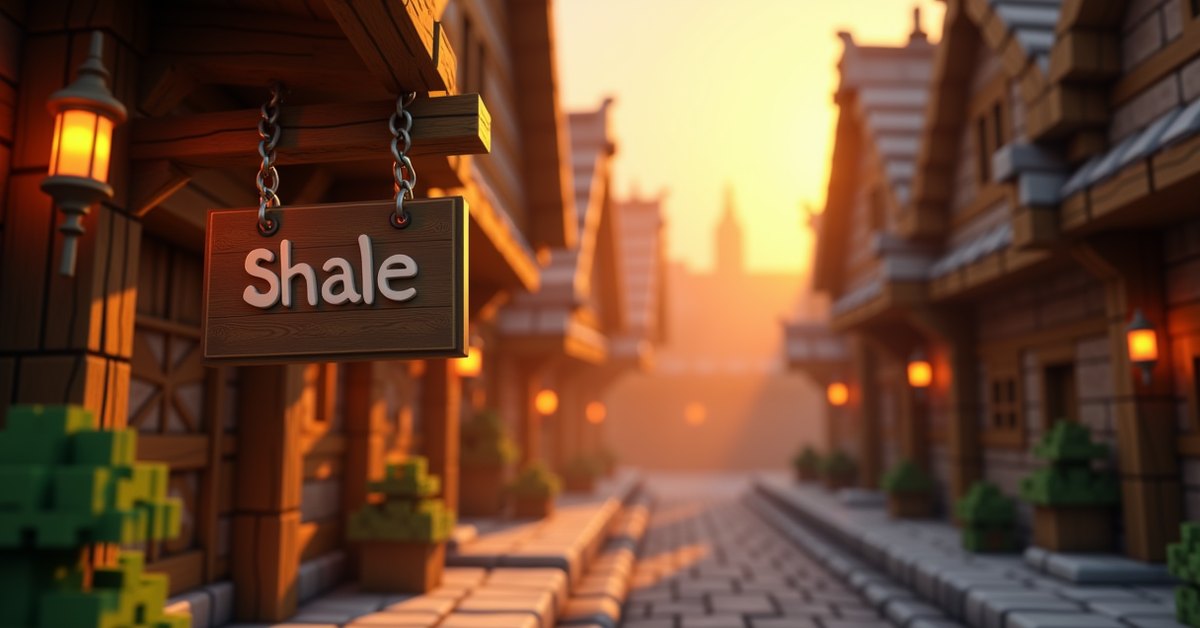
A hanging sign is a wooden sign that mounts to the underside or side of a block instead of standing upright like a regular sign. Minecraft added them in version 1.20, the Trails and Tales update, and they slot into the same workflow as regular signs: place one, write up to four lines of text on each face, and the world has a new label.
The reason most players reach for hanging signs comes down to placement. A regular sign sits on the floor or sticks to the side of a block. A hanging sign drops from a ceiling, hangs off a beam, or sits flush against a wall on a small bracket. For shops, taverns, ports, and any build with an overhang, the look is closer to what you’d want than a fence-post sign ever managed.
Crafting a hanging sign
You craft hanging signs at a crafting table. The recipe uses 6 stripped logs of one wood type and 2 chains, and produces 6 hanging signs.
The pattern in the 3×3 grid:
- Top row: chain in the first and third slots, middle slot empty.
- Middle row: stripped log in all three slots.
- Bottom row: stripped log in all three slots.
The logs must be stripped, not the raw versions. You also need to use the same wood type across all six logs; mixing oak and spruce will not craft anything. Chains are made from 2 iron nuggets and 1 iron ingot, so a single craft costs 4 iron nuggets and 2 iron ingots in chain material on top of the 6 stripped logs.
Every overworld wood type has its own hanging sign variant: oak, spruce, birch, jungle, acacia, dark oak, mangrove, cherry, and pale oak. The nether woods (crimson and warped) and bamboo also have their own hanging signs. Bamboo is the odd one out in crafting: bamboo hanging signs use stripped bamboo blocks rather than stripped logs, but the recipe shape is the same.
Recipe at a glance
Inputs: 2 chains and 6 stripped logs of one wood. Output: 6 hanging signs of that wood. That works out to roughly 0.33 iron nuggets and one stripped log per sign, which is cheap enough that you can hang labels across a whole base without thinking about it.
How to place a hanging sign
Hanging signs have more placement options than regular signs, and the game picks the right configuration based on where you put it.
- Under a block: the sign hangs straight down with a short chain on each side, like a shop sign hanging from a beam.
- Under a block with a gap between two solid blocks: the sign hangs between them with both chains attached and the sign sitting level. This is the swing-sign look. You can extend the gap further and the chains will lengthen to fit.
- Against the side of a block: the sign attaches with a small bracket that sticks out from the block face. The chain is short and the sign sits flush against the wall.
- On top of a fence or wall: the sign sits on top of the fence post with a short bracket, similar to how a banner sits on a fence post.
You cannot stand a hanging sign on top of a normal solid block the way you can a regular sign. If you want a freestanding label, use a regular sign instead.
Once you place the sign, the edit screen pops up and you can type up to four lines per side. Pressing the back button or moving to the other side lets you write a second message on the reverse face. Both sides edit the same way and store independently.
Editing, dyeing, and waxing
Hanging signs work with the same set of treatments as regular signs.
Edit after placing. Right-click an unwaxed sign and the edit screen reopens. You can rewrite the side you’re facing. This is one of the bigger quality-of-life changes that came with 1.20; before that update, signs were locked the moment you placed them.
Dye the text. Use any of the 16 dyes on a sign to color the text on the side you’re facing. Each side stores its own color, so a sign can have white text on the front and red text on the back.
Glow the text. Use a glow ink sac on a sign to make the text glow in the dark. The side you face is the side that gets the treatment. A regular ink sac removes the glow effect.
Wax the sign. Right-click with a honeycomb to wax the sign. A waxed sign cannot be edited, dyed, or have glow ink applied. Waxing is permanent, so save it for signs you’ve finished with. The only way to undo a wax is to break the sign and place a new one.
Mechanics and behavior
Hanging signs are wooden blocks, so they share the limits of wooden things.
- They burn in lava and catch fire from a fire source. The two exceptions are crimson and warped hanging signs, which come from nether wood and do not burn. Bamboo hanging signs do burn.
- An axe breaks them fastest. Any tool (or your hand) will eventually break them, but an axe is the right choice.
- They drop themselves as an item when broken, with no chance of loss.
- They can be placed underwater. The block becomes waterlogged and the sign sits in the water with no visual difference.
- Pistons cannot push them; the sign breaks off and drops as an item if a piston tries.
- The hitbox of a hanging sign is small, so mobs and players can walk under most placements without snagging.
Like all signs, hanging signs do not power redstone, do not block light, and do not block mob spawning. They are decorative blocks with a text feature, nothing more.
Hanging sign vs. regular sign
The differences come down to placement, look, and a slightly tighter text area.
A regular sign sits on top of a block or sticks straight out from the side of one. A hanging sign drops from a ceiling, hangs in a gap, or attaches flat against a side. The visual frame on a hanging sign takes up some of the surface, so each line of text on a hanging sign fits fewer characters than a regular sign. If you have a long label, a regular sign is the better pick. If you want the look of a hanging shop sign, the hanging variant is the only choice.
Recipe cost matters too. A regular sign costs 6 planks and 1 stick for 3 signs, which works out to 2 planks and a third of a stick per sign. A hanging sign needs stripped logs and iron via chains, so it costs more per sign in real terms. For utility labels (chest contents, room names), regular signs are cheaper. For decoration, hanging signs are usually worth the iron.
Tips and common mistakes
- Stripped logs only. Players often try to craft a hanging sign with raw oak logs and wonder why nothing happens. Strip the logs with an axe first.
- Hold sneak to place on a container. If you right-click a chest or a furnace while holding a hanging sign, you’ll open the container instead of placing the sign. Hold sneak (shift on Java by default) and right-click to place.
- Hang between two blocks for the best look. Place a block, leave a gap, place another block, then right-click the underside of one of them with a hanging sign held. The sign will stretch the chain to fit the gap.
- Use a different wood type per area. Builds read more clearly when storage room signs are spruce, outdoor signs are oak, and shop signs are cherry, for example.
- Wax only when you’re done. Once waxed, a sign cannot be re-edited or recolored, and you’ll have to break it to start over.
Java vs. Bedrock differences
The two editions handle hanging signs almost identically. Recipes, placement, dye, glow ink, and waxing all work the same way. The main practical difference is the input button to open the back-side edit screen, which depends on your control scheme on Bedrock (controller vs. touch vs. keyboard). Both editions allow editing after placement, and both treat each side of the sign as a separate text field.
Frequently asked questions
How do you make a hanging sign in Minecraft?
At a crafting table, place 2 chains in the top row at the left and right slots, then fill the middle and bottom rows with 6 stripped logs of one wood type. The craft outputs 6 hanging signs.
Can you edit a hanging sign after placing it?
Yes, as long as you haven’t waxed it. Right-click the side you want to change and the edit screen opens. Each side stores its own text and its own color.
What wood types can hanging signs be made from?
Oak, spruce, birch, jungle, acacia, dark oak, mangrove, cherry, pale oak, crimson, warped, and bamboo. Bamboo uses stripped bamboo blocks instead of stripped logs, but the recipe shape is otherwise the same.
Can hanging signs be waxed?
Yes. Right-click the sign with a honeycomb and the sign becomes uneditable. Waxing also locks dye and glow ink in place. The only way to undo it is to break the sign.
Do hanging signs work underwater?
Yes. Placing one underwater waterlogs the block. The sign sits in the water and the text reads the same as on land.
Can a hanging sign be placed on top of a fence?
Yes. Right-click the top of a fence post with a hanging sign held and the sign attaches with a short bracket, similar to how a banner sits on a fence post.
What’s the difference between a hanging sign and a regular sign?
Placement and cost. Regular signs sit on top of blocks or stick out from sides. Hanging signs drop from ceilings or attach with a bracket. A hanging sign costs more (stripped logs plus iron for chains) and has a slightly smaller text area per line.
Worth the iron
Hanging signs solve a real labeling problem on overhangs and shopfronts that regular signs never handled well. The iron cost is small once you’ve set up an iron farm, and the placement options pay you back every time you build a port, a tavern, or a hub that needs labels above eye level. If you’ve been holding off because the recipe looked fiddly, strip a stack of logs, craft 6 signs in one go, and place them as you build.