What horn coral is
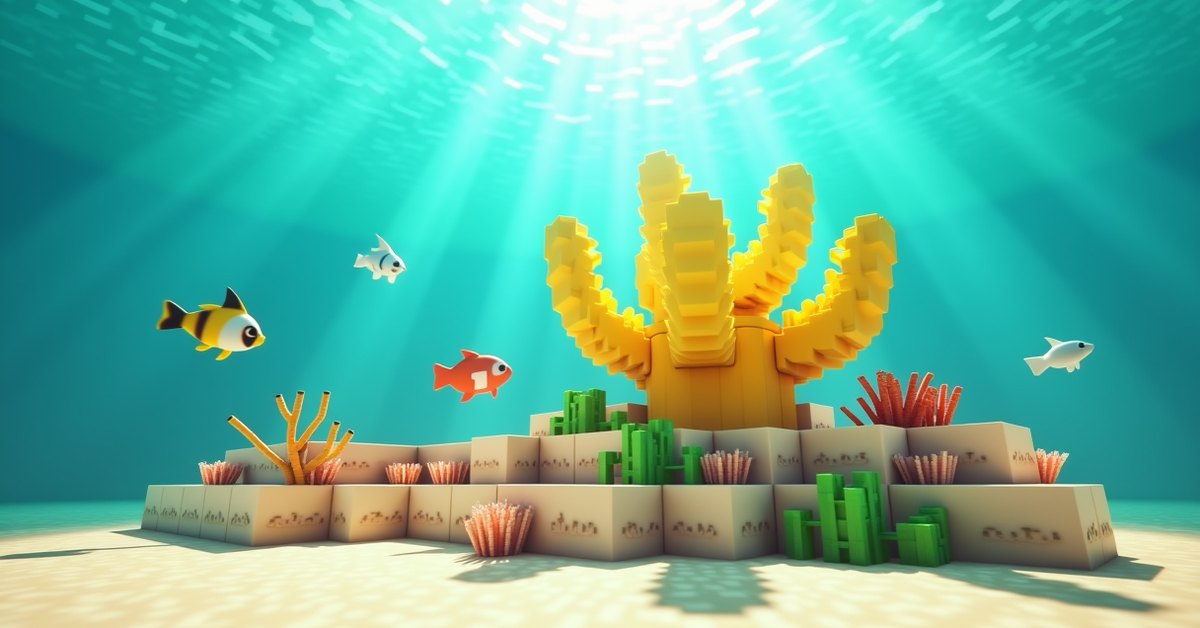
Horn coral is the yellow coral in Minecraft. It is one of five coral types added in the Update Aquatic (1.13), alongside tube coral (blue), brain coral (pink), bubble coral (purple), and fire coral (red). The living color is a bright mustard yellow, and the shape is stubby and antler-like, lower and more compact than tube or brain coral.
The name covers six separate blocks. Three are alive: horn coral (the upright plant), horn coral block (a full cube), and horn coral fan (a flat piece that sits on a floor or clings to a wall). Each of those has a dead, gray twin: dead horn coral, dead horn coral block, and dead horn coral fan. This guide covers all six.
The one rule that shapes everything: living horn coral has to touch water. Take it out of the ocean without a plan and it dies within seconds, turning gray for good.
Where horn coral generates
Horn coral only generates in the warm ocean biome. That is the bright turquoise water with a sandy floor, tropical fish, and pufferfish. Lukewarm, cold, and frozen oceans have no coral reefs at all, so if the water around you is green or dark blue, you are in the wrong place.
Inside a warm ocean, coral grows in reefs near the surface. A reef mixes all five coral types in a random spread, so most reefs contain at least some horn coral, and the yellow stands out against the darker brain and tube colors. Fans attach to the tops and sides of coral blocks, and upright coral plants sit on top of blocks throughout the structure. All five types are about equally common, so if one reef comes up short on yellow, the next one usually has it.
Warm oceans tend to sit inside larger ocean expanses, bordered by lukewarm water (greenish-blue, sandy floor, no coral); once you see lukewarm water, keep going. Reefs are easy to spot from a boat. Mining them takes time underwater, so bring a Respiration helmet or water breathing potions and doors or magma blocks for air pockets.
Two more sources exist for the block form. The wandering trader sometimes sells living coral blocks, including horn, for emeralds, though the trade is not guaranteed to show up. And in Bedrock Edition, bone meal applied to the sea floor (sand, red sand, gravel, or dirt) inside a warm ocean grows a random coral structure containing a mix of all five types. That structure is random, so bone meal is not a way to target horn coral specifically, and it does nothing outside the warm ocean biome even if you bring your own sand. In Java Edition, bone meal used underwater grows seagrass instead, so treat the bone meal route as a Bedrock feature.
The three living forms
All three share the water rule but behave very differently as blocks.
Horn coral (the plant)
Plain horn coral is the upright plant that looks like it is growing up out of the seabed. It sits on top of a block and cannot go on a wall or ceiling. It has no collision, so you and mobs walk straight through it, and light passes through it. It breaks instantly, even with a bare hand, and it can be waterlogged. Block ID: horn_coral.
Horn coral block
The coral block is a full, solid, opaque cube. You can stand on it, stack it, place torches and signs on it, push it with pistons, and use it like any other building block. It behaves like stone in every way except one: it is alive, and it dies without water. It is the only form that works as structure rather than trim. Block ID: horn_coral_block.
Horn coral fan
The fan is a flat, thin decoration with two placement states. Click the top of a block and it sits flat like a small yellow fan growing up from the surface. Click the side of a block and it becomes a wall fan, attached to that face and pointing outward. Both states are the same item in your inventory (horn_coral_fan); the game picks horn_coral_fan or horn_coral_wall_fan based on where you click. It will not attach to the underside of a block. Like the plant, it has no collision, breaks instantly, and can be waterlogged.
The three dead forms and how coral dies
Every living coral, coral block, and coral fan checks whether water is touching it. “Touching” means any of the six surrounding blocks (four sides, above, below) contains water, or, for the plant and fan, the coral itself is waterlogged. If there is no water, the coral turns into its dead variant after a short timer. In Java Edition that timer is 60 to 100 game ticks, so roughly 3 to 5 seconds. The change is permanent. Adding water later, using bone meal, or changing biomes does nothing; once gray, it stays gray.
Things that look like water but do not count: ice and packed ice (solid blocks), and the dry edge of a flowing stream that never quite reaches the coral. A sponge placed nearby soaks up the source the coral depended on. The safe setup is always a water source block directly adjacent, or waterlogging for plants and fans.
The dead forms are separate blocks with their own IDs: dead_horn_coral, dead_horn_coral_block, dead_horn_coral_fan, and dead_horn_coral_wall_fan. They keep the exact shape and bumpy texture of the living version, with the color washed out to a chalky gray that reads as bone or pale stone. They no longer care about water at all. Place them in a desert or a dark cellar and they stay the same gray. They cannot die any further, and they do not spread, grow, age, or despawn.
Dead coral generates naturally as well. Where a reef pokes above the waterline or clips into sand, gravel, or dirt during world generation, the coral there has no water to touch and dies on its own. Exposed reef tops are the easiest place to gather dead coral in bulk, since you can walk across them. Dead coral does not generate in any chest loot.
How to collect each form
Living coral and fans: Silk Touch or nothing
Horn coral and horn coral fan only drop themselves when broken with a Silk Touch tool. Break them with a bare hand, a regular pickaxe, an axe, or shears without the enchantment and they vanish with no drop. Mining speed is not the issue (they break in a single tick); the drop is.
Living coral block: Silk Touch decides what drops
The horn coral block requires a pickaxe of any tier, from wooden to netherite. Break it by hand or with any other tool and nothing drops. With a plain pickaxe the block drops as a dead horn coral block; the yellow dies in the act of mining. With a Silk Touch pickaxe it drops as the living block, which is the only survival way to carry live horn coral home. One catch: Silk Touch only protects the mining step. The living block in your inventory will still die the moment you place it somewhere dry.
Dead coral, dead block, dead fan: any pickaxe
All three dead forms drop themselves with any pickaxe, wooden included. Silk Touch is not needed, Fortune does nothing, and each block gives exactly one item. Breaking them without a pickaxe destroys them with no drop, so always carry one at a reef. The dead plant and dead fan break instantly; the dead block sits between dirt and stone in hardness, so a wooden pickaxe takes a couple of seconds and an iron pickaxe well under one. Wall fans drop the same way as floor fans.
If you want the gray version on purpose, skip Silk Touch. A regular pickaxe on a living block gives you the dead block directly, and a living plant or fan placed on dry land turns into the dead one in seconds. None of the six blocks can be crafted, smelted, or cut at a stonecutter, and no mob drops them.
Placement and waterlogging
The coral plant and the fans, living or dead, need a solid face to attach to. The plant goes on the top of a full block: sand, dirt, stone, glass, coral blocks, and top-half slabs all work, while bottom slabs and fences will not hold it. Fans go on top faces or vertical faces, never undersides. The coral block places like any full cube.
Keeping the living forms alive comes down to two techniques. For plants and fans, waterlog them: place the fan directly into a water source, or place it dry and immediately right-click it with a water bucket. The water sits inside the same block space as the coral, so the build shows no loose water blocks, and the coral stays alive as long as that water stays put. For coral blocks, which are full cubes and cannot be waterlogged, put a water source on any one of the six sides. A single source tucked behind a wall works, and a waterlogged neighbor such as a slab or stairs counts too.
Order matters. Place the water first, then the coral, or place the coral straight into existing water. Placing a fan in air “for a minute” while you set up the next block is how most coral dies. In a thick wall of coral blocks, check that the inner blocks also touch water; the outer layer surviving does not save the ones behind it.
A few more behaviors worth knowing. Plants and fans are not moved or broken by flowing water or bubble columns, but pistons break them with no drop. Coral blocks push and pull with pistons normally. None of the six blocks emit light, give a comparator signal, or interact with redstone, though the coral block (living or dead) conducts a signal like any solid block. Light level has no effect on whether coral lives. Explosions from TNT, creepers, or end crystals destroy reefs fast, so light up the area before a long mining session, and watch for drowned and guardians from nearby ocean monuments.
Uses and building ideas
Horn coral, in every form, is decoration. It has no crafting or smelting use and no mechanical function. What it offers is a warm yellow no other natural block matches, and a soft gray texture no stone variant matches.
The living forms suit anything that says warm water. Aquariums are the obvious one, especially mixed-color reefs where yellow horn fans sit next to pink brain and purple bubble fans, with sea pickles for ambient light. A living coral wall behind a glass viewing port is a popular underwater base feature. In tropical island builds, horn coral pairs well with sand, smooth sandstone, and acacia, and the yellow is distinct enough to color-code rooms in an underwater base or hide the working parts of a reef-styled mob farm. A single fan on a coral block in a spawn-side aquarium is cheap decoration that never needs upkeep.
The dead forms are the low-maintenance option, and for anything above the surface they are usually the ones you want. The dead block stacks well with prismarine and sea lanterns in underwater ruins, mixes with cobbled deepslate or andesite for roof texture, and works as flooring for shipwreck themes or the shell of weathered statues. It is not flammable. The dead plant and fan do bleached reef dioramas over sand, gravel, and bone blocks, washed-up reef material around lighthouses, trophy-room specimens, sunken-ship decks, and creepy underground gardens next to cobwebs and soul sand. Mix the five dead coral shapes rather than using one; a single type reads flat across a wide reef floor.
You can also mix living and dead on purpose. Let some fans dry out before flooding the rest and you get a reef that has lost half its coral, with no extra materials.
Java vs Bedrock
The core rules match on both editions: warm ocean generation, Silk Touch for the living drops, any pickaxe for the dead drops, the water adjacency rule, permanent death, and the same block IDs for the plant, block, and fan. The differences are small. Bone meal growing coral on the sea floor is a Bedrock behavior, as noted above. Bedrock reefs sit closer to the surface more often, so naturally dead coral is more common there, while on Java most of the dead coral you collect is coral you killed yourself. Some piston and flowing-water edge cases have changed across versions, so check which edition and version a tutorial was made on before trusting a coral trick.
Frequently asked questions
Why did my horn coral turn gray?
It died. At the moment it was placed, or at some point afterward, none of its six neighboring blocks contained water and it was not waterlogged. Break it, place a fresh living piece straight into water, and keep that water in place.
Can dead horn coral come back to life?
No. Coral death is one-way in vanilla Minecraft. Water, bone meal, and biome changes do nothing to any of the three dead forms. To get yellow back, you need new living coral from a warm ocean, a wandering trader, or (on Bedrock) bone meal on the warm-ocean floor.
Do I need Silk Touch for every horn coral block?
Only for the living ones. Living horn coral and horn coral fans drop nothing without it, and a living horn coral block drops as a dead block without it. Dead horn coral, dead horn coral block, and dead horn coral fan drop with any pickaxe.
Does horn coral need to stay in a warm ocean?
No. Once mined with Silk Touch, the biome is irrelevant. Water adjacency is the only requirement, so a horn coral block in a desert aquarium stays yellow as long as a water source or waterlogged block touches one side.
Can you waterlog horn coral?
The plant and the fan can be waterlogged, living or dead, and that is the cleanest way to keep the living ones alive. The coral block is a full cube and cannot be waterlogged; keep it alive with a water source on one of its six sides. Waterlogging a dead plant or fan is purely cosmetic.
Can you farm horn coral?
Not in the usual sense. Placed coral never spreads or grows, and bone meal on existing coral does nothing. On Bedrock you can bone meal the warm-ocean floor repeatedly and Silk Touch the structures that grow. On Java, the wandering trader is the only renewable source; otherwise you go back to a reef.
One rule to remember
Decide up front whether you want yellow or gray. Yellow means Silk Touch, water first, coral second, and never breaking that water. Gray means a plain pickaxe and no further thought. Above the waterline, the dead forms are usually the better choice; below it is what the living ones are for.