What is a lectern?
A lectern is a utility block in Minecraft that holds a written book and lets multiple players read it without picking it up. It also acts as the job site for librarian villagers, which is the main reason most players build one.
You’ll usually see lecterns in two situations: as a librarian’s workstation in a village library, or as a decorative reading stand in a player-built room. Both uses run on the same block. Place it, drop a book on it, and anyone walking up can flip through the pages.
The lectern is one of the few blocks in the game that produces a redstone signal from a non-redstone action, which means it has a second life as a quiet, hidden control in builds.
How to craft a lectern
The recipe needs two ingredients: wooden slabs and a bookshelf.
Place the bookshelf in the center of the middle row of a crafting table. Put a slab below it in the bottom center. Put three more slabs in the top row across all three columns. The result is one lectern.
The slabs can be any wood type, and they don’t have to match. Mixing oak, spruce, and dark oak slabs all in one recipe works fine. The output stays the same plain lectern look no matter which slabs you use, so don’t waste your nicer slabs on the recipe.
A bookshelf, in turn, takes six wooden planks (any type) and three books. Each book takes three paper and one piece of leather, and paper comes from sugar cane. So if you’re working backwards from one lectern, you need 4 slabs, 6 planks, 9 paper, and 3 leather.
How to place and use a lectern
Hold the lectern in your hand and right-click the top of a block where you want it to sit. A lectern is one block tall and faces the direction you placed it from, so stand in front of where you want the front to face before placing.
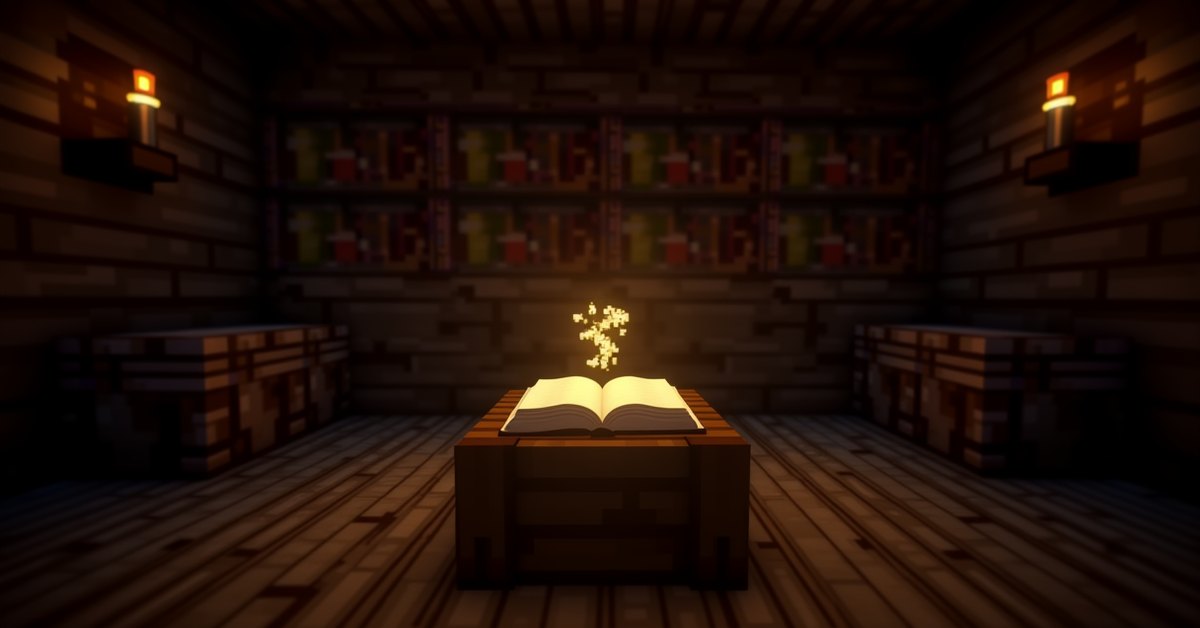
To put a book on the lectern, hold a written book or a book and quill in your hand and right-click the lectern. The book appears on top in real time, open and ready to read. Anyone, including other players on a multiplayer server, can right-click the lectern to read.
You can take your book back by sneak-right-clicking the lectern. The book pops back into your inventory. If a different player placed the book, you can’t pull it off; only the owner of the placed book or someone in creative mode can remove it. In survival multiplayer, that means once someone places a story on a lectern, it stays put.
Breaking the lectern with anything (a fist, a pickaxe, an axe) drops both the lectern and the book on the ground as separate items. An axe breaks it fastest. There’s no risk of losing the book unless you destroy the dropped item.
Lecterns and librarian villagers
A villager will turn into a librarian if there’s an unclaimed lectern within range of where they sleep and pathfind. This is the most common reason to keep a lectern in your base.
The villager links to the lectern, walks to it during their workday, and starts offering trades. Librarian trades include enchanted books, name tags, glass, ink sacs, paper, and bookshelves, depending on the level of the villager. Enchanted book trades are the most valuable of the bunch, since they let you stack enchantments on tools and armor that you can’t get from a vanilla enchanting table.
To re-roll a librarian’s trades, break the lectern and place a new one. Each new lectern gives the villager a fresh trade list. This is the standard method for hunting a specific enchantment, such as Mending or Silk Touch. Break and replace until the trades show the book you want, then lock it in by trading with the villager once at that level.
If you have a villager without a profession (a nitwit villager won’t work; they wear green robes), drop a lectern next to them and wait a few seconds. They walk over, the lectern emits a small particle effect, and the villager changes outfit to the librarian robes. Trade options unlock the next day.
Lectern as a redstone source
When a player on a lectern turns the page of a book, the lectern outputs a redstone signal that lasts a few game ticks. Comparators read the lectern’s state too: a comparator placed next to a lectern outputs a signal proportional to which page the reader is on.
This makes the lectern a workable controller for redstone contraptions. A 15-page book gives you 15 possible signal strengths, one per page. Some common uses:
- Page-based door selectors in adventure maps, where each page opens a different room.
- Quiet building toggles that don’t need a button or a lever in view.
- Compact signal-strength generators that take less space than a stack of items in a barrel.
To read the signal cleanly, place a comparator directly behind or beside the lectern facing outward, then run redstone dust to whatever you want to control. The comparator’s output strength rises by one for each page you flip forward, so page 1 is signal 1, page 2 is signal 2, and so on.
Where lecterns generate naturally
Lecterns spawn in village libraries inside plains, savanna, taiga, snowy, and desert villages. They also show up in some bookshelf-heavy cleric houses depending on the village layout. In all cases the lectern starts empty: no book, no librarian assigned, until a player or villager interacts with it.
Bastion remnants, end cities, and woodland mansions do not contain lecterns in standard generation, which means villages are the main place to find one if you’re avoiding the recipe.
Java vs. Bedrock differences
The lectern behaves the same on Java and Bedrock in almost every respect: same recipe, same villager linking, same redstone behavior. The one practical difference is interaction speed. On Bedrock, the long-press to take a book back can feel slower if you’re playing on a touchscreen. On Java, the sneak-right-click is instant. Neither version changes the result.
There is no Education Edition exclusive behavior for the lectern. Pocket edition, console, and Bedrock all use the Bedrock behavior.
Tips and common mistakes
Use slabs from a wood type you have plenty of. Lecterns drop as themselves when broken (not back into slabs and a bookshelf), so the materials don’t come back if you break the block. Don’t waste your last four cherry slabs on a librarian rerolling spree if you don’t have spare cherry logs.
If your librarian villager won’t change to a new trade list after you place a fresh lectern, check that you actually broke the original. Sometimes the villager is still linked to a far-away lectern you forgot about. Walk around the village and break any extras.
If you’re rerolling and the trades you want still won’t appear, the villager may have hit max level (master). At master level, trades lock and won’t refresh from lectern changes. Keep at least one trade unfinished if you want to keep rerolling.
For a multiplayer base, put the lectern in a fenced-off room before pairing it with a villager. Mobs can knock villagers off their job sites, and a librarian without a lectern in range will drop the profession.
Don’t place a lectern on a half-block gap. The block has a flat hitbox, and partial supports can stop villagers from pathing to it, even if it looks placed correctly.
Frequently asked questions
How many lecterns can one villager use?
A villager links to one lectern at a time. If you put two lecterns next to a villager, they’ll claim the closest available one and ignore the other. Breaking the claimed one frees them to claim the next.
Can a lectern be used as fuel?
No. Lecterns don’t burn in a furnace, even though they’re made of wood. If you need fuel, use the slabs and bookshelf directly before crafting them into a lectern.
Does a lectern stack?
Yes, lecterns stack to 64 in inventory. They take up one slot each as a placed block.
Can I read a book on a lectern from far away?
You have to be standing close enough to interact with the block. The interaction range is the same as any block: roughly 4 to 5 blocks on Java, slightly more on Bedrock.
Why won’t my villager become a librarian?
Common reasons: the villager is a nitwit (green robe, no profession allowed), the villager already has a profession that’s been used (traded with at least once), the lectern is out of pathfinding range, or there’s another job site block closer to the villager’s bed. Make sure the path between the villager and the lectern is clear.
Can two villagers share one lectern?
No. Each lectern can be claimed by only one villager. Build a second lectern if you want a second librarian.
Will a lectern keep a written book through a server restart?
Yes. The book stays on the lectern until removed by a player or until the lectern itself is broken. Server restarts, chunk unloading, and player log-offs don’t affect it.
Lecterns are one of the more low-key utility blocks in Minecraft. They do one obvious thing (host a librarian) and one quietly useful thing (output a redstone signal). If you’re setting up a trading hall, plan the lectern placement before you bring the villager in. It’ll save you a long afternoon of breaking and replacing job sites.