What a note block is
A note block is a redstone-powered block that plays a single musical note when you tap it or send it a redstone signal. Stack a few of them together, wire them to a clock, and you have a working instrument that plays a tune on its own. It is the heart of every redstone song machine in the game.
On its own, a note block looks like a wooden box with a dark, speckled top. The sound it makes depends on two things: the pitch you set by clicking it, and the block sitting directly underneath it. Change the block below and the same note block can sound like a piano, a drum, a bell, or a banjo.
Note blocks do not affect survival or combat at all. They exist purely for building music, doorbells, alarms, and any contraption where you want sound to tell you something happened.
How to craft a note block
The recipe needs eight wooden planks and one redstone dust. Place the planks around the outer ring of the crafting grid and put the redstone dust in the center square. Any plank type works, and you can mix plank types if you want. One craft gives you one note block.
You will need a crafting table for this, since the recipe uses the full three-by-three grid. Redstone dust comes from mining redstone ore, which sits deep underground around the lowest layers of the world. Eight planks is one and a third logs, so a single tree gives you enough wood for several blocks.
How to change the pitch
Right-click (or tap) the top of a note block to raise its pitch by one step. Each note block holds 25 possible notes that span two full octaves, from F#3 at the bottom to F#5 at the top. When you reach the highest note, the next click loops back to the lowest one.
Every click also plays the note, so you can hear where you are as you tune. There is no way to lower the pitch directly, so if you click past the note you wanted, keep going around the loop until you land back on it. A note particle pops out of the top each time it plays, and the number of clicks is saved, so the block remembers its pitch even after you walk away.
In Java Edition, hitting the block with a left-click plays the current note without changing the pitch. That is handy for testing a tune without retuning the whole row.
The note particle that floats up is also a tuning aid. Its color shifts as the pitch climbs, running through a rainbow from the low notes to the high ones. Once you learn the rough color of the note you want, you can tune a long row by eye instead of counting clicks every time.
How instruments work
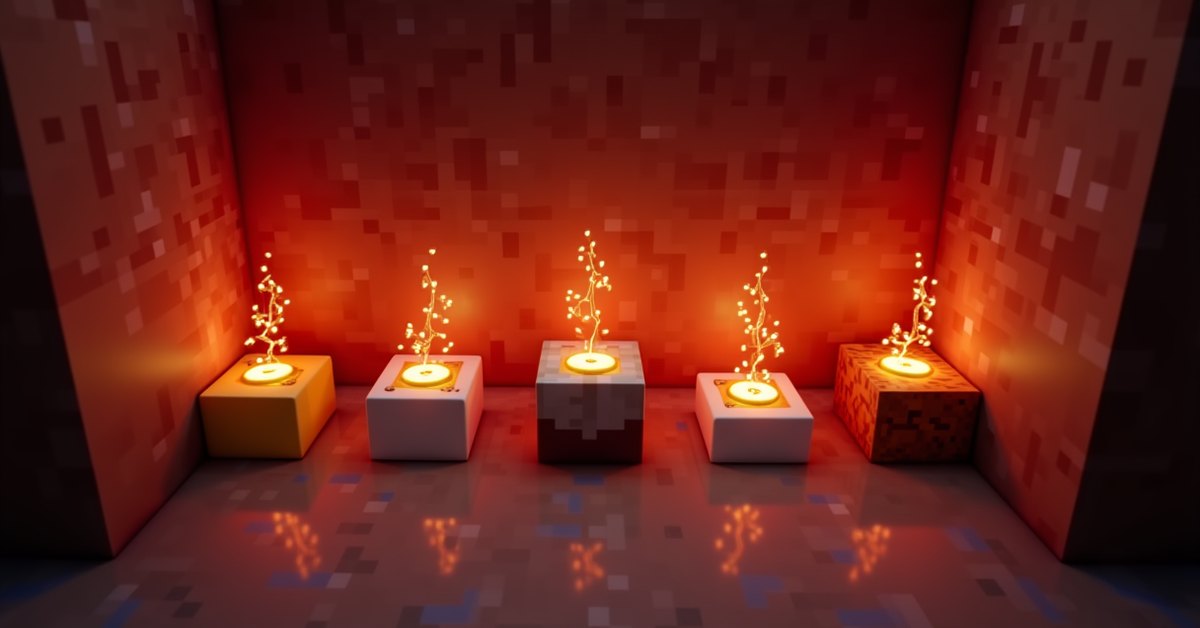
The instrument a note block uses comes from the block directly beneath it. Place the same note block on wool and it plays a guitar; move it onto a gold block and it rings like a bell. This is what lets a single row of note blocks cover an entire band.
If there is air or most ordinary solid blocks under it, the note block defaults to the harp, which sounds like a piano. Here are the materials that change the instrument:
| Instrument | Block underneath |
|---|---|
| Harp (piano) | Air, dirt, and most solid blocks |
| Bass | Any wood: planks, logs, stripped logs |
| Bass drum | Stone, blackstone, netherrack, quartz, ores |
| Snare drum | Sand, gravel, concrete powder, soul sand |
| Hat (sticks) | Glass, sea lantern, beacon |
| Guitar | Wool |
| Flute | Clay |
| Bell | Block of gold |
| Chime | Packed ice |
| Xylophone | Bone block |
| Iron xylophone | Block of iron |
| Cow bell | Soul sand |
| Didgeridoo | Pumpkin or carved pumpkin |
| Bit (square wave) | Block of emerald |
| Banjo | Hay bale |
| Pling (synth) | Glowstone |
The note block reads the block below the moment it plays, so you can even swap the material with a piston and change the instrument mid-song. Drum instruments ignore pitch and always play their own fixed sound, so tuning a note block on top of stone does nothing useful.
Playing note blocks with redstone
A redstone signal makes a note block play its current note. You can trigger one with a button, a lever, a pressure plate, or any redstone component that feeds it power. The block plays once each time the signal switches from off to on, so a steady signal will not make it repeat.
To build an actual song, you line up note blocks and feed them power in time with redstone repeaters. A repeater set to a delay acts as a metronome, and chaining repeaters spaces out the beats. Most player-built songs use a loop of repeaters as a clock, with note blocks branching off at the right intervals.
One catch trips up almost everyone: a note block needs air directly above it to make sound. If you place a block on top, it goes silent. Builders use this on purpose to mute a block, but it also means a careless ceiling can kill your whole song.
To play two notes at the same instant, branch the redstone so a single pulse reaches more than one block on the same tick. Stacking notes like this is how players build chords instead of a flat single-note line. Keep the wire lengths equal on each branch so the pulses arrive together.
Practical builds beyond music
Note blocks are useful even if you never write a song. Wire one to a pressure plate at your front door and you get a doorbell that tells you when someone (or something) steps on it. Set the instrument to a bell with a gold block below for a clear, friendly tone.
For a base alarm, hook a note block to a tripwire or an observer watching a door, and pick a loud, sharp sound like the snare or the bit. A single high note firing when a mob breaks your line is enough to wake you up and send you running. Because the block only fires on the rising edge of a signal, it gives you one clean ping per trigger instead of a constant drone.
Playing mob sounds with heads
Place a mob head on top of a note block and it plays that mob’s sound instead of a musical note. A creeper head triggers the hiss, a skeleton skull plays the rattle, and so on through the other heads. This works in both editions and turns note blocks into a quick way to add ambient creature noises to a build or a jump scare to a trap.
Tips and common mistakes
Keep the space above every note block clear, or it will not play. This is the single most common reason a redstone song has a silent gap where one block should be.
Tune from a known starting point. Since you can only raise the pitch, it helps to click a block all the way around to the lowest note first, then count up to the note you want. That way you always know where you are.
Remember that drums do not care about pitch. If you want a kick or a snare, set the instrument with the block below and skip the tuning. Spend your clicks on the melody instruments instead.
Group your instruments by material. Building a strip of gold blocks for bells and a strip of wool for guitar keeps the wiring readable and saves you from retuning later.
Java and Bedrock differences
The core system is the same across both editions: same recipe, same 25 notes, same instrument-by-block-below rule, and the same mob head trick. The main difference is in how you interact. In Java Edition, a left-click attack plays the note without changing pitch, while a right-click raises it. In Bedrock Edition, tapping the block both raises the pitch and plays it, so there is no separate test tap.
Frequently asked questions
How many notes can one note block play?
One note block holds 25 pitches at a time, covering two octaves from F#3 to F#5. You cycle through them by clicking. To play more than one note in a song, you use more than one note block.
Why is my note block silent?
The most likely reason is a block sitting directly above it. Note blocks need open air above them to produce sound. Clear the space and it will play again.
How do I change the instrument?
Change the block directly underneath the note block. Wool gives a guitar, gold gives a bell, glowstone gives the synth-like pling, and so on. The note block checks the block below every time it plays.
Can a note block play on its own?
Not without a signal. It plays when you click it or when redstone powers it. To make it loop, you need a redstone clock built from repeaters to pulse it on a steady beat.
Do note blocks need redstone to craft?
Yes. The recipe is eight wooden planks around one redstone dust in the center of the crafting grid. Without the redstone dust, you cannot make one.
What block gives the drum sounds?
Stone and similar blocks give a bass drum, sand and gravel give a snare, and glass gives the hi-hat sticks. These three ignore pitch and always play their fixed percussion sound.
Does a note block remember its pitch if I mine it?
No. When you break a note block and place it again, it resets to the lowest note. The pitch only sticks while the block stays in the world, so you tune each block after you set it down.
Where to go next
If you want to build a real song, start small: one row of harp notes on a repeater clock, tuned to a simple melody you already know. Once the timing feels right, swap a few blocks underneath for drums and bells and the flat melody turns into something with rhythm.