What a sign is and why you’d use one
A sign is a thin wooden block you place to write text on. You can put up to four lines on each side, and since the 1.20 update both sides hold text, so one sign carries eight lines in total.
Players use signs for labels above chests, directions at path junctions, rules at a server spawn, and notes left for friends. They also have a handful of mechanical uses that have nothing to do with text, and those are where signs really pull their weight.
Signs are cheap. One crafting recipe gives you three of them, and the materials are just wood and a stick. That makes them one of the easiest blocks to keep stocked in your inventory.
How to craft a sign
To craft a standing sign, open a crafting table and place six wood planks of the same type across the top two rows, then put one stick in the center slot of the bottom row. That gives you three signs.
The planks have to match. Six oak planks make oak signs, six spruce planks make spruce signs, and so on. Every wood type has its own sign, including the Nether woods. Crimson and warped signs come from crimson and warped planks, and bamboo signs come from bamboo planks.
The wood type only changes the color and texture. An oak sign and a dark oak sign behave exactly the same way, so pick whichever one suits your build.
Crafting a hanging sign
Hanging signs use a different recipe. Place two chains in the top-left and top-right slots of the crafting grid, then fill the middle and bottom rows with six stripped logs or stripped stems of one wood type. That gives you six hanging signs.
You need stripped logs, not planks. If you only have regular logs, run an axe along them to strip the bark first, or use stripped logs you find in villages and other structures.
How to place and write on a sign
Hold a sign and aim at the spot you want it. Place it on top of a block and you get a standing sign that can face 16 different directions depending on where you are standing. Place it against the side of a block and you get a wall sign that sits flat against that surface. Signs also attach to fences, walls, and other partial blocks.
As soon as the sign goes down, a text editor opens. Type your text, use the arrow keys to move between the four lines, and confirm when you are done. If you place a sign and walk away without typing, it simply stays blank, which is fine when you want an empty sign for decoration.
To write on the back, walk around to the other side and interact with it. Each side is edited on its own and holds its own four lines, so a single sign can say one thing to people walking in and another to people walking out.
Where hanging signs attach
Hanging signs go up in a few ways. Place one on the underside of a block and it dangles from a short chain. Place one beneath a block that has solid blocks beside it and the chains angle outward. Place a hanging sign flat against the side of a block and it mounts with a small bar across the top instead of chains. Holding the sneak key while you place changes the attachment, so if the first result is not what you wanted, try again with sneak held.
Editing, dyeing, and glowing text
Before the 1.20 update, sign text was permanent the moment you placed the sign. That changed. Now you can right-click any sign to reopen the editor and rewrite a side, as long as the sign has not been waxed.
To color the text, hold a dye and use it on the sign. Any of the 16 dyes works, and the whole side you click takes that color. The two sides can carry different colors if you want them to.
A glow ink sac makes the text glow. Use one on a sign and the letters get a bright outline you can read in the dark and from a distance. A regular ink sac undoes the glow and sets the text back to its plain look. Dye and glow stack, so glowing red text or glowing white text are both possible.
To lock a sign so its words cannot be changed, use a honeycomb on it. That waxes the sign, and a waxed sign keeps its text for good. It is a useful step on servers where you don’t want other players rewriting your labels. If you need to edit a waxed sign later, hit it with an axe to strip the wax off.
Sign tricks that have nothing to do with text
Signs have no collision box, so you can walk straight through one. Place a wall sign over a one-block opening and it hides the gap while still letting you pass, which makes a quick hidden doorway.
Signs also block liquid. Water and lava will not flow through the space a sign occupies. Put a sign in a doorway and the water on the far side stays where it is, giving you a dry way in and out. The same trick holds back lava while you work next to it, which is a lot safer than mining blind.
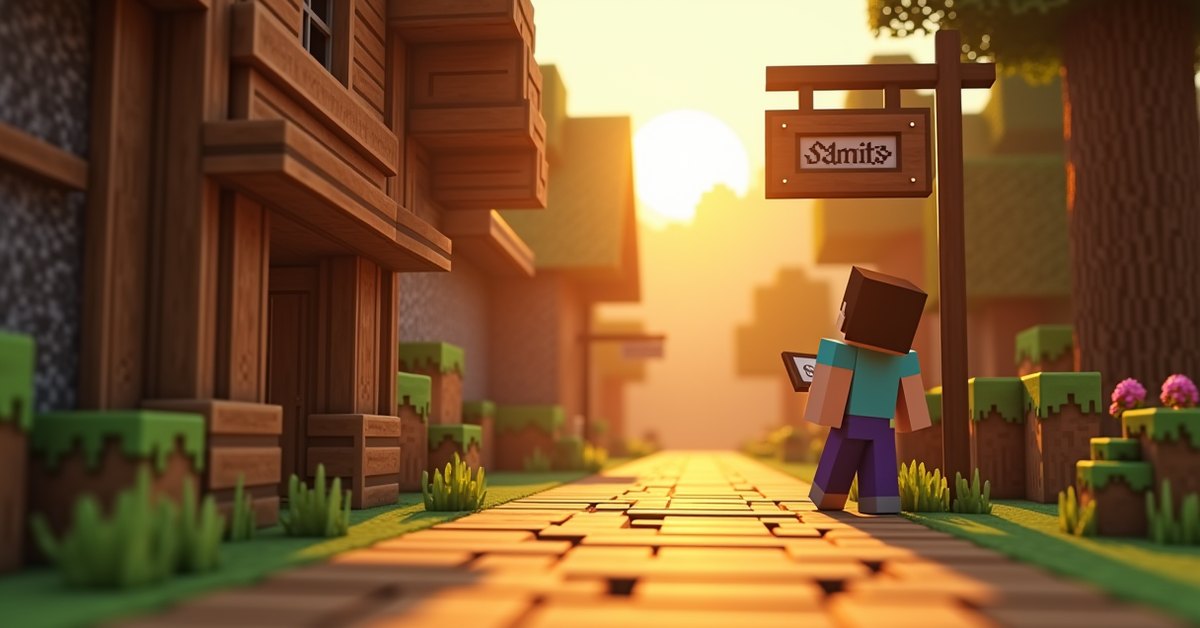
Because they sit flat and take up almost no space, signs work well as decoration. Builders use them as shelf lips, the underside trim on tables, narrow ledges, and the slats of chairs and benches. A hanging sign makes a believable shop sign, tavern sign, or street marker over a path.
Common sign mistakes
The most common slip is mixing planks. The crafting grid will not accept a blend of oak and birch in the same recipe; all six planks have to be one wood type. The same rule applies to hanging signs and their stripped logs.
Another is waxing a sign too early. Once a sign is waxed, the text editor will not open at all, and players sometimes forget they waxed it and assume the sign is broken. If a sign refuses to open, check whether it has been waxed and remove the wax with an axe.
On multiplayer worlds, people also forget that the back of a sign can be edited by anyone who can reach it. If a label matters, write both sides the way you want them and then wax the sign so it stays put.
Java and Bedrock differences
The core of how signs work is the same in both editions. Both got two-sided signs, post-placement editing, hanging signs, and waxing in the 1.20 update.
The differences show up in text formatting. On Bedrock, you can type formatting codes directly on a sign using the section symbol, which lets you color and style text by hand as you type. Java does not let you type those codes on a sign, so you color text with dyes instead.
Java has its own advantage for map makers. Through commands, Java signs can hold clickable text that runs a command or opens a set action when a player taps a line. Bedrock signs do not support that kind of interactive text.
Frequently asked questions
Can you edit a sign after placing it?
Yes. Since the 1.20 update, right-click a sign to reopen the text editor and change any side. The only exception is a waxed sign, which stays locked until you remove the wax with an axe.
How do you make sign text glow?
Use a glow ink sac on the sign. The text gets a glowing outline that stays readable in the dark. Glow ink sacs drop from glow squid, which spawn in dark underwater caves.
Can signs catch fire?
Overworld wood signs are flammable and will burn if fire or lava reaches them. Crimson and warped signs, made from Nether wood, do not catch fire, so they are the safer pick near lava.
How many lines of text fit on a sign?
Four lines per side. Since signs have two sides, a single sign holds eight lines in total.
Can you walk through a sign?
Yes. Signs have no collision box, so your character passes right through them. That is what makes them handy for hidden entrances.
Do signs stop water?
Yes. A placed sign blocks water and lava from flowing into the space it fills, which is a fast way to keep a tunnel or doorway dry.
What is the difference between a sign and a hanging sign?
A standing or wall sign attaches to the top or side of a block and sits flush with it. A hanging sign dangles below a block or off the side of one, usually on a short length of chain, and it uses a stripped-log recipe instead of planks.
Keep a stack on hand
Signs cost almost nothing and do far more than label chests. The next time you tunnel into water or mine beside lava, a sign in your hotbar is the fastest way to hold the liquid back, so it earns its slot long before you write a single word on it.