What is a target block?
A target block is a redstone component that fires off a signal when a projectile hits it. The closer the projectile lands to the center of the block, the stronger the signal. A perfect bullseye outputs the maximum value of 15, while a glancing edge hit puts out 1.
It was added in Java Edition 1.15 (the Buzzy Bees update) and arrived in Bedrock the same year. Since then it has become the standard block for archery contraptions, hidden doors triggered by arrows, redstone puzzles, and shooting ranges. It also shows up in trial chamber loot setups and player-made adventure maps where accuracy is part of the gameplay.
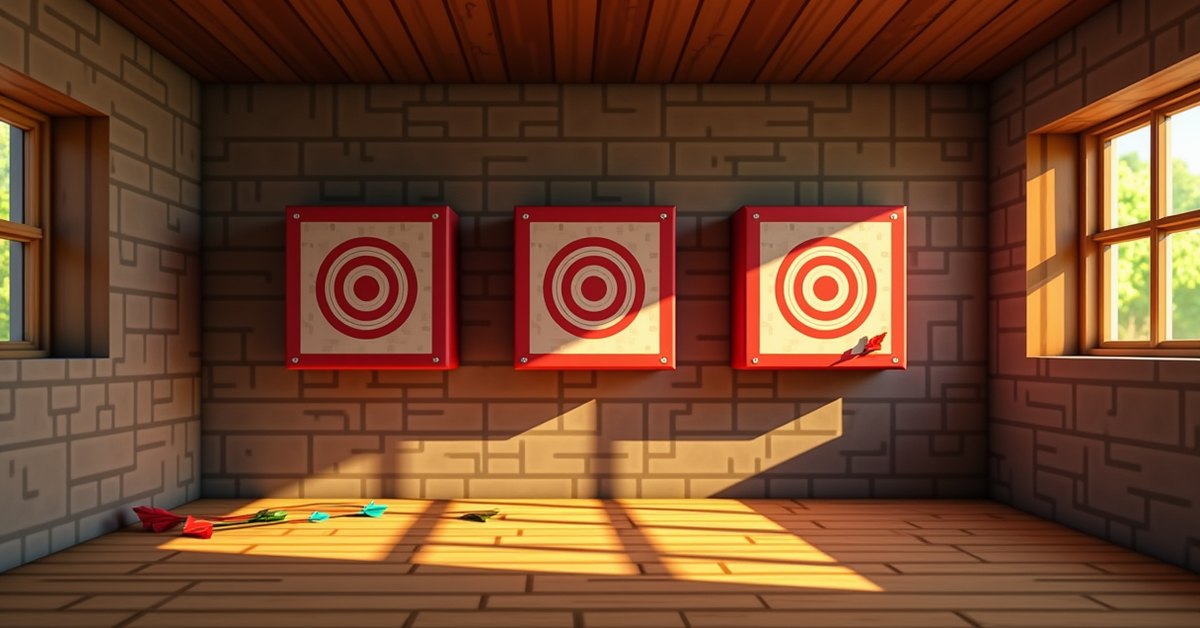
Visually, it is a red-and-white block with a clear bullseye pattern on every face. Place it any direction you want and the front side is always the side facing you, because the texture is the same on all six faces.
How to craft a target block
The recipe is cheap and renewable. You need one hay bale and four redstone dust:
- Place the hay bale in the center of the crafting grid.
- Place redstone dust directly above, below, left, and right of the hay bale.
That yields one target block per craft. Hay bales come from nine wheat, so the real cost is nine wheat plus four redstone per target. They are easy to stockpile once you have a wheat farm running, and the redstone cost stays low if you have a basic mob farm or a few witch huts feeding you redstone dust.
The recipe is shaped, so the dust has to sit in those four cardinal positions. If you put dust in the corners instead, the craft will not work.
How the redstone signal works
When a projectile hits a target block, it gives off a redstone pulse. Signal strength scales with distance from the center of the hit face. The middle pixel gives 15, the outer ring gives 1, and every hit in between falls somewhere on that scale. The block treats each face independently, so a hit on the side gives the same scaling as a hit on the front.
The pulse lasts about a second for most projectiles (around 8 game ticks for arrows and snowballs, slightly longer for heavier projectiles). Tridents are the exception. If a trident sticks into the block, the signal stays high as long as the trident is stuck, and the signal drops when you retrieve the trident or it despawns. That makes tridents handy for holding a signal open without a separate latch.
Wire the block to a comparator if you want to read the exact signal strength. A regular redstone dust line will register the on/off state but loses the strength data after one block of travel. If you want signal levels to travel further, run the comparator output into a repeater line that preserves the binary state, or chain comparators in subtract mode to do arithmetic on the scores.
Multiple hits in quick succession do not stack. The block holds whatever the most recent hit produced and resets when the pulse ends. If two arrows land at almost the same tick, the engine uses whichever one was processed last.
Quick signal reference
| Hit location | Signal strength |
|---|---|
| Bullseye (center) | 15 |
| Inner ring | 11 to 14 |
| Middle ring | 5 to 10 |
| Outer edge | 1 to 2 |
What projectiles trigger a target block?
Almost anything thrown or shot will set it off. The full list:
- Arrows (regular, spectral, and tipped)
- Crossbow arrows and firework rockets fired from a crossbow
- Snowballs
- Eggs
- Ender pearls
- Tridents (sticks and holds signal high)
- Splash and lingering potions (the impact, not the cloud)
- Wind charges in 1.21 and later
Mob projectiles count too. A skeleton’s arrow, a blaze’s fireball, a ghast’s fireball, or a stray’s tipped arrow will trigger the block the same as a player shot. That opens up some interesting mob-based automation, like wiring a hostile-mob detector that pings every time a skeleton fires from the dark.
One projectile that does not work is the fishing rod bobber, at least not consistently. On Java it can register, on Bedrock it usually does not. If you want to use a rod as a wireless input, design around the chance that it might fail to register.
Where to use a target block
The block is more useful than its single recipe suggests. A few builds where it shines:
Archery range. Stand a row of target blocks in a wall and wire each one to a separate display, like an item frame counter or a comparator-driven note block. Score points by hitting closer to the center. With a comparator you can set up a scoring system that plays a higher note for better shots, so the range gives audio feedback as you play.
Hidden door. Place a target above a doorway and wire it to a piston door. Shooting the target opens the door without leaving any visible buttons or pressure plates. Crouch and shoot from cover for extra fun. For a tougher version, only open the door on a hit of 14 or higher, which requires a comparator with a subtract input set to 13.
Trick shots and parkour. A target block tied to a piston lets you build doors that only open when you hit a precise spot. That is the basis for a lot of adventure-map puzzles. Stack two or three targets across a course and require a perfect run to unlock the next room.
Mob farms with bow-toting mobs. Drop a skeleton in a chamber pointed at a target. Its arrows trigger the redstone, so the block doubles as a passive “mob is alive” detector. The signal will fire as long as the skeleton has a clear line on the target, which makes it useful for AFK farming setups where you want to know the spawner is active before you walk away.
Wireless doorbells. A snowball-and-dispenser setup can ping a target across a base for a wireless signal. Helpful in big builds where running a redstone line is impractical. Pair the target with a note block on a different floor for a chime, and you have a working call button.
Scoreboards. If you have a comparator output running into a chain of note blocks tuned to different pitches, you can turn the block into an audio scoreboard. Bullseyes play the high note, edges play the low one. It is satisfying without any extra mods.
Mining and drops
A target block has a hardness of 0.5, so it breaks fast. You can mine it with your hand in under a second, but a hoe is the fastest tool, and any tier from wood up to netherite cuts the time further. The block drops itself whether you use Silk Touch or not, so there is no penalty for breaking and replacing.
Explosions destroy target blocks, and the block does not trigger TNT or any other proximity reaction. It is also non-flammable, so you can put one next to lava or in the Nether without it catching fire. Mobs do not pathfind around it any differently than they would around a solid block, which means you can use it as both decoration and a wall in the same build.
Java vs. Bedrock differences
The block behaves almost identically across versions. A few small differences worth noting:
- On Bedrock, fishing rod bobbers do not reliably register a hit on a target block. Test your build before relying on it.
- Wind charge behavior was tuned in the 1.21 updates. On both editions, a wind charge produces a short signal pulse the same as other projectiles.
- On Java, the redstone tick exit timing can vary by one tick depending on whether the projectile was player-shot or mob-shot. The difference is rarely enough to matter, but precision contraptions may want to add a one-tick repeater for safety.
Frequently asked questions
How do I tell the exact signal strength from a target block?
Place a comparator directly against the target block (not a redstone dust line). The comparator outputs the same strength the target block emitted. From there you can run signal-strength-based logic, like triggering different note blocks for different scores or filtering for bullseyes only.
Do arrows stick into a target block?
No. Arrows bounce off and land on the ground next to the block, and you can still pick them up. The exception is tridents, which embed into the block and stay until you retrieve them.
Can I dye a target block?
No. The red and white pattern is fixed. If you want different colors for a multi-target display, place wool or concrete around each block as a frame.
Does a target block burn?
No. Despite the hay bale in the recipe, the finished block is non-flammable. It does not ignite from lava or fire blocks placed next to it.
Will a target block detect a thrown ender pearl?
Yes. It registers the pearl on impact, then the player teleports. If you want a pearl-only trigger, run the output through a comparator latch that filters out shorter pulses from other projectiles.
Do mobs trigger target blocks?
Only their projectiles do. A zombie walking up to the block does nothing. A skeleton’s arrow, a blaze’s fireball, a ghast’s fireball, or a stray’s tipped arrow will all set off the signal.
Can I push a target block with a piston?
Yes. Target blocks behave like normal solid blocks under pistons, so you can build moving archery targets or pop-up walls that retract when shot. They do not break when pushed, and they keep their orientation.
Does the target block use up the projectile?
No, with the trident exception. Arrows, snowballs, and eggs land normally and behave the same as if they had hit a wall. Tridents stick into the block and have to be retrieved before they vanish.
Final tip
The bullseye output of 15 is what makes the cleanest redstone builds work. If your contraption needs full power on a perfect shot and a weaker pulse on a near miss, build the logic so a comparator reads the strength directly. That one design choice turns the target block from a yes/no trigger into a tunable input, which is where most of the fun lives.