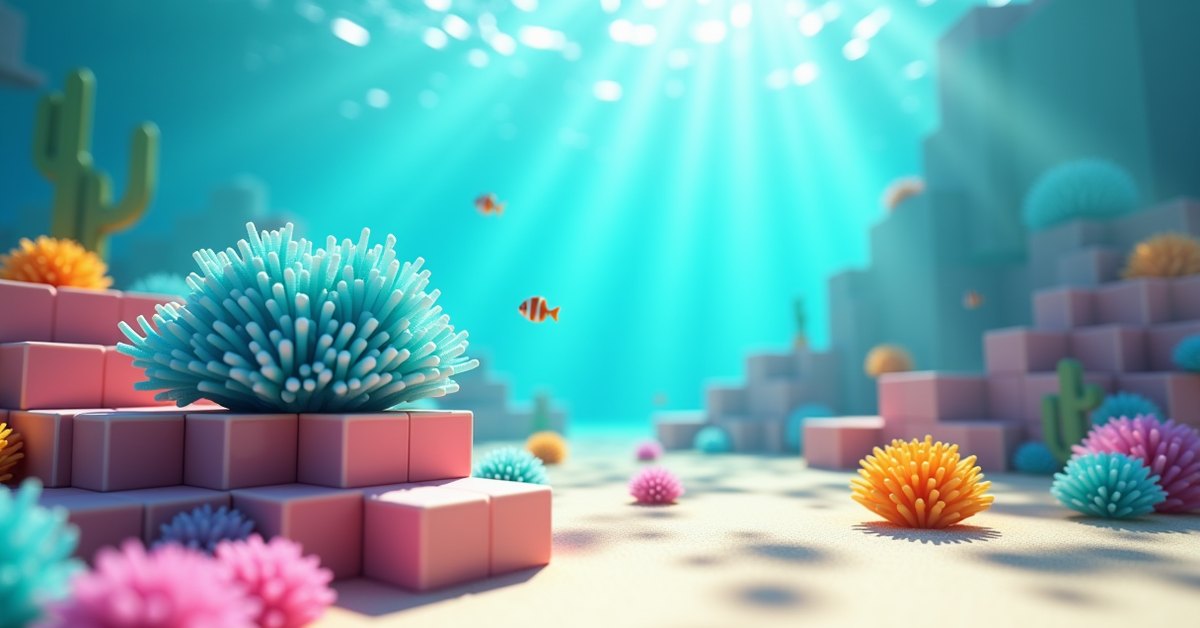
What is tube coral fan?
Tube coral fan is the flat, fanned-out version of tube coral. It’s the deep-blue plant block you see splayed across the top of reefs in warm ocean. Unlike a full coral block, the fan is a single thin piece you can stick to a floor, a wall, or (on Java) the underside of a ceiling.
It belongs to the coral family along with brain, bubble, fire, and horn coral. Tube is the blue one. The fan version is mostly decorative, but it’s also the trickiest coral block to keep alive once you take it out of the reef.
Where to find tube coral fan
Tube coral fan only generates in warm ocean and deep warm ocean biomes, on top of coral reefs. Warm ocean is the bright turquoise water that usually sits next to a beach, a desert, or a jungle coastline. If the water reads dark blue or gray from the surface, you’re in a cold or lukewarm ocean and you won’t see any coral.
Reefs sit on the seabed in low clumps. Each clump is a mix of full coral blocks with fans, sprouts, and sea pickles scattered on top. Tube coral fan specifically grows on a coral block or on the side of one. You can usually spot the blue from the surface against the pale sand below.
How to mine tube coral fan
To get a live tube coral fan as an item, you need a tool with Silk Touch. Without Silk Touch, breaking it drops the dead version, which loses the blue color and turns gray. You can mine it with your bare fist if you only want the dead drop, but the live block won’t come back.
Shears do not work for picking up a live coral fan. Only Silk Touch counts, and it works on any tool: pickaxe, axe, shovel, hoe, or sword. A Silk Touch I pickaxe is the standard pick because you’ll usually mine the supporting coral block too.
Mining the fan itself is instant. It has zero hardness, so any tool breaks it in one hit. The catch is that if you break the block underneath, the fan above it breaks too, so harvest the fan first and the block second.
How to keep tube coral fan alive
This is the part most players miss. A live tube coral fan needs water touching it at all times. The fan checks its surroundings on a regular tick, and if no side has a water source or flowing water, it dies into a dead tube coral fan within seconds. Once it’s dead, it stays dead. There is no way to revive a dead coral block.
A few reliable ways to keep one alive after you place it in a build:
- Place it in a water source block. Right-click the placed fan with a water bucket and the fan holds water inside its own block space.
- Waterlog the block it’s attached to. A waterlogged stair, slab, fence, or wall counts as a water source for the fan touching it.
- Put a water source one block away. As long as water is in contact with the fan on any face, the fan stays alive.
The most common mistake is pouring water around a coral fan and then sealing it with another block. If you bury the water under sand or seal it behind glass without leaving a water source touching the fan, the fan dies even though the water is still right there. The check looks for adjacency, not nearby blocks.
Placement and behavior
Tube coral fan can be placed in three positions:
- On top of a block, fanning upward like a small plant.
- On the side of a block, fanning outward like a wall mount.
- On the underside of a block (Java only), hanging down.
The position depends on which face you click when you place it. A fan stuck to a wall breaks if you mine the supporting block behind it. The same applies to a fan on a floor: break the block under it and the fan pops off as an item drop.
The block doesn’t collide with mobs or the player, lets light pass through, and emits no light of its own. It’s purely visual.
Tube coral block vs. tube coral fan vs. tube coral
Three different blocks share the same blue color and the word “tube,” and it’s easy to mix them up.
The tube coral block is a full cube of blue coral. It’s what the reef is built from. You mine it with a pickaxe.
The tube coral fan is the flat, splayed plant on top of or attached to a coral block. Single-block plant, no collision.
The tube coral (no “fan” or “block” in the name) is the upright sprout: several thin stalks growing out of the seabed like grass.
All three need water to stay blue, and all three drop their dead variant unless you mine with Silk Touch.
Using tube coral fan in builds
Coral fans are flat, colorful, and can be mounted on walls, which makes them useful for several builds. The most common use is an aquarium. Fill a glass tank with water, stick fans to the inside of the back glass, and waterlog them with a bucket. Underwater bases work the same way, with fans lining the corridors for a marine-lab look.
On dry land, the dead version is the better pick because it doesn’t need water. Dead tube coral fans hung from a cave ceiling give a basement an alien-cave feel, and a grid of mixed-color fans inside an item frame makes a quick pixel-art mural without any water management.
If the build is dry, save yourself the trouble of waterlogging and use dead coral fans instead. They have the same shape, similar texture, and zero risk of dying overnight.
How to get more tube coral fans
The fastest stock-up is to swim through a warm ocean with a Silk Touch pickaxe and pull fans straight off the reef. A small reef can have a dozen or more, and they break in one hit.
You can also grow new ones. Place a tube coral plant on a tube coral block in warm ocean water and use bone meal on the area. Bone meal expands the reef around it with extra coral blocks, plants, and fans of the same species. Both warm ocean and deep warm ocean work the same way for this.
Bone meal does not work on a coral fan directly. The growth has to come from a block or a sprout in warm ocean water.
Java vs. Bedrock differences
The block works almost the same on both editions. The clearest difference is ceiling placement: on Java, a tube coral fan can be placed on the underside of a block and hang down. On Bedrock, that placement is unreliable. The fan often refuses to attach or pops off after the next chunk reload.
For a build that needs to match across editions, stick to floor and wall placements only and keep a water source within one block of every live fan.
Frequently asked questions
Do tube coral fans give off light?
No. They emit zero light. For a glowing reef look, mix in sea pickles, which light up when placed in water.
Can you grow tube coral fan with bone meal?
Not directly. Bone meal on a coral fan does nothing. To grow new fans, bone-meal the area around a tube coral plant or a tube coral block in warm ocean water, and the resulting reef growth includes new fans.
What tool mines tube coral fan fastest?
Any tool breaks it instantly because the block has zero hardness. Your fist works. The catch is that only Silk Touch returns the live block as an item. Anything else returns the dead version.
Why does my tube coral fan keep turning gray?
It’s dying because no water source is touching it. Either waterlog the fan itself with a water bucket, waterlog the block it’s attached to, or place a water source within one block on any face.
Can tube coral fan be placed on glass?
Yes. Coral fans place on the top or side of any full block, including glass. That’s what makes aquarium builds work: fans go on the inside of the back panel, and the tank’s water keeps them alive.
What’s the difference between tube coral and tube coral fan?
Tube coral is the upright sprout; tube coral fan is the flat, fanned-out plant. Separate items, separate drops. Both come from the same tube coral block when bone-mealed in warm ocean.
Does tube coral fan stack in the inventory?
Yes, it stacks to 64.
Final tip
Before you place a live tube coral fan above water in your base, ask whether you actually need the blue version or whether dead tube coral fan is fine. The dead fan looks almost identical from a few blocks away, doesn’t need water management, and won’t betray your build the first time you accidentally place a block too close.