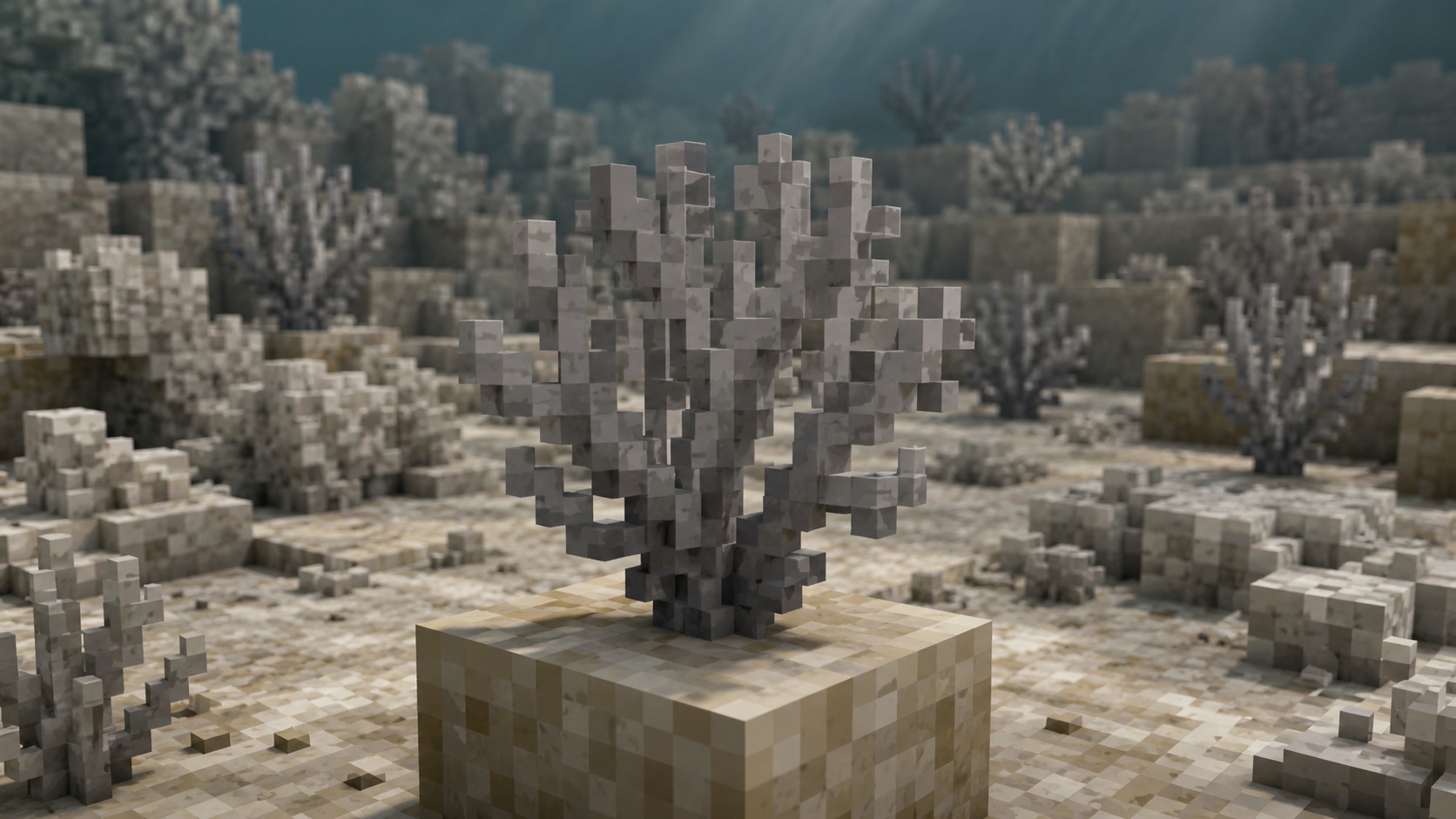
What a dead bubble coral fan is
A dead bubble coral fan is the gray, fossilized version of the live bubble coral fan. Live bubble coral fans are bright purple, grow on the floors of warm ocean biomes, and need water nearby to survive. When a live coral fan loses contact with water, it dies after roughly 30 to 40 seconds and becomes its dead variant. The block does not break or fall when this happens. The texture just turns chalky and gray, and the fan stops caring whether it is wet or dry.
Dead bubble coral fans look exactly like live ones in shape. The difference is the color (gray versus purple) and the behavior (inert versus alive). You can place them anywhere a regular block can sit, including dry land, and they will stay there forever.
If you have ever wanted to build a dried-up reef, a fossil ledge, or a shipwreck floor, this is one of the cleanest decorative blocks for the job.
Where dead bubble coral fans come from
Dead bubble coral fans almost never generate naturally as part of world creation. The game generates live bubble coral fans inside warm ocean coral reefs at world generation, not dead ones. The live fans only die later if their water gets drained.
The reliable way to get a dead bubble coral fan is to take a live one and let it die. Walk through a warm ocean biome, find a coral reef, and look for the bright purple fans growing on the seafloor. Mine a live one with a Silk Touch pickaxe to keep it as an item, bring it home, and place it on dry land. About 40 seconds later, it will be dead and ready to mine again as a dead variant.
You can also get one straight from the creative inventory under the natural blocks tab, or by running /give @s dead_bubble_coral_fan in any world with cheats enabled.
How to mine a dead bubble coral fan
Dead bubble coral fans need a pickaxe to drop. Any tier works, from wooden up through netherite. Breaking one with your bare hand or a non-pickaxe tool destroys the block and gives nothing back. This is the single most common reason people accidentally lose their coral fans, so always swap to a pickaxe first.
A few notes on enchantments:
- Silk Touch is not required for dead variants. Any pickaxe works.
- Fortune does not affect the drop. You always get exactly one fan per block, no matter the level.
- Efficiency speeds up the mining time normally.
One detail worth knowing: the dead variant of a coral fan drops itself, but the live variant does not. If you mine a live bubble coral fan without Silk Touch, the block breaks and you get nothing. The live versus dead distinction matters mostly when you are mining live coral to bring home for a build.
How to place a dead bubble coral fan
Coral fans are placed against a solid block. They can attach to the top of a block (pointing upward like a small reef plant) or to the side of a block (pointing outward like a mounted wall decoration).
- To place one on the floor, aim at the top face of a solid block and use the place key.
- To place one on a wall, aim at the side face of a solid block. The fan automatically rotates to face outward.
The fan locks in its orientation when you place it. There is no in-game way to rotate a placed fan, but you can mine it and place it again on a different face.
Waterlogging
Dead bubble coral fans can be waterlogged. Place a water source in the same block as the fan and the fan will hold the water like a fence post or a sign. The fan stays dead, the water stays in place, and you get a wet-looking gray fan that works well for drowned reef or tide pool builds.
If you waterlog a dead coral fan and then place a live coral fan next to it, the live one will survive. The dead fan can effectively act as a water-carrying decoration that supports a live coral nearby.
Why a live bubble coral fan dies
Live bubble coral fans need to touch water on at least one side. The moment the last neighboring water source is removed, a death timer starts. After roughly 30 to 40 seconds, the fan ticks over to its dead state. The block does not break, drop, or fall. It just changes texture in place.
The same rule applies to every live coral and coral block. If you build a coral reef out of water, you have to keep it submerged, or it converts to dead variants over the next minute. The dead state is permanent. You cannot revive a dead coral fan. Bone meal does not work, and replacing the water around it has no effect on the texture.
Building uses for dead bubble coral fan
The gray texture and the recognizable bubble shape make this fan useful for a few specific build types. Dry reef and shipwreck builds work well. Pair dead bubble coral fans with dead tube and dead brain coral fans for a fossilized reef floor. The dead variants share a similar palette, so they mix without clashing.
Sandcastle and beach builds also benefit. A dead coral fan on light gray concrete or smooth sandstone reads as washed-up sea life on a shore. Underground bone-themed builds are another option: dead coral fans look like coral fossils, so embedding them in deepslate or calcite lets them stand in for ancient sea bones in a fossil cave or museum diorama.
For working aquariums, mix one or two dead fans in among living coral to suggest a tank that needs maintenance. Even small touches like that pull a build away from generic and into something with a story behind it.
Common mistakes to avoid
A few mistakes come up over and over with coral fan builds:
- Mining the fan with bare hands or a non-pickaxe tool, then getting nothing back.
- Forgetting to use Silk Touch on the live version and losing the live coral entirely.
- Placing live coral fans on dry land without intending to. They die in under a minute. To keep them alive, keep water touching them at all times.
- Trying to revive dead coral fans. There is no in-game way to convert dead back to live. Your only option is to find new live coral and bring it home with Silk Touch.
Crafting and recipes
There is no crafting recipe for a dead bubble coral fan. You cannot combine planks, sticks, dye, or any other items to make one. The only ways to get the block are mining a dead one in the world, killing a live bubble coral fan, taking it from the creative inventory, or running a give command.
Dead bubble coral fans are also not used as crafting ingredients. They cannot be turned into dye, smelted in a furnace, or composted in a composter. The block is purely decorative. Treat it as a build prop, not a resource.
Java vs Bedrock
Dead bubble coral fan behavior is the same on Java Edition and Bedrock Edition in current versions. The fan dies on the same timer, breaks the same way, and waterlogs the same way. The block ID is dead_bubble_coral_fan on both editions. Bedrock players reach the same item from the creative inventory under the same natural blocks tab. There are no gameplay differences worth tracking for this block.
Frequently asked questions
Do dead bubble coral fans need water?
No. They keep their dead state forever and do not need water to stay placed. Live coral fans need water, but dead ones do not.
Can a dead bubble coral fan be revived?
No. Once a coral fan dies, it stays dead. Bone meal has no effect, and adding water back does not change the texture.
Can I mine a dead bubble coral fan with my hand?
You can break it with your bare hand, but it will not drop anything. Use a pickaxe of any tier to actually collect the item.
Do I need Silk Touch for a dead bubble coral fan?
No. Silk Touch is only required for live coral fans, where mining without it gives nothing. Dead fans drop themselves with any pickaxe.
Will a dead bubble coral fan grow into a coral reef?
No. Coral fans, dead or alive, do not spread or grow. They stay as a single block in whatever position you place them.
Can I waterlog a dead bubble coral fan?
Yes. Place water in the same block and the fan will hold the water like a fence post while staying dead.
Why is my coral fan turning gray?
It is dying. A live coral fan turns into its dead version when it loses contact with water for more than about 40 seconds. To stop the change, place water back next to it before the timer ends.
Final tip
If you build with coral often, keep one chest of dead fans for instant decor and a separate waterlogged storage for live fans you want to use in working aquariums. Live coral fans take maintenance. Dead ones do not, and they hold up just as well visually for fossil and weathered-reef builds.