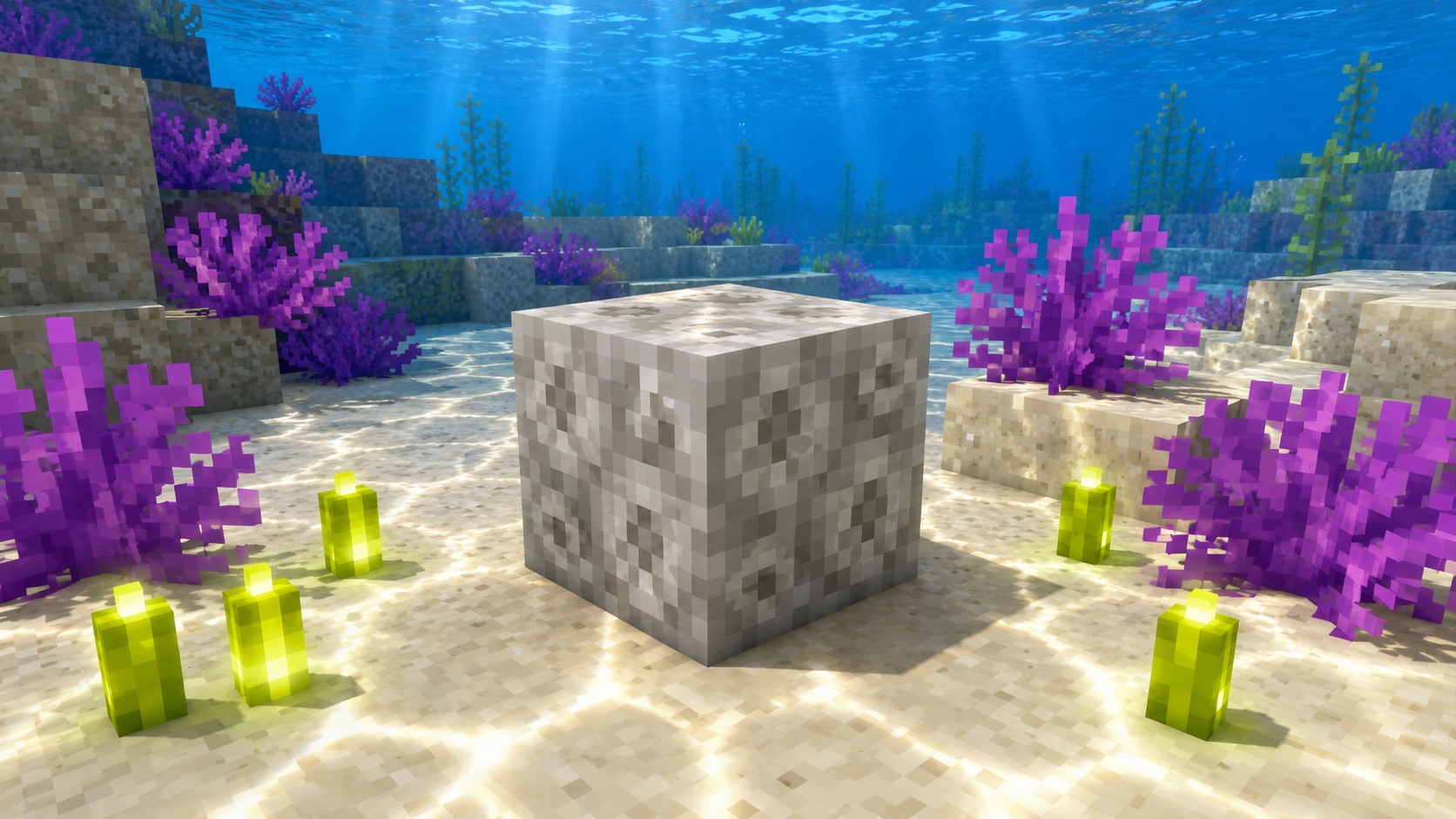
What a dead bubble coral block is
A dead bubble coral block is the gray, weathered version of the live bubble coral block in Minecraft. The shape and footprint are identical, but the color drains out: where the live block is bright purple, the dead block is dusty pale gray with darker shading. Think of it as fossilized reef rather than living reef.
Bubble coral was added in version 1.13, the Update Aquatic, alongside the other four coral types: tube, brain, fire, and horn. The dead variants of all five blocks were added at the same time. A bubble coral block dies as soon as it loses contact with water, and once dead, it stays dead permanently.
For a builder, the dead version is often more useful than the live one. It does not need water to stay alive, it can be placed anywhere, and the gray color reads well as stone, ruin, or bone in builds.
How to get a dead bubble coral block
There are three normal ways to end up holding a dead bubble coral block:
- Mine an existing dead bubble coral block in a coral reef.
- Mine a live bubble coral block without Silk Touch. The block will drop its dead version.
- Place a live bubble coral block out of water and let it die, then mine the resulting dead block.
The first two are the fastest. Coral reefs in warm ocean biomes contain plenty of dead coral mixed in with the live coral, so a single trip will usually fill a stack.
Mining the block correctly
Use a pickaxe. Any tier from wooden up will work, but iron or better is faster. If you mine a coral block with your hand or with the wrong tool, the block breaks but no item drops. This is the most common reason new players come back from the reef empty-handed.
For dead bubble coral specifically, Silk Touch is not required. The dead block drops itself either way. Silk Touch only matters for live coral blocks, where you need it to keep the live version instead of getting the dead one.
Hardness is low, around 1.5, so even a wooden pickaxe will chew through coral quickly. Bring a pickaxe, not a shovel.
Where dead bubble coral generates
Dead bubble coral blocks generate naturally in coral reefs, which are only found in warm ocean biomes. Warm oceans sit in the temperature range that also produces deserts and badlands, so you can usually find one near a desert coastline. Lukewarm oceans do not generate coral.
Within a reef, dead coral typically appears around the edges or scattered through the live coral as natural decay. You will often see a mix of all five dead coral types in one reef, so a single dive can stock a builder’s chest with a variety of colors and shapes for stone-like building.
If you cannot find a warm ocean, look for the orange-tinted water on a map. The biome locator command also works: /locate biome minecraft:warm_ocean will point you toward the nearest one in Java Edition. In Bedrock, /locate biome warm_ocean serves the same purpose.
Spotting a reef from the surface is easier than diving blind. Look for clusters of bright color through the water: live coral shows as pink, purple, yellow, red, and blue patches against the sandy bottom. Reefs sit at depths shallow enough that you can usually see them from a boat in clear weather. Rain and fog kill visibility, so wait for clear sky if you can.
Behavior and mechanics
A dead bubble coral block is a full opaque block. That has a few practical consequences in the game:
- It blocks light completely. Mobs treat it like stone for spawning purposes.
- It supports torches, redstone, doors, and any other block that needs a solid surface.
- It does not need water to stay placed, so it works fine in dry builds.
- Pistons can push and pull it like most regular blocks.
- Explosions destroy it the same as any low-blast-resistance block. Treat it as fragile when TNT is nearby.
Dead coral blocks do not emit any light, do not interact with redstone, and do not spread. Once you place one, it stays exactly where you put it, in the same color, forever. There is no growth mechanic to manage.
What does not work
Bone meal does nothing to a dead coral block. Once a coral block is dead, no in-game tool will revive it. Water around a dead coral block also has no effect. You can place dead bubble coral underwater for visual effect, but it will not turn back into the live version. The two states are separate blocks.
Building with dead bubble coral blocks
The dead block’s main appeal is decorative. Its color sits between bone block and stone, with a slightly fuzzy texture that reads well at a distance. A few common uses:
- Reef ruins. Mix dead coral blocks with sand, gravel, and prismarine to fake a long-abandoned underwater settlement.
- Skeleton or bone-themed builds. The pale gray works as a calcified accent against bone blocks and white concrete.
- Aquariums. Place dead bubble coral inside glass tanks for a bleached-reef look, paired with sea pickles for contrast.
- Stone variation. The slightly dusty texture breaks up large stone walls without looking out of place.
The block accepts any orientation since it is a full cube. There is no facing direction to worry about, unlike coral fans, which are wall- or floor-mounted.
Tips and common mistakes
A few things to keep in mind so a coral run does not waste a trip:
- Bring a pickaxe of any tier. A shovel or sword will not drop the block.
- Wear a turtle shell helmet, drink a potion of Water Breathing, or set up a conduit if you are diving deep. Coral reefs sit in warm ocean depth, which is shallower than cold ocean but still drowns players quickly.
- Do not pick up a live bubble coral block expecting the dead version on placement. If you mined it without Silk Touch, you already have the dead version in your inventory.
- If you are intentionally killing live coral for the dead version, place the live block on land and wait a moment. The conversion to dead is automatic.
- Keep your dead coral blocks separate in your inventory by color. Mixing dead bubble (purple-gray), dead brain (pink-gray), and dead horn (yellow-gray) in the same stack slot wastes time later when you are trying to build.
Java vs. Bedrock differences
Dead bubble coral blocks behave the same way in both Java and Bedrock editions. The drop rules, the mining tool requirement, and the visual appearance are identical.
The main practical difference is the locate command syntax. In Java, you use /locate biome minecraft:warm_ocean. In Bedrock, the namespace is optional, so /locate biome warm_ocean works. Both editions generate dead bubble coral inside the same reef structures.
Frequently asked questions
Does dead bubble coral block need Silk Touch to drop?
No. The dead version drops itself with any pickaxe, no Silk Touch needed. Silk Touch only matters when you are mining the live version and want to keep the live block instead of getting the dead one.
Can dead bubble coral come back to life?
No. Once a coral block is dead, no in-game mechanic will revive it. Water nearby, bone meal, and time all do nothing. If you want a live bubble coral block, you have to start with a live one and keep it in water.
What biome has dead bubble coral?
Warm ocean. That is the only biome where coral reefs generate, and reefs contain both live and dead coral blocks. Lukewarm and deep warm oceans do not generate coral.
Can mobs spawn on a dead bubble coral block?
Yes. The block is a full opaque cube, so it counts as a valid spawn surface for hostile mobs at the right light level. If you are using dead coral blocks in a dark indoor build, light it up like any other stone surface.
Can pistons move dead bubble coral blocks?
Yes. Dead coral blocks behave like ordinary solid blocks for piston purposes. They can be pushed and pulled and used in piston-based builds without issue.
Is dead bubble coral block waterloggable?
No. It is a full solid block, not a partial block, so the waterlogged state does not apply. You can place water around it, but the block itself does not hold water inside.
What is the fastest way to stock up on dead bubble coral blocks?
Find one warm ocean reef, bring a stone or iron pickaxe, and mine through the natural dead coral first. If you still need more, mine the live bubble coral blocks without Silk Touch and they will drop as dead automatically. One reef visit usually returns several stacks.
Worth the dive
Dead bubble coral blocks are easy to overlook because the live version gets all the attention. The dead version is often the better building material: stable, no upkeep, easy to mine, and a useful color for stone-themed builds. Next time you sail past a warm ocean, take ten minutes to fill a chest. You will use them.