What bubble coral is
Bubble coral is the purple member of Minecraft’s coral family. It arrived in the Update Aquatic (Java 1.13) alongside the other four coral types: tube (blue), brain (pink), fire (red), and horn (yellow). The “bubble” in the name describes the rounded, knobbly shape of the plant. It has nothing to do with bubble columns, which come from magma blocks and soul sand, not coral.
Every coral type comes in three living forms and three dead forms, so “bubble coral” actually covers six different blocks: bubble coral (the small plant), bubble coral block (the full cube), bubble coral fan (the flat, leafy decoration), and a gray dead version of each. All six are decoration. None of them craft into anything, burn as fuel, compost, or interact with redstone.
The one mechanic that matters is water. Living bubble coral in any form needs water touching it or it dies and turns gray for good. Everything else in this guide follows from that rule.
Where bubble coral generates
Bubble coral generates only in coral reefs, and coral reefs generate only in the warm ocean biome. Lukewarm oceans, cold oceans, frozen oceans, and deep oceans do not have reefs. Warm oceans sit in the same temperature band as deserts and badlands, so the quickest way to find one is to follow a desert or badlands coastline.
From a boat, a warm ocean is easy to pick out: the water is clear and lighter in color, the floor is sand, and the reefs show up as patches of purple, pink, blue, red, and yellow against the sandy bottom. Reefs sit shallow enough to spot from the surface in clear weather. Rain and fog cut visibility, so wait for a clear sky if you can. Warm oceans also hold sea pickles, sea grass, and tropical fish, so a reef trip stocks more than coral.
If you would rather not sail around, the locate command points you at the nearest one. On Java it is /locate biome minecraft:warm_ocean. On Bedrock the namespace is optional, so /locate biome warm_ocean works.
One reef usually contains all five coral colors in all three forms. Bring an empty inventory and pick up every color while you are there. You will want the mix later.
The three living forms
The three living forms share the same purple color and the same water requirement, but they differ in shape, placement, and how they behave in a build.
Bubble coral (the plant)
Bubble coral is a small, non-solid plant that sits on top of another block the way a flower or sapling does. It places on the top face of a solid block only: no walls, no ceilings. It has no collision, so you and mobs walk straight through it, and water flows through it freely. Because it is a partial block, it can be waterlogged, which is what keeps it alive when you build with it. Its Java block ID is bubble_coral.
Bubble coral block
Bubble coral block is a full, opaque cube. It blocks light, supports torches and other attachable blocks, counts as a spawnable surface for mobs at low light, and can be pushed and pulled by pistons like ordinary stone. It has a hardness of 1.5 and needs a pickaxe to drop anything. It cannot be waterlogged (it is a full block), so it stays alive only through the water around it. Its Java block ID is bubble_coral_block.
Bubble coral fan
Bubble coral fan is the flat, leafy version. It has two placements. Aim at the top face of a block and it lies flat on the floor. Aim at the side face of a block and it becomes a wall fan sticking out horizontally, useful for cave walls, the sides of pillars, and the inside of glass tanks. It cannot go on the underside of a block, and you cannot stack a fan on another fan. The orientation locks when you place it; to change it, mine it and place it again. Like the plant, it has no collision, lets water through, and can be waterlogged. Java uses bubble_coral_fan for the floor version and bubble_coral_wall_fan for the wall version, though both come from the same item.
The three dead forms and how coral dies
Living coral checks for water when it is placed and whenever a neighboring block changes. If none of its six adjacent blocks contains water, and the coral itself is not waterlogged, a short timer starts and the block converts to its dead variant a few seconds later. The block does not break or drop. It just changes in place: the purple drains out and you are left with a chalky pale gray block of the same shape.
Flowing water counts. So does water inside a waterlogged block such as stairs, slabs, fences, or another coral fan. One face touching water is enough; the block does not need to be fully submerged.
The conversion is permanent. Adding water back, bone meal, and waiting all do nothing. Dead coral has a different block ID from live coral, and there is no item or survival mechanic that turns one into the other. If you want purple back, you place a fresh live block.
The three dead forms are dead bubble coral (dead_bubble_coral), dead bubble coral block (dead_bubble_coral_block), and dead bubble coral fan (dead_bubble_coral_fan and dead_bubble_coral_wall_fan). Each keeps the placement rules of its living counterpart: the plant goes on top of blocks only, the fan goes on floors or walls, and the block goes anywhere. The plant and fan can still be waterlogged. The dead block cannot.
Dead coral does not generate in any meaningful amount on its own, so the practical source is live coral that you let die. Place a live piece on a beach, wait a few seconds, and mine the gray result. All five dead coral types are the same gray and behave identically; only the silhouette differs. Dead bubble coral has soft branching tips, dead brain coral is rounder, dead horn coral is jagged, dead fire coral has thin stalks, and dead tube coral has thick pipes.
How to collect each form
This is where most players lose coral, so the rules are worth spelling out for each form.
Living plant and living fan
Bubble coral and bubble coral fan break instantly with any tool or your hand, but they only drop themselves if the tool has Silk Touch. A pickaxe, axe, shovel, or shears with Silk Touch all work. Without it the block breaks and you get nothing. Pick up the drop quickly; a loose item sitting in the ocean can drift and despawn like any other item.
Living coral block
Bubble coral block needs a pickaxe of any tier. Break it with your hand, a sword, or a shovel and nothing drops. With a plain pickaxe, the live block drops a dead bubble coral block. With a Silk Touch pickaxe, it drops the live block. That is the only way to move a purple coral block from a reef to your build.
Dead plant, dead fan, dead block
Dead bubble coral block behaves like the live block minus the enchantment requirement: any pickaxe drops it, Silk Touch or not. Dead bubble coral and dead bubble coral fan follow the same rule as their living versions in Java: they still need Silk Touch to drop. Fortune does nothing on any coral. The drop is always exactly one, and Efficiency just speeds up the swing on the block form.
Other sources
Coral cannot be crafted. The wandering trader sells bubble coral blocks (and the other four coral blocks) for emeralds, which makes the block form renewable in worlds with no warm ocean nearby. Plants and fans are not traded. In creative, all six forms are in the natural blocks tab, and /give @s dead_bubble_coral_fan style commands work with cheats on.
Bone meal is a Bedrock-only shortcut. On Bedrock, using bone meal underwater in a warm ocean on sand, gravel, dirt, or clay can generate random coral, including bubble coral. Results are random, so it is a bulk-gathering trick rather than a farm. On Java, bone meal does not grow coral at all.
Placement and waterlogging
Coral does not die in your inventory. The timer only runs on placed blocks, so you can carry live coral across the map without keeping it wet. The risk is entirely at placement, which leads to the single most useful habit for coral builds: build the water first, then place the coral.
For plants and fans, waterlog them. Place the coral, then right-click it with a water bucket (or place it directly into a water block, which waterlogs it automatically). A waterlogged fan is alive even with dry air on every side, because it carries its own water. This is how you get a purple fan on a dry-looking wall or a single coral plant in a flower-pot-sized pond.
The coral block cannot hold water itself, so it needs a neighbor that does. Any of the six faces will do, including the top and bottom. Builders use this to hide the water: a waterlogged slab or stair beside the block, a shallow water channel under the floor, a reservoir behind a wall, or a pool that touches one face. A waterlogged dead fan also counts as water for this check, so a gray fan can quietly keep a purple block alive next to it.
A few placement limits to plan around. Pistons break coral plants and fans when they try to move them; only the block form survives a piston. Coral emits no light, so pair it with sea pickles or hide a sea lantern behind glass. And a waterlogged fan does not stop water from flowing around it, so it will not act as a wall in a tank.
One thing that does not matter is biome. Coral only generates in warm oceans, but once placed it survives in any biome as long as water touches it. A frozen-ocean base can have a purple reef.
Uses and building ideas
Bubble coral is a finishing block, not a structural one. Its purple sits well next to prismarine, sea lanterns, amethyst, quartz, and cyan glass, and it reads as fantasy or End-themed in dry builds as easily as it reads as reef underwater.
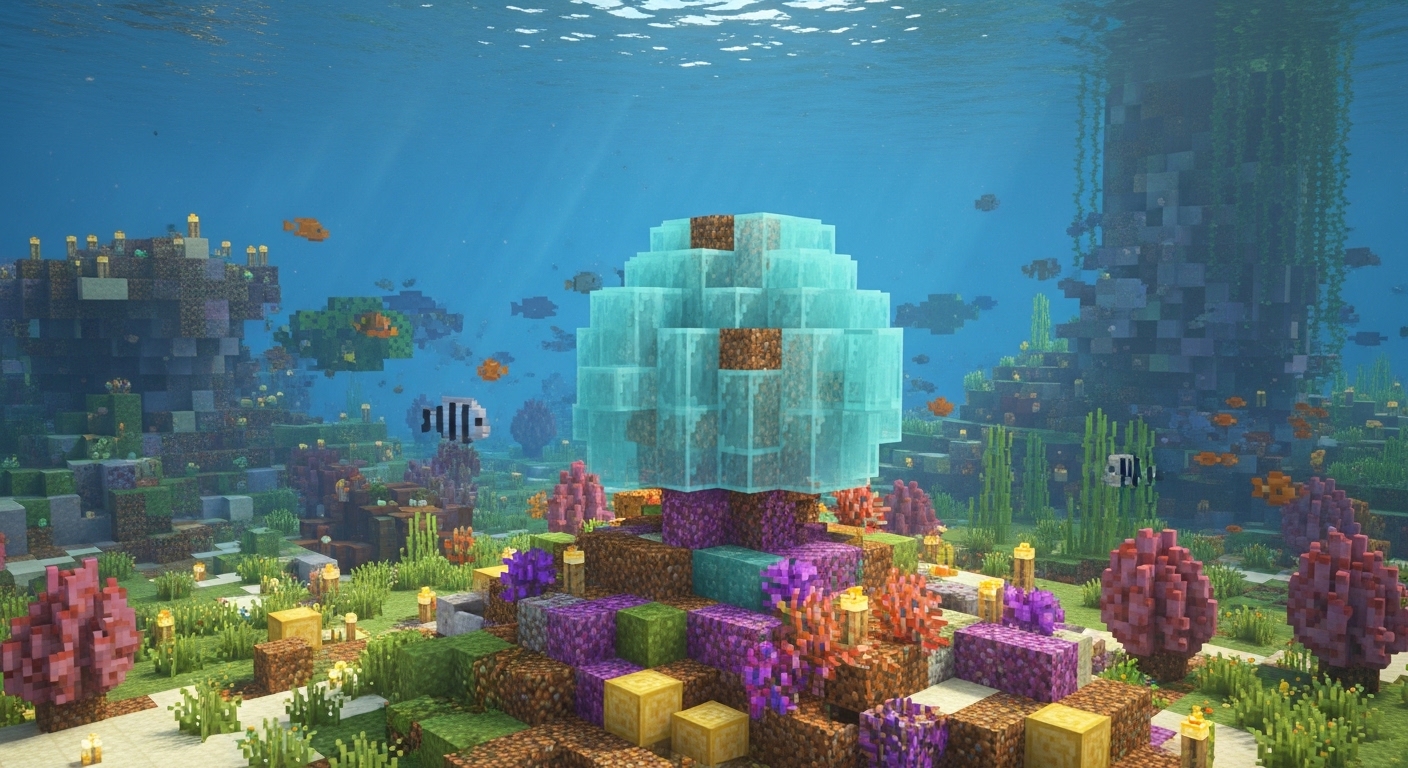
Underwater bases are the obvious home. If you have converted an ocean monument or built a conduit room, purple breaks up the gray of prismarine. Use blocks for pillars, dome edges, and hallway trim, then scatter plants and fans around the base of walls. Mixing all three forms is what makes a reef look grown rather than placed.
Aquariums are the other big one. Fill a glass tank with water, drop in a few coral blocks as structure, plant fans around the edges, and add sea pickles for light. Sand and gravel on the floor and some kelp or sea grass finish it. For a colder color story swap bubble for tube; for warmer, lean on brain and fire.
The dead forms carry a different mood. Gray coral reads as bone, fossil, or ruin. Dead bubble coral blocks mixed with sand, gravel, and cobblestone fake an abandoned underwater settlement. Dead fans on smooth sandstone or light gray concrete look like washed-up sea life on a shore. Embedded in deepslate or calcite, dead fans pass for fossils in a cave or museum build. The dead block also works as a subtle stone variant on large walls, since its texture sits between bone block and stone. And because dead coral never needs water, it is the low-maintenance choice for any tank you might accidentally drain.
Mob spawning is worth a thought when using the block forms indoors. A dead or live coral block is a full opaque cube, so hostile mobs can spawn on it in the dark. Light it like any other floor.
Java vs Bedrock
The core rules are the same on both editions: warm-ocean-only generation, Silk Touch for live coral, permanent death without water, and the same placement and waterlogging behavior. The differences are small. Bone meal grows coral only on Bedrock. The locate command drops the minecraft: namespace on Bedrock. Bedrock reef layouts can differ slightly from Java because world generation differs, and a dead coral plant in a waterlogged block can flicker briefly during chunk loading on Bedrock at low render distance, which is a visual quirk rather than a gameplay difference.
Frequently asked questions
Is bubble coral the same as bubble coral block?
No. Bubble coral is the small plant that sits on top of another block. Bubble coral block is a full cube used as a building material. They have different placement rules, different drop rules, and different block IDs, and the fan is a third separate item.
Do you need Silk Touch for bubble coral?
For anything living, yes. The live plant and live fan drop nothing without it, and the live block drops its dead version instead. Dead bubble coral blocks drop with any pickaxe.
Why did my bubble coral turn gray?
Nothing was touching it that held water. Place water in any of the six adjacent blocks, or waterlog the plant or fan itself, before the timer runs out. If it has already gone gray, it is dead for good; replace it with a live piece.
Does bubble coral need to be fully underwater?
No. One face touching water, flowing water, or a waterlogged block is enough. A waterlogged plant or fan needs nothing else at all.
Can dead bubble coral come back to life?
No. Water, bone meal, and time have no effect. Dead and live coral are separate blocks with no conversion back.
Does bubble coral make bubble columns?
No. Bubble columns come from magma blocks and soul sand under water. The name refers to the coral’s rounded shape.
Is bubble coral renewable?
The block form is, through the wandering trader. On Bedrock, bone meal in a warm ocean can also generate coral. Plants and fans on Java are not renewable outside of that trader-and-reef loop, so mine them carefully.
If you build with coral often, keep two chests: one of dead forms for instant, zero-upkeep decoration, and one of live forms that you only place once the water is already in. Most gray coral in player builds got that way by accident, and the fix is a water bucket before the coral, not after.