What is a redstone comparator?
The redstone comparator is one of the most useful and most misunderstood components in Minecraft. It looks a little like a redstone repeater, but it does a different job. Instead of just passing a signal along, a comparator measures things and makes a decision about the signal it sends out.
If you have ever wanted an automatic item sorter, a chest that flicks on a lamp when it fills up, or a circuit that reacts to how much water sits in a cauldron, the comparator is the block that makes it possible.
A comparator is a flat redstone component with a fixed direction. It has a back, a front, and two sides. Signal goes in through the back and the two sides, and it always leaves through the front.
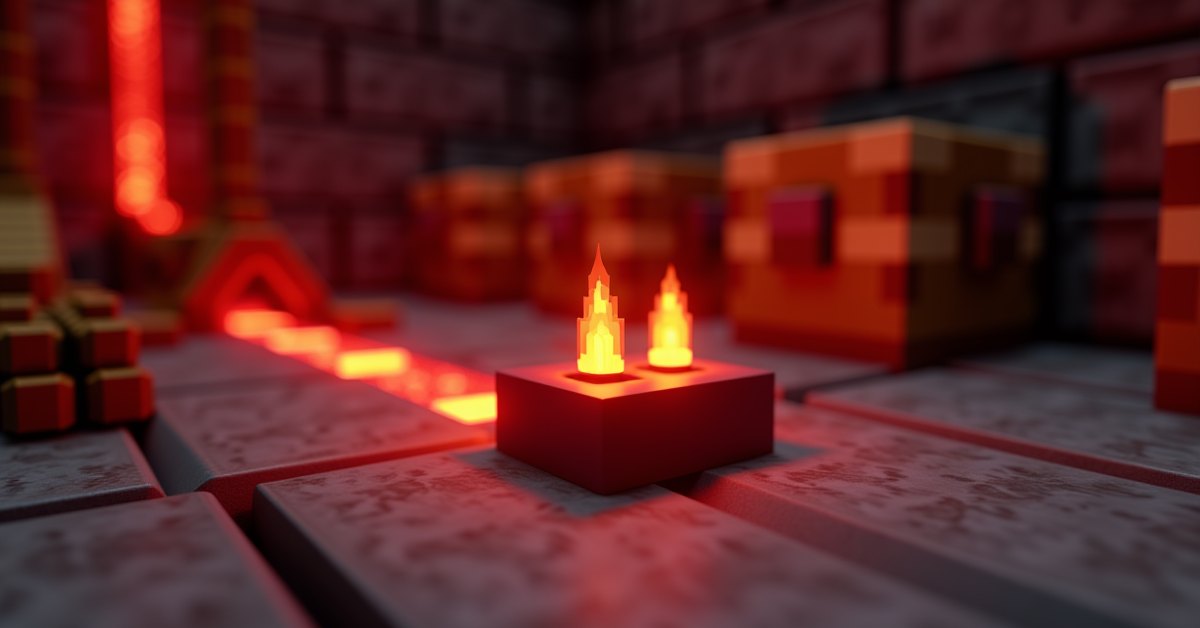
On top you will see three small torches. Two sit side by side near the front, and one sits alone near the back. That lone back torch is really a button. Right-click it and the comparator switches between its two modes. When the back torch is off, the comparator is in comparison mode. When it is lit, the comparator is in subtraction mode.
The comparator also adds a short delay to any signal that runs through it. The delay is one redstone tick, about a tenth of a second. Unlike a repeater, that delay is fixed. You cannot click a comparator to change its timing.
How to craft a redstone comparator
You craft a comparator on a full 3×3 crafting grid. You need three redstone torches, one piece of nether quartz, and three blocks of stone.
The layout goes like this:
- Top row: one redstone torch in the middle square, the two outer squares empty.
- Middle row: a redstone torch, then nether quartz, then a redstone torch.
- Bottom row: three stone blocks.
The stone has to be the smooth gray Stone block, the kind you get by smelting cobblestone in a furnace. Plain cobblestone straight from mining will not work in the recipe.
Nether quartz is the part that sends most players on a trip. You mine nether quartz ore in the Nether with any pickaxe, and each ore block drops one piece of quartz. A short mining run usually brings back enough quartz for a full stack of comparators, so it is worth grabbing extra while you are down there.
The two modes: comparison and subtraction
Everything a comparator does comes down to which of its two modes it is in. The mode changes how the comparator treats the signal at its back against the signal at its sides.
A bit of vocabulary first. The back input is the signal entering the rear of the comparator. The side inputs are signals entering either of the two sides. A comparator only ever looks at the stronger of the two side inputs, so if one side carries a strength of 4 and the other carries 9, the comparator treats the side input as 9 and ignores the 4.
Comparison mode
Comparison mode is the default, with the back torch off.
In this mode the comparator asks one question: is the back signal at least as strong as the side signal? If the answer is yes, it passes the back signal straight through at full strength. If the side signal is stronger, the comparator outputs nothing.
So if the back input is 12 and the strongest side input is 7, the front outputs 12. If the back input is 5 and a side input is 9, the front outputs 0. With no side input at all, a comparator in comparison mode simply passes the back signal through unchanged. That is how most players first use one.
Subtraction mode
Right-click the back torch and it lights up. Now the comparator is in subtraction mode.
In subtraction mode the comparator takes the back signal and subtracts the strongest side signal from it. Whatever is left comes out the front. A back input of 12 with a side input of 7 gives an output of 5. If the side signal is larger than the back signal, the output is 0, because redstone strength never goes below zero.
Subtraction mode sits behind a lot of redstone contraptions, because it lets one signal cancel out part of another.
Reading containers and other blocks
The comparator’s signature trick is measuring how full a block is. Place a comparator so its back faces a container, and the comparator outputs a redstone signal based on how much is inside.
An empty chest gives no signal. A chest holding a single item gives a signal strength of 1. A completely full double chest gives the maximum strength of 15. Everything between those points scales with the contents, and the comparator counts partial stacks too, so 32 cobblestone in one slot reads weaker than a full stack of 64.
This works on most blocks that hold items. Chests, barrels, hoppers, droppers, dispensers, furnaces, and brewing stands all respond to a comparator. It also reads a surprising number of other blocks. Some of the most useful ones:
| Block | What the comparator reads |
|---|---|
| Cauldron | How full it is with water, lava, or powder snow |
| Composter | Its current compost level |
| Item frame | The rotation of the item inside it |
| Lectern | The page the open book is turned to |
| Jukebox | Which music disc is loaded |
| Cake | How many slices are left |
| Beehive or bee nest | Its honey level |
| Chiseled bookshelf | The last slot a book was placed in or taken from |
One detail that surprises people: a comparator can read a container through a solid block. Put an opaque block directly behind the comparator and the container behind that block, and the comparator still measures it. That lets you bury storage inside a wall and still react to it.
What people build with comparators
Automatic item sorters
The automatic item sorter is the build that makes most players learn the comparator in the first place. The idea is to send a stream of mixed items along a line of hopper-fed chests and have each chest grab only the item it is supposed to.
A comparator makes the sorting decision. It reads a hopper that has been pre-loaded with a few placeholder items, so the hopper sits at a known signal strength. When the item that chest is meant to catch arrives, the hopper’s contents tick up, the comparator signal changes, and a small circuit reacts. Sorters built this way run quietly in the background and never need babysitting.
Status readouts and alarms
Because a comparator turns “how full is this” into a redstone signal, it is easy to wire a container to a lamp, a note block, or a piston. A storage room can flash a redstone lamp when a chest is nearly full. A furnace bank can ping a note block when a batch finishes smelting. None of that needs anything beyond a comparator and a little redstone dust.
Clocks and timers
Subtraction mode is the basis of one of the steadiest timers in the game, the hopper clock. Two hoppers pass a handful of items back and forth, and a comparator reads each one. Because the item count changes at a predictable rate, the comparator’s output flips on a reliable schedule. Hopper clocks are popular for slow, accurate timing where a repeater loop would be fiddly to tune.
Tips and common mistakes
The most common mistake by far is placing the comparator backwards. The flat end with the two torches close together is the front, and the signal leaves there. The single-torch end is the back, where the main input goes. If your comparator does nothing, turn it around before you check anything else.
A few more things worth knowing:
- Cobblestone does not work in the recipe. Smelt it into stone first.
- A comparator does not add signals together. It only compares or subtracts. Combining two signals into a larger one is a different circuit.
- The two side inputs are not summed either. The comparator uses whichever side is stronger and ignores the other.
- A comparator against a container reads it the moment you place it, so you do not need to disturb the container to get a reading.
- If you want a container reading but nothing comes out, check that the comparator’s back is actually facing the container and not a side.
Frequently asked questions
What is the difference between a comparator and a repeater?
A repeater only repeats. It takes a signal, refreshes it to full strength, and sends it on, with an adjustable delay. A comparator measures and decides. It can pass a signal, block it, subtract from it, or read the contents of a block and turn that into a signal. They look alike, but a repeater is a relay and a comparator is a sensor.
How do I put a comparator into subtraction mode?
Right-click the small torch at the back of the comparator, the one sitting on its own. It lights up, and the comparator is now subtracting. Right-click it again to turn it off and return to comparison mode.
Can a comparator read a chest through a wall?
Yes, as long as the wall is a single solid block thick. Place the opaque block directly behind the comparator and the chest right behind that block. The comparator reads straight through it.
Why is my comparator not outputting a signal?
Three usual culprits. It might be facing the wrong way, so the input is going into a side or the front. It might be in comparison mode with a side input stronger than the back input, which forces the output to 0. Or the container behind it might simply be empty.
What signal strength does a full chest give?
A full single chest and a full double chest both output the maximum signal of 15. A chest with one item outputs 1. Anything in between scales with how full the chest is, and partial stacks count toward the total.
Does a comparator delay the signal?
Yes, by one redstone tick, roughly a tenth of a second. The delay is fixed, so unlike a repeater you cannot adjust it.
Worth keeping in your toolkit
The comparator is what turns Minecraft redstone from simple on-and-off wiring into something that can react to the world. Once you are comfortable reading a container with one, automatic farms and storage systems stop feeling like advanced builds and start feeling like the obvious next thing to make.