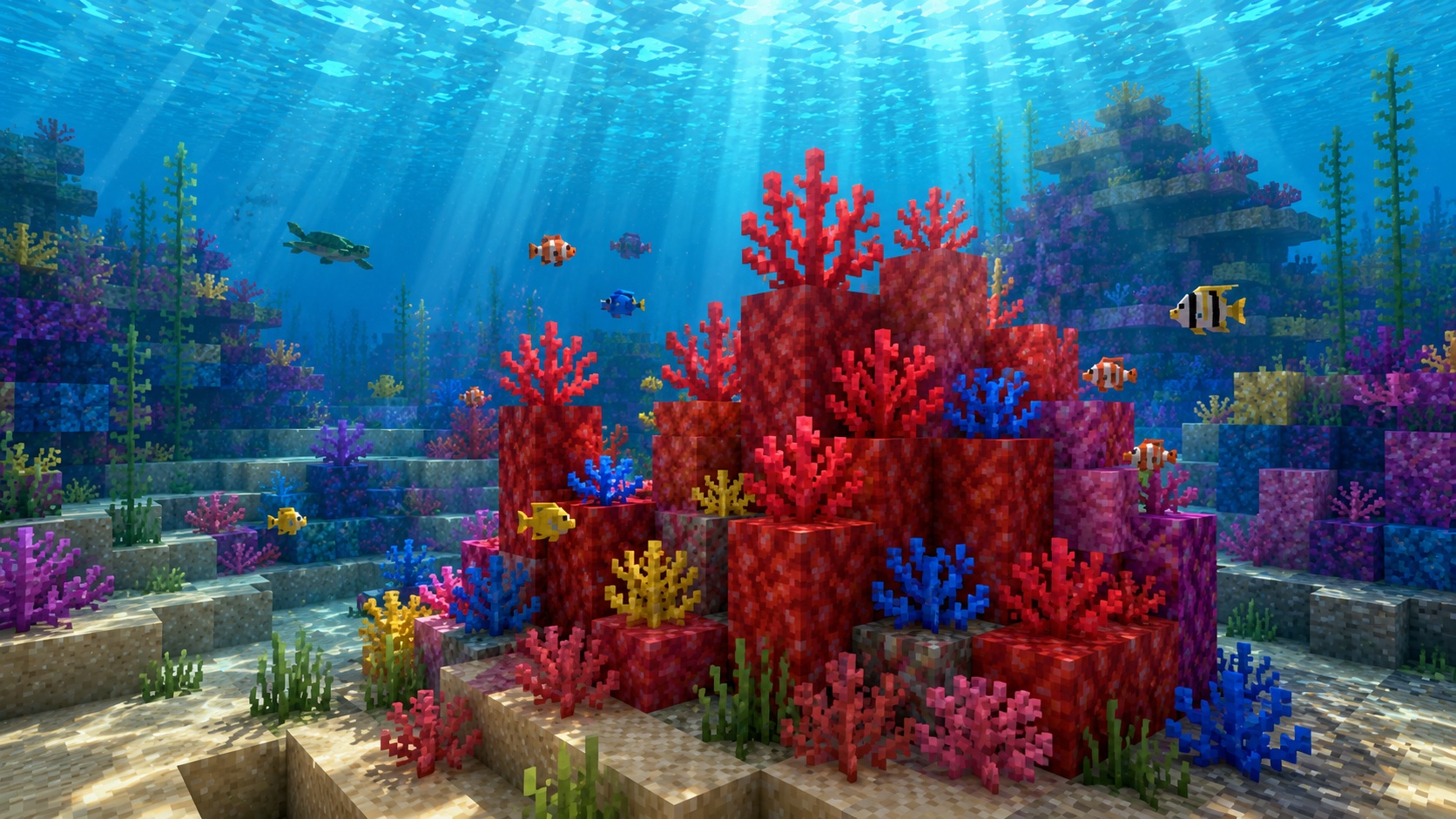
The fire coral block is the bright red variant of Minecraft’s coral blocks, found in warm ocean reefs. If you’ve swum past a reef and wanted to take a piece home for a build, this is the block you’re looking at.
The catch: fire coral blocks need water nearby to stay alive. Mine one with the wrong tool, or place it in dry air, and it turns gray within seconds. This guide covers how to find it, how to harvest it without killing it, and how to use it in builds that don’t fall apart.
What is the fire coral block?
The fire coral block is the red-pink variant in Minecraft’s coral block family. It’s a solid block, not a plant, and it spawns naturally in warm ocean biomes as part of coral reef formations. You’ll see it sitting on the ocean floor with the smaller coral plants and fans growing on top of it.
It joins four siblings: tube coral block (blue), brain coral block (pink), bubble coral block (purple), and horn coral block (yellow). Functionally they all behave the same way. The only difference is color, which matters when you’re building.
The fire coral block was added in the Update Aquatic, which arrived in Java Edition 1.13 and Bedrock Edition 1.5.0. Before that update, coral didn’t exist as a block at all.
Where to find the fire coral block
Coral reefs only generate in warm ocean biomes. If the water around you is bright turquoise and full of tropical fish, you’re in the right place. Cold oceans, lukewarm oceans, and deep oceans don’t have reefs, so you can sail through them for hours and never see coral.
Inside a reef, fire coral blocks appear alongside the other four colors in random clumps. Some reefs are heavy on red, others barely have any. If you don’t see fire coral in the first reef you visit, swim along the ocean floor until you find another patch.
You can also get fire coral blocks from a wandering trader, who sometimes sells them for emeralds. The price is high and the stock is small, so this is a fallback rather than a real source. Diving for them yourself is faster.
Growing your own with bone meal
If you’d rather farm fire coral than hunt for it, bring a stack of bone meal. Using bone meal on the sand or gravel floor of a warm ocean has a chance to grow a coral reef on the spot, including fire coral blocks. The growth has to happen underwater on a warm ocean’s floor. It won’t work in a lukewarm ocean or in any pool of water you build yourself.
How to mine the fire coral block
This is the part that trips up most players. Fire coral blocks only drop themselves when you mine them with a tool that has the Silk Touch enchantment. Any pickaxe works as the base tool, including a wooden one, but without Silk Touch you’ll get a dead fire coral block instead. Dead coral is gray, and it can’t be brought back to life.
So the rule is simple. Bring an enchanted pickaxe with Silk Touch, or bring an enchanted book and an anvil. Anything else will waste the block.
A few practical notes:
- You don’t have to drain the area first. You can mine fire coral underwater.
- A bucket of water in your hotbar is handy. If you slip into an air pocket, place water at your feet and you’ll keep your mining speed.
- Aqua Affinity on a helmet lets you mine at full speed underwater, which makes a Silk Touch run much faster.
- Bring a Respiration helmet too if you don’t have a turtle shell or a conduit nearby. Coral hunting takes time.
What you get without Silk Touch
If you mine a fire coral block with a regular pickaxe, you get a dead fire coral block. It looks gray and lifeless, like stone. It still has uses for builds that want a weathered look, but you can’t turn it back into the red live version, and you can’t use it where you want a colorful reef. So unless you’re specifically after the dead version, always use Silk Touch.
How fire coral blocks work
The mechanic that defines this block is the water check. A live fire coral block has to be touching water on at least one of its six sides at all times. Water in any of those six adjacent spaces counts: source blocks, flowing water, or waterlogged blocks. If the check fails for more than about a second, the block converts into its dead gray version, and you can’t undo it.
The check runs whenever the block updates, which usually means right after you place it or right after a neighboring block changes. Placing a fire coral block in open air is a common mistake. It dies almost instantly because there’s no water touching it.
Once dead, a coral block stops caring about water entirely. It behaves like a regular decorative block: place it anywhere, leave it as long as you want, and it will never change again.
Light, sound, and other properties
Fire coral blocks don’t emit light. They aren’t transparent. Mobs can walk and pathfind on them like any solid block, and they have the same hardness as a regular coral block, which is low but still requires a pickaxe to mine for any drop at all.
Pistons can push and pull coral blocks normally. They aren’t blast-resistant in any special way, so creepers and TNT will destroy them like any soft block.
How to keep your fire coral block alive in a build
The whole point of harvesting a live block is to use it without killing it. Three approaches work:
- Waterlogged neighbor. Any waterlogged block (stairs, slab, fence, trapdoor, glass pane, iron bar) counts as water for the coral’s water check. Put a waterlogged slab right next to or underneath your coral block and the coral stays alive without flooding the whole room.
- Hidden water pocket. Build a one-block water pocket behind the coral, hidden by glass or solid blocks. The coral only needs one neighbor with water in it.
- Open water above or below. If your build is underwater anyway, you don’t have to do anything special. The reef just lives.
If you want a coral block on a wall or ceiling in a dry room, waterlogged glass panes or iron bars are the cleanest trick. They look invisible at most angles and they satisfy the water requirement.
Decorative uses for the fire coral block
The red color is what makes fire coral useful. It’s one of the only naturally red blocks in the game that doesn’t have a strong texture: redstone block has wiring lines, red wool has a fabric weave, red concrete is flat. Fire coral has an organic, branching texture that fits builds where you want red without making it look industrial.
Common uses include:
- Aquarium decoration, with coral reefs on the floor under glass
- Fire and lava builds, where the red texture reads as flame
- Roof tiling for fantasy or alien builds, where the organic shape works in your favor
- Treetop accents, where red pops against green leaves
- Underwater Atlantis-style cities, the obvious one
Mixing fire coral with horn (yellow) and tube (blue) coral gives you a quick three-color palette without needing dyes or crafting.
Java versus Bedrock differences
The fire coral block behaves almost identically across the two editions. Both editions added it in their respective Update Aquatic releases, both require Silk Touch to drop the live version, and both apply the same water check.
The one minor practical difference: bone meal coral growth tends to feel slightly more reliable in Bedrock, where the patch generation algorithm is a bit different. Players have reported needing fewer bone meals to spawn a coral reef on Bedrock than on Java, though both editions work. If you’re farming coral, expect to use a stack of bone meal either way.
Frequently asked questions
Does the fire coral block burn?
No. Despite the name, fire coral is not flammable. You can place it next to lava or a campfire and nothing will happen to it. The “fire” in the name refers to the color, not behavior.
Can fire coral blocks suffocate mobs?
Yes, in the same way any solid block can. If you place a fire coral block inside a mob’s hitbox, the mob suffocates. Don’t drop them on villagers.
What’s the difference between fire coral, fire coral fan, and fire coral plant?
Fire coral block is the solid cube. Fire coral fan is the flat decoration that grows on the sides of blocks. Fire coral (plant) is the upright branching plant. All three exist in fire-colored variants, and all three need water to stay alive. The block is the only one of the three that can support other blocks or coral fans on its top face.
Can fire coral grow back after I mine it?
Coral doesn’t grow back into the same hole automatically. You can use bone meal on a warm ocean floor to grow a new reef, which may include fire coral. If you’ve mined out an existing reef in a normal warm ocean and you want it to look the same as before, bone meal is your friend.
Will a turtle eat my fire coral?
No. Coral isn’t food for any mob. Turtles, fish, and other ocean mobs ignore it.
Why did my fire coral block turn gray?
It died from lack of water. Place it again in a spot where it touches water on at least one side, and the new block will stay alive. The gray version can’t be revived, so the dead block you have now is permanent. Mine more live ones if you need the red color.
Can I trade for fire coral blocks?
Wandering traders occasionally sell live coral blocks, including fire coral, for emeralds. Their stock is small and the price is high, so this is fine as a backup but inefficient as a main source. Diving for coral is almost always faster.
One last tip
If you’re collecting fire coral for a build, harvest more than you think you need. The water-check mechanic means you’ll lose a few to placement mistakes the first time around, and a second dive to the reef costs more time than a stack of extras. Bring at least double what your design calls for.