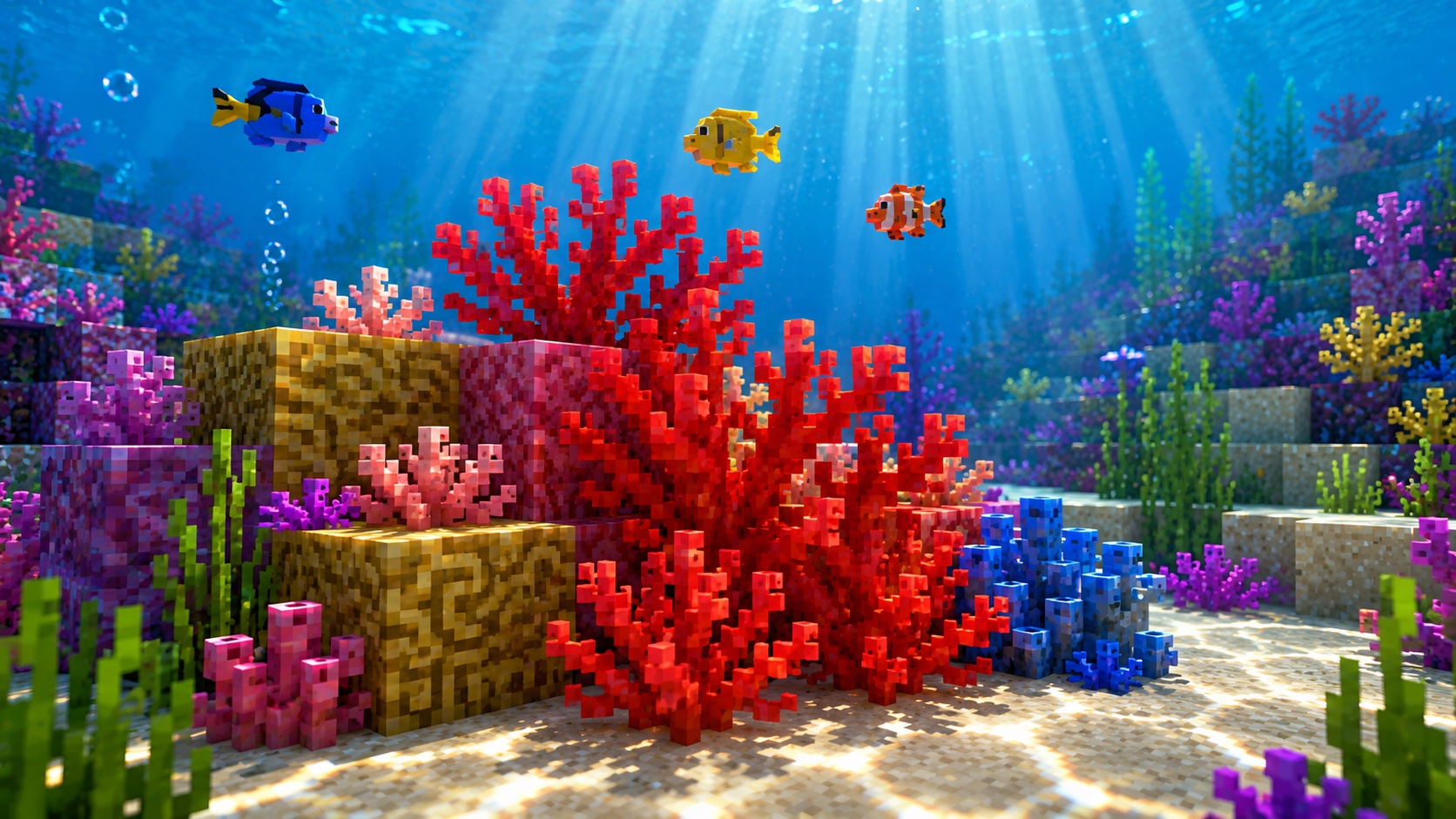
What a fire coral fan is
A fire coral fan is one of the bright red coral fan blocks that grow on coral reefs in warm ocean biomes. It looks like a small, fan-shaped sprig with a slight curl, in a deep red-pink color. Like other coral fans, it counts as a “live” block, which means it needs water nearby to stay alive. Pull it out of water for too long and it turns gray and dies. The result is a dead fire coral fan.
Fire coral fans are purely decorative. You can’t craft anything with them, they don’t power redstone, and mobs don’t interact with them. Their whole purpose is to make your underwater builds, aquariums, and reef recreations look right.
If you’ve seen the fire coral block (the solid red coral block), the fan is its thinner, ornamental cousin. Both share the same color family and the same warm-ocean origin, but the fan is flatter, attaches to other blocks, and gives a wispier shape to a reef.
Where fire coral fan spawns
Fire coral fan generates naturally in warm ocean biomes as part of coral reef structures. Warm oceans are the only place coral grows in survival without commands. Lukewarm oceans have warmer sand colors than cold oceans, but the live coral itself only generates in warm oceans.
Within a warm ocean, coral reefs are scattered, irregular formations on the seafloor. A single reef can mix fire coral with brain coral, bubble coral, horn coral, and tube coral, in both block and fan forms. Fire coral gives the reef its red and pink notes. If you swim over a warm ocean and see a spot with a strong red blush in the water, that’s where to dive.
You will not find live fire coral fan in lukewarm oceans, cold or frozen biomes, rivers, or caves with water. Dead fire coral fan can appear if a reef chunk was generated near a hot biome edge or if a piston has moved the block, but the spawn rule for the live version is warm ocean only.
How to get fire coral fan
This is where most players run into the catch. A live fire coral fan only drops if you mine it with a Silk Touch tool. Without Silk Touch, breaking a live fire coral fan destroys it, and the block drops nothing.
The cleanest method works like this:
- Enchant a pickaxe with Silk Touch. A book also works if you apply it to a pickaxe in an anvil.
- Dive to a warm-ocean reef. A turtle shell helmet, a water breathing potion, or a nearby conduit makes the run easier. Depth strider boots help with movement.
- Mine the fan directly. A small fan item drops; pick it up before the water current floats it away.
If you don’t have Silk Touch yet, you can still bring the look home. Dead fire coral fan spawns naturally around the edges of reefs where the coral biome meets cooler patches. Dead fans break and drop without Silk Touch, so you can stockpile a few without an enchanted pickaxe and use them in builds where the gray cast still fits.
How to keep fire coral fan alive
A live fire coral fan stays alive only when it has water touching at least one side adjacent to its anchor block. If it doesn’t, it dies on the next block update and turns into a dead fire coral fan.
The water requirement is stricter than people expect. You can’t place a live fan in open air. You can’t display it in a flower-pot-style setup with no water around. You also can’t make it survive in a “wet” environment that isn’t actually a water source block.
What counts as enough water:
- A water source block in any side-adjacent position around the fan’s anchor.
- Waterlogging the same block the fan occupies. Place the fan while aiming at a block face that’s underwater, and the fan sits inside that water source.
- Flowing water alone is not enough. The fan reads only source blocks as “wet enough.”
If you want a fire coral fan in an air-filled room (a “dry aquarium” build), the trick is to place a permanent water source one block away behind glass. Frame the source so flowing water doesn’t drain it, and the fan stays alive as long as that source remains.
Placing fire coral fan on the floor or a wall
Fire coral fan attaches in two orientations. Right-click on the top of a solid block and it stands up flat as a floor fan, like a small bouquet. Right-click on the vertical side of a solid block and it becomes a wall fan, facing outward. In the data these are technically separate block states (fire_coral_fan and fire_coral_wall_fan), but you don’t need a different item; the game picks the right state from where you aim.
The host block has to be solid enough to support the fan. Stone, dirt, sand, prismarine, and full blocks always work. Glass, leaves, slabs in certain positions, and partial blocks may or may not work depending on the version. Test before you commit a long build to a fragile support block.
Breaking the support block underneath or behind a fan pops the fan off. The fan drops only if it was alive and the support was broken with a Silk Touch pickaxe, which almost never happens in normal play. In practice, if the support disappears, the fan is gone.
Mining and tools
Fire coral fan breaks quickly and can be removed by any tool or by bare hand. A higher-tier pickaxe doesn’t break it faster; iron and netherite tear through it in the same near-instant time.
The tool only matters for the drop. With Silk Touch on a pickaxe, the live fan drops as an item. Without Silk Touch, the live fan breaks and nothing drops. Shears do not work as a Silk Touch substitute on coral the way they do on grass or leaves; use an enchanted pickaxe.
Dead fire coral fan is more forgiving. Once a fan is already in its dead state, any tool can break it and the dead fan drops as an item without Silk Touch.
What you can build with fire coral fan
The decorative payoff is the point. A glass tank filled with water sources, sand on the floor, and a mix of fire, brain, and bubble coral fans creates a believable reef in a few minutes. Drop in a few tropical fish for color and the build sells itself.
If your base sits on a warm-ocean shore, line the underwater approach with fire coral fans for a swim-in entrance. The red against the pale ocean sand reads from a long distance and gives the entry a clear visual marker.
Wall-mounted fire coral fans can read as small wall lanterns or paint splashes in a stylized build. Place them on smooth red sandstone or terracotta for a hot, spiced palette. Builders making custom warm-ocean maps use mixed coral fans to push reef density higher than natural generation, which makes flyovers and screenshots look more dramatic.
Common mistakes to avoid
The mistake almost everyone makes the first time is mining live coral without Silk Touch. Players hear that coral is a reef block and assume it works like grass or leaves: any tool, get the item. Coral fans don’t follow that rule. Spend an emerald or two on a Silk Touch villager trade before you head out to the reef.
The second mistake is placing the live fan in a room before adding water. The fan dies the moment it sees an air-side neighbor. Set the water source first, then place the fan, then build the visible decoration around them.
The third mistake is assuming flowing water keeps coral alive. It doesn’t. The fan only checks for water source blocks. If your decorative waterfall is all flowing tiles, drop a source block close to the fan or accept that the fan will turn gray.
Java and Bedrock differences
The behavior of fire coral fan is largely the same across Java and Bedrock. A few small differences are worth knowing:
- Waterlogging works the same way in both editions. The fan can hold a water source in its own block.
- On Java, the death tick happens on the next block update after the fan loses water adjacency. On Bedrock, the timing can feel slightly slower or faster depending on chunk load. The rule is the same; only the visible delay varies.
- Dead coral fan textures have been retuned in recent versions, so the gray cast may look more or less saturated in newer screenshots than in older ones. This applies on both editions.
If you’re following a build tutorial from a different edition, the placement and survival rules transfer cleanly. You don’t need to translate anything to make a coral build work.
Frequently asked questions
Can fire coral fan grow back if it dies?
No. Once a coral fan dies, it stays dead. There is no in-game way to revive it. For a live fan, you’ll need to mine a new live one with Silk Touch from a warm-ocean reef.
Does fire coral fan need light to stay alive?
No. Coral fans have no light requirement. Place them in a sealed dark room with water and they stay alive. Water adjacency is the only thing that keeps a fan from turning gray.
Can I bone-meal fire coral fan to spread it?
No, fire coral fan does not spread on its own and cannot be bone-mealed. You can bone-meal coral blocks on warm-ocean sand to generate small coral structures, but the fan itself is not a seed for that growth.
Does fire coral fan drop XP?
No. Coral fans drop no experience when mined, with or without Silk Touch.
Will fire coral fan hurt me if I touch it?
No. The real-life reference is to fire coral, which stings divers, but the Minecraft version deals no damage. You can swim into a fire coral fan freely.
Can fire coral fan sit on a fence or a slab?
It depends on the support’s orientation. A top slab will hold a floor fan on its upper face, but a bottom slab will not, because the lowered top isn’t a full surface. Fences don’t accept fans on their thin top profile.
Is fire coral fan the same item as fire coral block?
No. The fan is a thinner, attachable variant. The fire coral block is a full cube and behaves like a regular coral block when mined or placed. They share a color and a biome, but they are separate blocks in the game’s data.
Wrap-up
Fire coral fan is one of the simpler blocks in Minecraft to use once you accept the two rules: get it with Silk Touch, and keep water next to it. Beyond that, it’s a paint-color block. Drop it into any warm-water build that needs a punch of red and the rest of the build picks up around it.