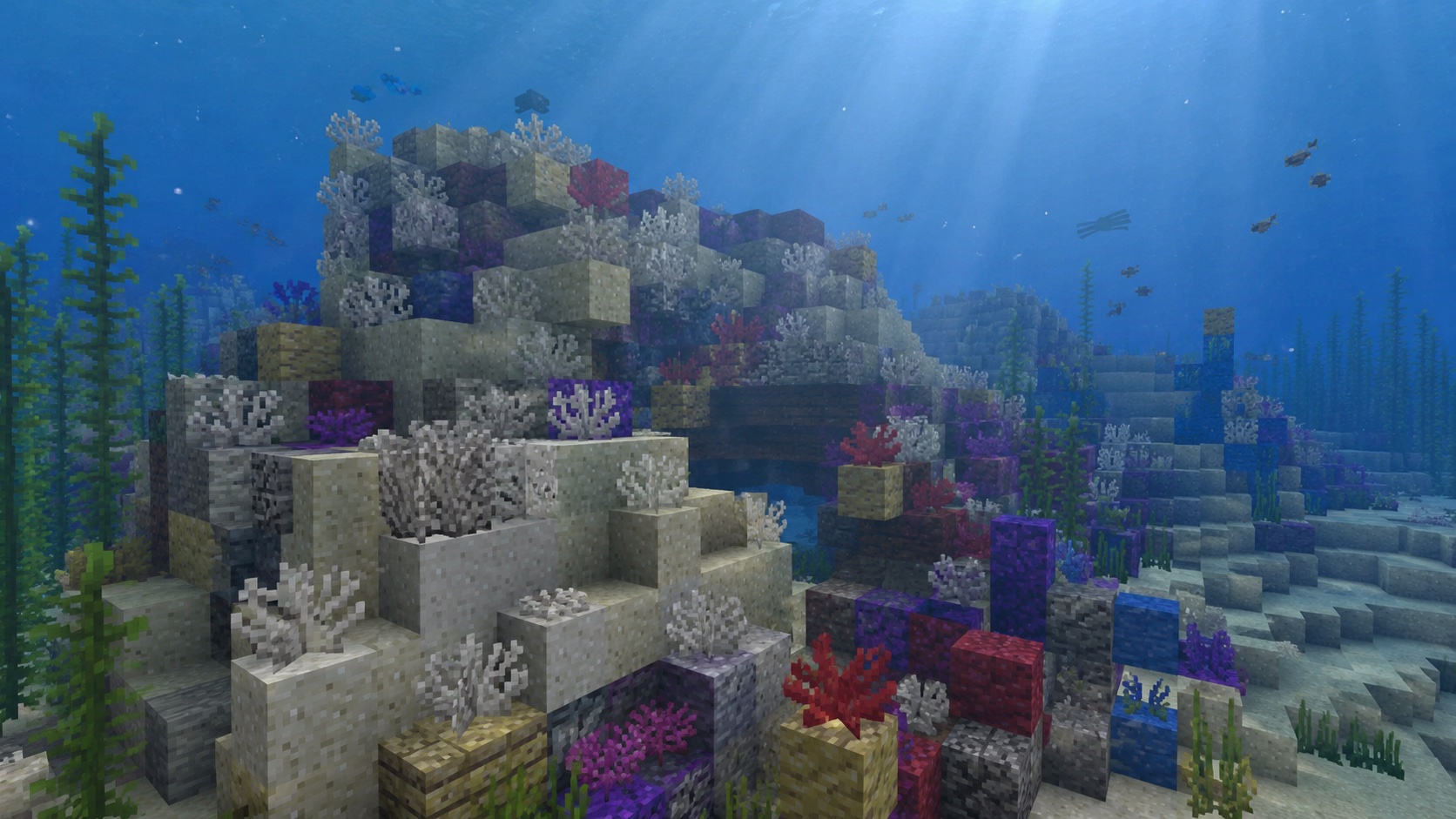
What dead horn coral fan is
Dead horn coral fan is the gray, lifeless version of horn coral fan. It looks like a thin, fan-shaped plant attached to a block, with the same horn-tipped silhouette as the living coral but bleached pale gray. It only exists because every type of coral in the game eventually dies if you take it out of water and leave it dry.
This is the block you usually notice in two situations: you mined a horn coral fan and forgot to keep it in water, so it bleached on you, or you found one already dead in an old reef where the water level dropped. Either way, you end up with a decorative block that doesn’t need water to survive, which makes it useful for builds far away from oceans.
Where dead horn coral fan comes from
There are two ways to get a dead horn coral fan:
- Find a living horn coral fan in a warm ocean biome and let it die.
- Find one that already died on its own in a damaged reef.
Living horn coral grows in warm oceans, the only ocean variant that has coral reefs. The fan version sticks to the side or top of a coral block. When the chunk loads, every coral and coral fan checks whether it has water touching it. If it doesn’t, a short timer starts, and the coral switches to its dead, gray form.
You can speed this up on purpose. Place a horn coral fan on a normal stone block with no water around it. Within a few seconds, it bleaches, and the block name updates to “dead horn coral fan.” From that point on, it stays gray forever. There is no way to revive it back into living coral.
How to find dead horn coral fan
If you want to find one that already died in the world, you have two main options.
Inside warm ocean reefs
Some coral fans in a warm ocean reef spawn already dead. This usually happens at the edges of the reef where the structure clipped into a non-water block during world generation, so the fan never had water to touch. Swim through a reef with a torch out and look for the gray, washed-out fan shapes mixed in with the bright pinks, purples, and blues. Horn coral has a tan-yellow living color, so the dead version is the gray fan that used to be that warm yellow.
Aboveground in exposed reefs
Sometimes a reef generates partially above the waterline. Any coral or fan that ends up above water dies almost instantly, so you can walk across an exposed reef and see entire dead patches. This is the easiest place to gather dead horn coral fan in bulk because you don’t even need to swim. Bring a pickaxe and harvest the gray fans directly off the surface blocks of the reef.
Buried treasure and shipwrecks
Dead horn coral fan does not generate inside chests. There is no treasure-hunting shortcut. The only way to stockpile it is to mine it from reefs or kill living horn coral fans yourself.
How to mine dead horn coral fan
Dead horn coral fan needs a pickaxe to drop, the same as any coral fan. Use any tier of pickaxe, from wood up to netherite. Hand mining works, but you get nothing for it; the block just breaks and disappears.
One important detail: a fan placed on the side of a block (the wall-fan version) drops the same way as a floor-fan as long as you mine it with a pickaxe. The shape changes based on placement, but the loot rules are identical.
Silk Touch is not required for dead coral fans the way it is for living ones. Living horn coral fan only drops if you mine it with Silk Touch; otherwise it breaks and gives nothing. Dead coral and dead coral fans skip that rule. Any pickaxe gives you the block back.
The block has a very low hardness, so even an unenchanted wood pickaxe breaks it almost instantly. There is no efficiency or fortune effect to worry about; one fan in, one fan out.
How to place dead horn coral fan
Right-click any face of a solid block while holding a dead horn coral fan, and it attaches to that face.
- Place it on the top of a block to get the floor-fan version.
- Place it on the side of a block to get the wall-fan version, which orients toward you.
- Place it on the underside of a block and it will not stick. Coral fans need their attachment block to act as the floor or a wall.
Once placed, the fan does not need water around it. That is the whole point of using the dead version in a build. You can put it in a desert build, on a mountainside, or inside an underground base, and the gray color stays locked in.
What dead horn coral fan does mechanically
This block is a passive decoration. It doesn’t grow, spread, or react to redstone. The full list of behavior is short:
- It can be waterlogged. Place water in the same block as the fan and the fan stays gray; only living coral cares about the water status.
- It can be placed on most full blocks. Some technical blocks like glass can hold a coral fan as long as the placement face counts as solid.
- It cannot be pushed by pistons. Pistons either stop or break the fan, depending on direction.
- It cannot be moved by water flow once placed.
- It does not block light, mob movement, or projectiles.
- It does not affect mob spawning. Mobs can spawn on the block underneath it as long as that block is a valid spawn surface.
If you want a coral fan that does change with water status, you need the living version of horn coral fan, not the dead one.
Building with dead horn coral fan
The gray, fan-shaped silhouette gives you a few options that look distinct from the usual leaf, vine, or grass clumps.
Bleached reef builds
Dead coral pairs naturally with sand, gravel, smooth sandstone, and bone blocks. Mix dead horn coral fans into a beach scene that suggests an old, dried-out reef. The horn shape adds a pointier silhouette than the bushier brain or bubble varieties, so it reads well as a focal piece on top of a bone block or a sand pile.
Underwater scenes far from warm oceans
You can use dead horn coral fan to add reef-style decoration to an aquarium or build that is nowhere near a warm ocean. Unlike living coral, the dead version does not need water touching it every tick, so you don’t have to flood a whole room to keep it from bleaching.
Old shipwreck dressing
If you build a sunken-ship diorama, a few dead horn coral fans on the deck and railings sell the “this has been here for years” look. The fan shape catches the eye without being as loud as a brightly colored living fan.
Spooky underground gardens
Dead coral fans also work well in a creepy underground room. Pair them with cobwebs, soul sand, and bone blocks for an abandoned reef look that fits a dungeon or a haunted aquarium build, no water required.
How dead horn coral fan compares to the other dead corals
Minecraft has five coral types, and each one has a fan version that can die. Mechanically, all dead coral fans behave the same way: any pickaxe to mine, no water required, can be wall- or floor-mounted. The differences are visual.
- Dead tube coral fan: the dead version of the blue tube coral, with a soft, branching shape.
- Dead brain coral fan: the dead version of the pink brain coral, with a rounded, lumpy shape.
- Dead bubble coral fan: the dead version of the purple bubble coral, with a knobbly, bubbly silhouette.
- Dead fire coral fan: the dead version of the red fire coral, with a wispy, flame-like shape.
- Dead horn coral fan: the dead version of the yellow horn coral, with a stubby, antler-like fan shape.
Mix and match the dead variants for a build that reads like a real bleached reef. Using only one type tends to look uniform, which is fine for a tightly themed scene but boring for a wide reef floor.
Common mistakes
- Mining without a pickaxe. The fan breaks and you get nothing. Always carry a pickaxe when you walk into a reef.
- Trying to revive it. Once dead, it stays dead. There is no bonemeal trick that turns it back into living coral.
- Confusing it with dead horn coral block. The fan is the thin plant version. The block is the chunky cube version. Different shapes, same color palette.
- Pushing it with a piston. The fan pops off. Plan your contraption around the block instead, or use a different decorative element.
- Placing it on a non-solid face. If the placement face is a slab, fence, or wall side, the fan may not attach. Use a full block face when in doubt.
Java vs. Bedrock differences
For dead horn coral fan, Java and Bedrock are nearly identical. The block ID, mining rules, and placement behavior all match. The only minor wrinkle is naming: in Bedrock, the wall-mounted version uses “dead horn coral wall fan” as its data name, while Java treats both orientations under the same item but uses block states to track direction. Visually and functionally, you won’t notice a difference unless you’re poking at command blocks.
Frequently asked questions
Can dead horn coral fan come back to life?
No. Once a horn coral fan dies, it stays gray. Bonemeal does not work. Surrounding it with water does not work. The only way to “get” a living version back is to find another live horn coral fan in a warm ocean biome.
Do I need silk touch to mine dead horn coral fan?
No. Any pickaxe drops the block. Silk Touch is only required for the living version of horn coral fan, not the dead one.
Will dead horn coral fan die if I put it out of water?
It can’t die any further. Dead is the bottom state. Keep it dry, flood it, drag it through lava if you want; the block stays the same gray fan.
What is the difference between dead horn coral fan and dead horn coral?
“Dead horn coral” by itself is the upright, plant-style block that looks like a small horn sticking out of a block. “Dead horn coral fan” is the flat, fan-shaped version that sits flush against a wall or floor. Same color, different shapes. They share an inventory category but are separate placed blocks.
Can I waterlog a dead horn coral fan?
Yes. Right-click with a water bucket on the block, or place the fan in a water source. The waterlogged state is purely cosmetic for the dead version; it doesn’t affect anything else.
Does dead horn coral fan despawn?
No. Like any placed block, it stays where you put it until something breaks it. The dropped item form, after mining, follows the normal item-despawn timer of about five minutes if you don’t pick it up.
Does dead horn coral fan block mob spawning?
No. The fan itself is a non-solid decoration, so mobs can still spawn on the block underneath it as long as that block is a valid spawn surface and the light level is low enough.
Quick recap of the rules
Mine dead horn coral fan with any pickaxe. Place it on a wall or floor. It does not need water. It cannot be revived. Use it where you want the silhouette of a coral fan without the upkeep of a living one.