What an observer does
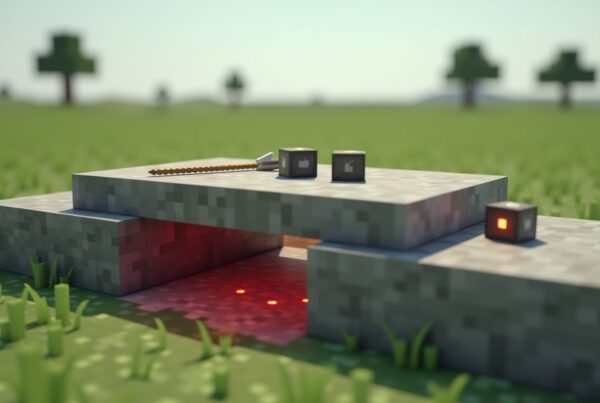
An observer is a redstone block that watches one neighbor and fires a short pulse the moment that neighbor changes. The side with the four eyes is the side it watches. The side with the single small dot is where the redstone signal comes out. Nothing else about it is more complicated than that.
This block is the easiest way to turn almost any change in the world into a redstone signal: a sapling growing, a piston extending, a door opening, a wire turning on or off. If you can see it change, an observer can probably trigger off it.
How to get an observer
Observers are crafted at a crafting table from cobblestone, redstone dust, and one nether quartz. You’ll need a trip to the Nether for the quartz, but everything else is easy to gather.
The recipe is:
- Top row: three cobblestone
- Middle row: redstone dust, nether quartz, redstone dust
- Bottom row: three cobblestone
One craft yields one observer. There is no villager trade for them in vanilla, and they don’t appear in generated structure chests, so crafting is the only way to get them outside of Creative mode.
Observers require a pickaxe to break. Anything wood-tier or above will work. Break one with a fist or another tool and the block won’t drop.
How to place an observer correctly
The face of the observer (the four-eyed texture) points at whatever you’re aiming at when you place it. The dot side, which is the output, points back at you. So if you stand in front of a sugarcane stalk and place an observer against it, the observer will watch the cane, and the dot will face away from the cane.
Observers can be placed on any face of any solid block, including walls, floors, and ceilings. The orientation depends entirely on where you’re looking when you click.
To capture the output, put redstone dust, a repeater, a piston, a comparator, or any other powerable component directly behind the dot. The signal does not come out of the other four sides.
What triggers an observer
The observer fires when the block on its face side changes state. That covers a lot of cases, including:
- The watched block being broken or replaced
- A redstone component turning on or off (wire, repeater, lamp, daylight sensor, comparator)
- Sugarcane, bamboo, kelp, or cactus growing one taller
- Crops maturing, including wheat, beetroot, carrots, and potatoes
- A pumpkin or melon appearing on its stem block
- A piston extending or retracting
- A door, trapdoor, or fence gate opening or closing
- Snow layers being added or melted
- Water or lava replacing air, or air replacing them
- A noteblock changing pitch when you punch it
What it does not detect:
- Mobs or players moving past it
- Items dropping or being picked up
- Hostile or passive mobs in the area around it
- Anything happening more than one block away from the face
If you need to detect a mob or an item entering a region, reach for a pressure plate, a tripwire, or a target block instead.
The output pulse
The output is a redstone signal of strength 15. On Java Edition, that pulse lasts one redstone tick, which is roughly 0.1 seconds. On Bedrock Edition, the pulse lasts two redstone ticks, so the signal feels slightly longer.
A one-tick pulse on Java is fast enough to fire a piston, light a redstone lamp briefly, or trigger another observer downstream. If you need a longer pulse for a slower component like a dispenser or a noteblock, run the output into a repeater set to two, three, or four ticks. The repeater stretches the pulse to whatever length you need.
Common uses
Automatic farms
Auto-farms are the most common reason players reach for observers. A few standard setups:
- Sugarcane farm: place an observer one block above the base of a stalk, watching the space where the second block of cane will grow. The moment cane reaches that height, the observer fires and a piston breaks it. A hopper-and-water flume catches the drops.
- Bamboo farm: same shape as a sugarcane farm. Bamboo grows fast, so a single observer can keep up with a tall column.
- Pumpkin or melon farm: place an observer next to the dirt block where the gourd will appear. When the block transitions from air to pumpkin or melon, the observer triggers a piston that breaks the block.
- Kelp farm: the observer watches the top of a kelp column underwater. As kelp grows, a piston pushes it into a fence or into flowing water to break it.
- Cactus farm: similar layout, with the cactus broken by a piston when it grows to the observed height.
The same pattern repeats for any plant that grows vertically: watch the space the plant will fill, fire a piston when the space becomes the plant.
Piston doors and elevators
Observers let you build very compact piston doors. Place an observer on the back of a piston, watching the piston head. When the first piston extends, the observer fires and triggers a second piston. This chain reaction extends or retracts a whole wall of pistons in one quick sequence, which is how many small “1×2 hidden door” and “seamless wall” builds work.
The same trick powers slime-block elevators and contraption builds where one piston needs to wait for another to finish before it fires.
Flying machines on Java
On Java Edition, two observers and two pistons, paired with slime or honey blocks, form a self-driving machine that walks across the world. Each observer watches the other piston. The two halves keep firing each other, and the whole rig moves one block per cycle. Bedrock has its own version that uses different timing because Bedrock pistons behave a little differently from Java pistons.
Clocks and item filters
Two observers pointed at each other make a very fast clock. The signal bounces between them at one redstone tick per side, so this is one of the fastest clocks you can build without using droppers or command blocks.
An observer pointed at a comparator on a hopper produces a clean pulse whenever an item enters or leaves the hopper, which is useful for item filters and counters.
Things that catch people out
The face-vs-dot mix-up is the single most common mistake. If your observer isn’t firing, flip it around. The eyes look at what it watches, and the dot is what fires.
Observers do not stack their outputs. If the watched block changes twice in quick succession, the observer fires twice, but the pulses don’t combine into a longer signal. Each pulse is still one redstone tick.
Observers don’t fire on chunk load by themselves. If your contraption depends on an observer being mid-pulse when chunks unload, the state won’t be restored on reload. Build with this in mind: anything that needs to “remember” a state across an unload should hold that state in a redstone latch, not in an observer pulse.
Observers fire once when the block they watch is destroyed, including when a piston pushes that block away. This is the trigger most flying machines and farms rely on. It can also surprise you in builds where you don’t want a pulse at the moment of cleanup.
Java vs. Bedrock differences
The recipe, the texture, and the basic detection rules are the same on both editions. The two things to know:
- Pulse length is one redstone tick on Java and two on Bedrock. If you copy a circuit from a Java tutorial onto Bedrock or the other way around, double-check any repeaters and pulse-extenders.
- Some piston-and-observer flying machines that work on Java do not work the same way on Bedrock because the underlying piston timing is different. Use a build that was tested on your edition.
Frequently asked questions
Can an observer detect a mob walking past?
No. The observer only watches the block on its face side. Mobs, players, and items moving through the area do not change a block’s state, so they don’t trigger the observer. Use a pressure plate or a tripwire for that job.
Does an observer detect ice or snow melting?
Yes. Snow layers, ice, frosted ice, and similar block-to-block transitions count as state changes, and an observer pointed at them will fire on the change.
Which side of an observer is the output?
The side with the small red dot. The opposite side has the four-eyed face texture, and that’s the side that watches. Place a piece of redstone dust on the dot side and you’ll see it light up when the observer fires.
Can I power an observer with redstone?
No. Observers take no redstone input. They only react to block state changes on the watched neighbor. Powering one with a button or a lever does nothing.
Does an observer fire on chunk load?
Not on its own. If the watched block has not changed since the chunks unloaded, nothing happens when they load back in. This is why redstone clocks built only from observers will sometimes stall when you walk far away and come back: there’s no fresh state change to restart the loop.
What is the easiest way to make the pulse longer?
Run the output into a repeater. A two-tick repeater doubles the pulse, four ticks quadruples it. For longer pulses, feed the signal into a piston-and-block extender circuit, or into a redstone torch latch that releases after a set time.
Can two observers watch each other?
Yes, and that’s how the standard two-observer clock works. Each one’s output flips the other’s redstone wire on or off, and the cycle never stops on its own. It’s one of the fastest clocks in the game.
When to reach for an observer
An observer is the right tool when you need a single block to act as a trigger and you want a clean redstone pulse out the back. Farms, piston circuits, hidden doors, fast clocks, and item-filter pulses all fit. If you find yourself wiring up four repeaters and a comparator to detect something basic, an observer often cuts the whole thing down to one block. Build small first, then chain them together as your contraption grows.